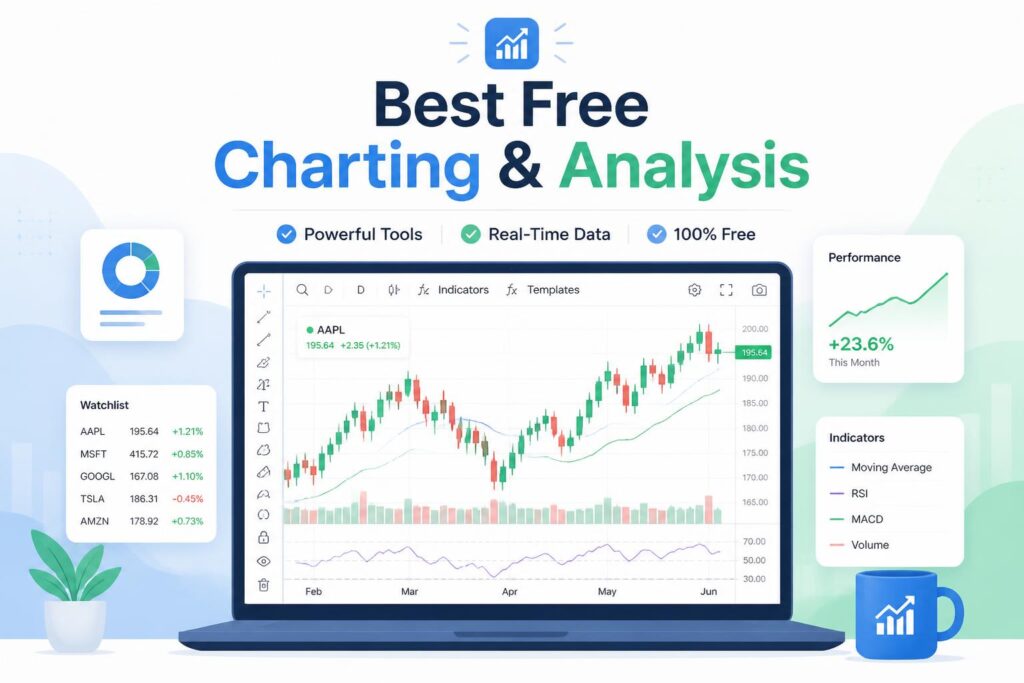
Best Charting & Analysis Platforms for Beginners in 2026
FTC Disclosure: This article may contain affiliate links. If you buy through certain links, we may earn a commission at no extra cost to you. Recommendations are based on usability, value, research, and how suitable each platform is for beginners.
Getting started with technical analysis can feel like a lot. There are dozens of charting platforms, endless indicators, and subscription plans ranging from free to surprisingly expensive.
A common mistake new traders make is paying for advanced software before they know which tools they’ll actually use. In many cases, a free plan is more than enough to learn the basics.
The good news is that today’s charting platforms are easier to use than ever. Many include educational resources, built-in indicators, and mobile access without requiring a major investment.
This guide compares the best charting and analysis platforms for beginners in 2026, including pricing, strengths, weaknesses, and who each platform is best suited for.
Quick comparison
Platform Best For Starting Price Free Version TradingView Best overall Free Yes TrendSpider Automated analysis $49/month Trial Finviz Stock screening Free Yes Thinkorswim Learning advanced analysis Free Yes StockCharts Traditional technical analysis $19.95/month Trial MetaTrader 5 Forex trading Free Yes TC2000 Active stock traders $9.99/month Trial
How we evaluated these platforms
We focused on factors that matter most to beginners:
- Ease of use
- Quality of charting tools
- Educational resources
- Pricing and overall value
- Coverage of stocks, ETFs, forex, and crypto
- Community support
- Mobile and desktop access
- Ability to grow with your experience
The platforms below consistently performed well across those areas.
1. TradingView
Best overall charting platform for beginners
TradingView is often the first platform people recommend to new traders, and for good reason. It combines a clean interface with powerful charting tools and a large community that shares ideas, indicators, and educational content.
Because it runs in a web browser, you can access your charts from almost any device without installing software.
Key features
- Hundreds of built-in indicators
- Custom indicator marketplace
- Real-time charting
- Support for multiple asset classes
- Community trade ideas
- Paper trading
- Mobile apps
Pricing
Plan Monthly Cost Basic Free Essential From $12.95 Plus From $24.95 Premium From $49.95
Pros
- Easy to learn
- Strong free plan
- Large user community
- Modern chart interface
- Supports stocks, crypto, forex, and futures
Cons
- Some advanced tools require a paid subscription
- Certain real-time data feeds may cost extra
Best for
Anyone starting their technical analysis journey.
Bottom line
If you’re new to charting, TradingView is the easiest place to begin. Most beginners can spend months learning on the free plan before needing an upgrade.
—
2. TrendSpider
Best for automated technical analysis
TrendSpider takes a different approach. Instead of manually drawing trend lines and identifying patterns, the software automates much of the process.
That can be especially helpful for beginners who aren’t yet confident reading charts.
Key features
- Automated trend lines
- Pattern recognition
- Multi-timeframe analysis
- Market scanners
- Strategy testing
- Smart alerts
Pricing
Plan Monthly Cost Starter From $49 Premium From $99 Advanced From $179
Pros
- Saves time
- Helps reduce analysis mistakes
- Excellent scanning tools
- Strong automation features
Cons
- Higher cost than many competitors
- Some tools take time to learn
Best for
Traders who want software assistance when analyzing charts.
Bottom line
TrendSpider can shorten the learning curve if you prefer automation over drawing and analyzing charts manually.
—
3. Finviz
Best free stock analysis platform
Finviz is known for its stock screener, but it also offers useful charting and market visualization tools.
The platform makes it easy to scan large numbers of stocks and spot opportunities quickly.
Key features
- Stock screener
- Market heat maps
- Visual market overviews
- News integration
- Basic charting tools
- Insider trading data
Pricing
Plan Cost Free $0 Elite Around $39.50/month
Pros
- Excellent free tools
- Powerful screening features
- Easy-to-read visuals
- Fast market scanning
Cons
- Limited chart customization
- Primarily focused on stocks
Best for
Investors looking for free stock research tools.
Bottom line
Finviz offers a lot of value without requiring a subscription. It’s a strong choice for stock-focused beginners.

4. Thinkorswim
Best for learning advanced analysis
Thinkorswim combines professional-level tools with a large library of educational resources.
The platform can look intimidating at first, but many experienced traders learned on it because it provides room to grow.
Key features
- Advanced charting
- Paper trading
- Options analysis
- Strategy testing
- Educational content
- Multi-monitor support
Pricing
Free for brokerage clients.
Pros
- Professional-grade tools
- Strong educational materials
- Excellent paper trading
- No platform fee
Cons
- Can feel overwhelming initially
- Requires time and practice
Best for
Beginners who plan to become active traders.
Bottom line
If you’re willing to invest time learning the platform, Thinkorswim can take you from beginner to advanced trader without needing to switch software.
—
5. StockCharts
Best for traditional technical analysis
StockCharts has been around for years and remains popular among traders who prefer classic chart analysis.
Its educational section, ChartSchool, is particularly useful for learning technical concepts from the ground up.
Key features
- Technical indicators
- Chart overlays
- Market breadth analysis
- ChartSchool learning center
- Custom scans
- Relative strength tools
Pricing
Plan Monthly Cost Basic $19.95 Extra $39.95 Pro $59.95
Pros
- Excellent educational content
- Reliable charting tools
- Strong focus on technical analysis
- Long track record
Cons
- Interface feels dated compared with newer platforms
- Less visually polished than TradingView
Best for
Investors who want to learn traditional chart-reading techniques.
Bottom line
StockCharts is a solid educational platform and a good place to build strong technical analysis fundamentals.
—
6. MetaTrader 5
Best for forex beginners
MetaTrader 5 remains one of the most widely used platforms in forex trading.
Although the interface looks older than some modern competitors, it provides a large collection of tools and broad broker support.
Key features
- Multi-asset trading
- Technical indicators
- Expert Advisors
- Custom scripts
- Economic calendar
- Strategy testing
Pricing
Usually free through participating brokers.
Pros
- Widely used in forex markets
- Highly customizable
- Large user community
- Free access through many brokers
Cons
- Outdated interface
- Less intuitive than TradingView
Best for
Forex and CFD traders.
Bottom line
If forex is your main focus, you’ll likely encounter MetaTrader 5 sooner or later. Learning it can be worthwhile simply because of how common it is.
—
7. TC2000
Best for active stock traders
TC2000 combines charting and stock screening in one platform.
Its speed and scanning capabilities make it popular with traders who need to identify opportunities quickly.
Key features
- Advanced scans
- Custom indicators
- Real-time charting
- Watchlists
- Alerts
- Options tools
Pricing
Plan Monthly Cost Silver $9.99 Gold $29.99 Platinum $59.99
Pros
- Fast performance
- Strong scanning tools
- Affordable starting price
- Built for stock traders
Cons
- Fewer asset classes than some competitors
- Smaller social community
Best for
Active stock traders who value speed and efficiency.
Bottom line
TC2000 offers a good mix of features and affordability, especially for stock-focused traders.
Feature comparison
Feature TradingView TrendSpider Finviz Thinkorswim StockCharts MT5 TC2000 Free Plan Yes Trial Yes Yes Trial Yes Trial Stocks Yes Yes Yes Yes Yes Limited Yes Crypto Yes Limited No Limited No Yes No Forex Yes Limited No Yes No Yes No Mobile App Yes Yes Limited Yes Limited Yes Yes Paper Trading Yes No No Yes No Yes No Beginner Friendly Excellent Good Excellent Moderate Good Moderate Good
Choosing the right platform
The best platform depends on what you’re trying to do.
Choose TradingView if:
- You’re completely new to charting
- You want a strong free plan
- You trade multiple asset classes
- You prefer a modern interface
Choose TrendSpider if:
- You want automation
- You struggle with manual chart analysis
- You rely heavily on scanners and alerts
Choose Finviz if:
- You focus on stocks
- You want free research tools
- Screening matters more than chart customization
Choose Thinkorswim if:
- You plan to trade actively
- You want paper trading
- You enjoy in-depth educational content
Choose MetaTrader 5 if:
- Forex is your primary market
- You need broker integration
- You may explore automated strategies later
For more investing and software comparisons, visit:
Best Charting & Analysis
Frequently asked questions
What is the best charting platform for beginners?
TradingView is generally the strongest all-around choice because it balances ease of use, charting power, educational resources, and affordability.
Can beginners learn using free charting software?
Yes. Many traders start with free versions of TradingView, Finviz, or Thinkorswim and learn the basics without paying anything.
Is paid charting software worth it?
It can be. The upgrade becomes worthwhile when the extra features save time or support a more advanced trading workflow.
Which indicators should beginners learn first?
Start with a small set of core tools:
- Moving averages
- RSI
- Volume
- Support and resistance
- Trend lines
Learning a few indicators well is usually more effective than trying dozens at once.
Is technical analysis enough on its own?
Most traders combine technical analysis with risk management and at least some understanding of market fundamentals.
How much should beginners spend?
As little as possible in the beginning. Use free plans first and upgrade only when you can clearly identify a feature you need.
Final verdict
TradingView remains the top choice for most beginners in 2026. It offers an excellent balance of usability, charting capability, educational resources, and cost.
If you’re just starting out, the free plan is usually enough. As your skills develop, you can decide whether advanced features are worth paying for.
TrendSpider stands out for automation, while Finviz remains one of the best free tools for stock analysis.
Whatever platform you choose, consistency matters more than software. Pick one, learn it thoroughly, and focus on building solid analysis habits before chasing advanced features.