Best AI Coding: The Complete Guide to Choosing the Right Tool Without Overpaying

Choosing an AI coding assistant is annoying. Dozens of options promise to revolutionize your workflow. Most don’t. This guide helps you find one that actually works without wasting money.
Why this matters
A bad AI coding tool doesn’t just cost money—it costs time. Developers report hours wrestling with tools that generate wrong code, miss context, or need constant supervision. A good tool can cut development time by 30-50%.
Most AI coding tools run on subscriptions. Pick wrong and you’re paying for months while it sits unused.
What AI coding tools actually do
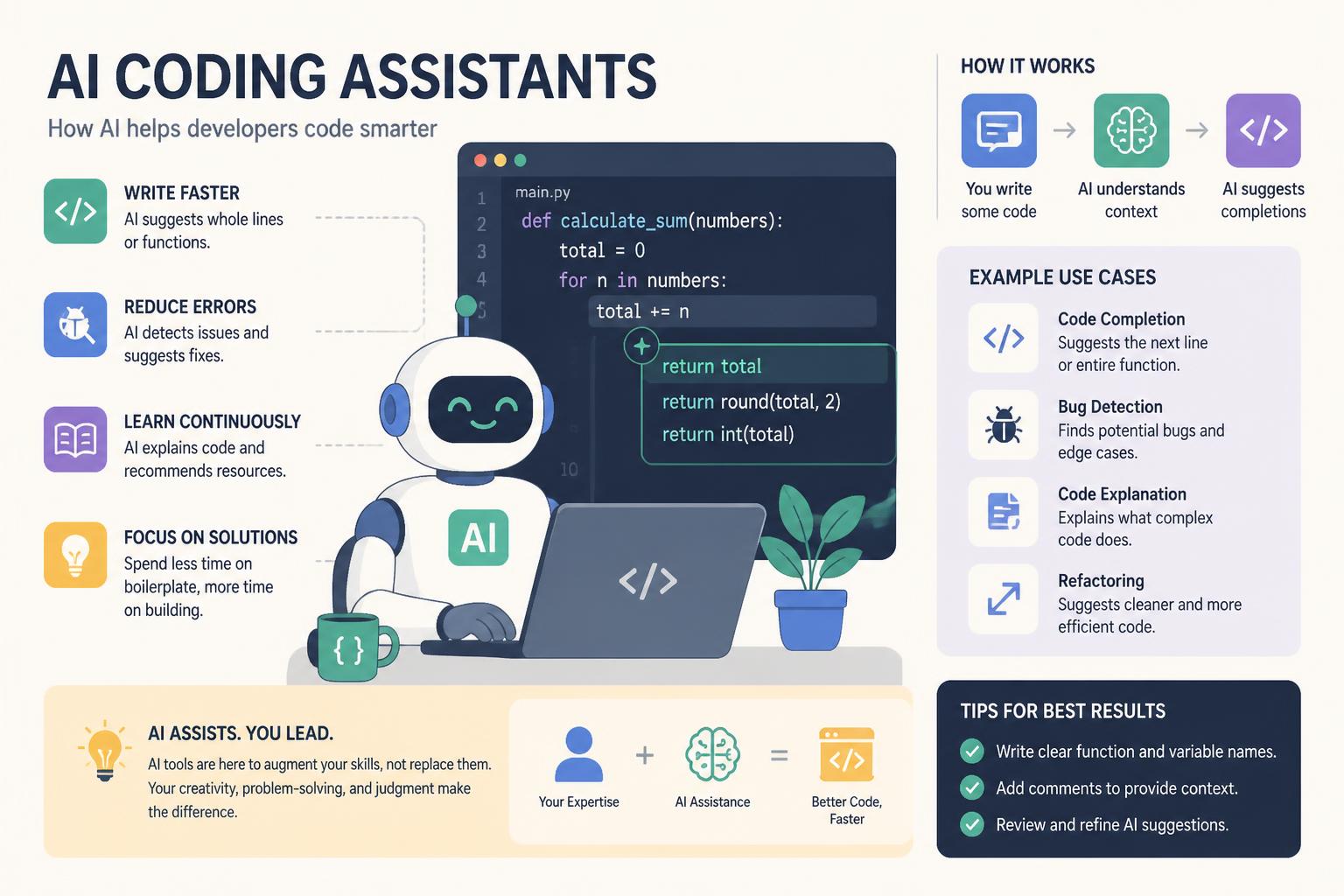
AI coding assistants fall into a few categories:
Code completion tools suggest code as you type. Good at boilerplate, weak at complex logic.
Code generation tools write entire functions from descriptions. Useful for scaffolding but need careful review.
Code review assistants scan for bugs, security holes, and style issues. Catch things humans miss but generate false positives.
Full-stack assistants combine everything—planning, implementation, testing. Most versatile, most expensive.
Top options in 2025
GitHub Copilot
Best for: Professional developers in established codebases
Pricing: $10/month individual, $19/month Pro
Strengths: Deep IDE integration, understands repository context, strong framework support
Copilot pioneered AI pair programming. Trained on billions of lines of public code, it excels at common patterns. Integrates into VS Code, Visual Studio, JetBrains IDEs, and Neovim.
Copilot’s strength is context. It reads open files, examines repository structure, considers recent edits. This produces more accurate, project-specific code than tools working in isolation.
Downsides: sometimes suggests outdated patterns or deprecated APIs. Requires internet, unsuitable for air-gapped environments.
Cursor
Best for: Developers wanting AI throughout their workflow
Pricing: Free tier, $20/month Pro
Strengths: Chat-driven development, multi-file editing, codebase-wide understanding
Cursor reimagines the IDE around AI. Built AI-first rather than bolting it onto an existing editor. Enables features competitors can’t match—like editing multiple files from natural language requests.
The chat interface lets you have real conversations about code. Ask “Why is this function slow?” and Cursor analyzes performance, suggests optimizations, implements changes across your codebase.
Steeper learning curve than simpler tools. Free tier limits requests. But for developers willing to adapt, Cursor delivers real gains.
Tabnine
Best for: Teams prioritizing privacy and security
Pricing: Free tier, $12/month Pro, custom enterprise pricing
Strengths: On-premise deployment, no external storage, trains on private codebases
Tabnine addresses the privacy issue. While Copilot sends code to external servers, Tabnine offers on-premise deployment where code never leaves your infrastructure.
For enterprise teams with sensitive codebases, this is non-negotiable. Tabnine trains on private repositories, learning team patterns without exposing IP.
The tradeoff: slightly less sophisticated suggestions than tools using massive cloud infrastructure. For many teams, acceptable for guaranteed security.
Amazon CodeWhisperer
Best for: AWS-focused development
Pricing: Free for individual use, $19/month Professional
Strengths: AWS SDK support, security scanning, reference tracking
CodeWhisperer is Amazon’s Copilot competitor, laser-focused on AWS development. If you’re building on AWS, CodeWhisperer’s understanding of AWS APIs and best practices is unmatched.
Includes security scanning that flags vulnerabilities before production. Tracks when suggestions come from specific open-source projects, simplifying license compliance.
Outside AWS, it’s competent but unremarkable. Strong specialization makes it the obvious choice for AWS projects, potentially overkill otherwise.
Cody by Sourcegraph
Best for: Large enterprise codebases with complex dependencies
Pricing: Free tier, custom enterprise pricing
Strengths: Handles massive codebases, leverages Sourcegraph search, multi-repository awareness
Cody excels where codebases span dozens of repositories and millions of lines. Built on Sourcegraph’s search engine, Cody reasons about dependencies across your entire organization—not just the current project.
This enterprise context means more accurate suggestions in complex environments. Cody knows internal libraries, company-specific patterns, suggests code that fits your architecture.
The catch: complexity. Requires Sourcegraph infrastructure, more involved setup. For small teams or individuals, simpler options make more sense.
How to choose
Figure out what you need
Are you:
- Learning to code? Consider best AI coding for beginners
- Working on personal projects? Explore best free AI coding
- Part of an enterprise team? Review best AI coding 2025 enterprise solutions
Beginners: Pick tools that explain suggestions. Copilot and Cursor help you learn while coding.
Experienced developers: Focus on context understanding and speed. Tools that slow you down with wrong suggestions aren’t worth any price.
Teams: Consider collaboration features, shared learning, admin controls. Can leads monitor usage? Does the tool improve with your codebase?
Calculate real cost
AI coding tools have hidden costs beyond subscriptions:
Correction time: How much time fixing incorrect suggestions? If you’re correcting more than 20%, the tool is slowing you down.
Context switching: Does the tool interrupt flow? AI requiring constant prompt engineering disrupts the coding rhythm that makes you productive.
Learning curve: How long until proficient? Some deliver value immediately; others need weeks before productivity improves.
Calculate your effective hourly rate. If a $20/month tool saves 5 hours monthly, it’s paid for itself if your time is worth more than $4/hour—which it is.
Test before committing
Most tools offer free trials. Use them strategically:
Week 1: Use for daily work without changing process. Measure whether it saves time.
Week 2: Experiment with advanced features. Can chat or multi-file editing solve problems your workflow struggles with?
Week 3: Test edge cases. Legacy code? Unfamiliar languages? Complex business logic?
Track metrics that matter: lines accepted vs. rejected, bugs introduced, time saved on repetitive tasks. Feelings of productivity don’t always match real gains.
Common mistakes
Accepting everything without review
AI assistants are powerful but not infallible. Developers who accept every suggestion introduce subtle bugs that escape testing. Treat AI suggestions like junior developer code: helpful starting points needing senior review.
Always understand generated code before committing. If you can’t explain it, you can’t maintain it.
Ignoring privacy
Some tools send code to external servers. If you’re working on proprietary systems, this may violate contracts or expose IP.
Read privacy policies. Understand:
- Where is code processed?
- How long is it retained?
- Who has access?
- Can you opt out of training collection?
For sensitive work, on-premise solutions like Tabnine are worth extra cost.
Chasing new features
AI tools release updates constantly. Chasing every feature creates upgrade fatigue and distracts from development.
Establish quarterly reviews. Evaluate whether new features justify switching or upgrading. Most of the time, they don’t.
Forgetting fundamentals
AI doesn’t replace understanding programming fundamentals. Developers who lean too heavily on AI struggle when tools fail or suggestions are wrong.
Use AI to accelerate work you understand, not to paper over knowledge gaps. If you don’t understand how to solve a problem manually, you can’t evaluate whether AI solved it correctly.
Making the decision
Step 1: Define success metrics
What does “better coding” mean for you? Faster features? Fewer bugs? Better quality? Define measurable goals before evaluating.
Step 2: Shortlist based on constraints
Filter by dealbreakers: budget, privacy requirements, IDE compatibility, language support. This narrows dozens to 3-5 candidates.
Step 3: Trial the finalists
Use each for one week of real work. Track your metrics. Be honest—sometimes the hyped tool performs worse than the underdog.
Step 4: Calculate ROI
Compare time saved vs. cost. If a tool saves less than 2 hours monthly, a $20 subscription probably isn’t worth it. If it saves 10 hours, it’s a bargain.
Step 5: Commit for 3 months
Give your choice time to prove itself. Many tools improve as they learn your patterns. Three months provides enough data to judge accurately.
Bottom line
The best AI coding tool makes you more productive without breaking the bank. For most professional developers, GitHub Copilot offers the best balance. Teams prioritizing privacy should evaluate Tabnine. AWS-focused developers benefit from CodeWhisperer’s specialization.
But “best” depends on your situation. A beginner learning Python has different needs than a senior engineer maintaining legacy Java. Your ideal assistant should:
- Integrate into your existing workflow
- Generate correct code more than 80% of the time
- Save more time than it costs to review suggestions
- Respect privacy and security requirements
- Improve as it learns your codebase
Start with free tiers or trials. Measure actual productivity gains, not feelings of working faster. AI coding tools are assistants, not replacements. The best tool amplifies your skills while keeping you in control.
The AI coding landscape changes rapidly. But the fundamentals stay constant: choose tools that save time, respect code privacy, and integrate smoothly into your workflow. Everything else is marketing noise.