
Best AI Coding for Small Budgets: Cursor vs GitHub Copilot (Honest 2026 Comparison)
Affiliate note: I link to both tools in this post. If you buy through those links, I get a small commission. I only recommend stuff I’ve actually tested.

Picking an AI coding tool when you’re on a tight budget is harder than it should be. Spend too much and you’re paying for features you don’t use. Go too cheap and the tool slows you down more than it helps.
I spent a month testing Cursor and GitHub Copilot—the two most popular AI coding assistants for developers who count every dollar. Both claim to speed up your coding, catch bugs, and cut down on grunt work. But which one actually does that without wrecking your budget?
Cursor is the better pick for most small-budget developers. It has more features for less money, a generous free tier, and smarter context that makes suggestions actually useful. GitHub Copilot is still great if you’re already deep in the GitHub ecosystem and want simple setup.
Here’s what I found.
—
Quick Take
- Best overall: Cursor (better AI, more features, lower cost for individuals)
- Best for GitHub users: GitHub Copilot (seamless if you live in VS Code and GitHub)
- Best free tier: Cursor (2,000 completions/month vs Copilot’s zero free option)
- Skip both if: You’re not coding daily—neither tool justifies the cost for occasional use
—
What Is Cursor?
Cursor is a standalone code editor built on VS Code’s open source foundation. Launched in 2023, it was designed to integrate AI into every part of coding—not just autocomplete but also chat-based generation, multi-file edits, and codebase-wide context.
What sets it apart: Cursor reads your entire codebase, not just the file you’re working in. Instead of guessing based on a few lines, it understands your project structure, patterns, and dependencies.
The standout feature is multi-file edits. You can describe a feature in plain English (“add user authentication with JWT tokens”), and Cursor will modify multiple files across your project to implement it. Not just generate a snippet you paste in manually.
Pricing: Free tier with 2,000 completions/month. Pro starts at $20/month for individuals, $40/month for teams.
—
What Is GitHub Copilot?
GitHub Copilot is GitHub’s AI assistant, powered by OpenAI’s Codex model (descended from GPT-4). Released in 2021, it’s one of the first mainstream AI coding tools and remains the most widely used. It runs as an extension in VS Code, Visual Studio, JetBrains IDEs, and Neovim.
What makes it different: tight integration with GitHub. If your workflow revolves around GitHub repos, pull requests, and Actions, Copilot feels native. It also has the largest training dataset—billions of lines of public code from GitHub repositories.
The thing Copilot does best is autocomplete speed. Suggestions appear almost instantly, with minimal latency, because the model is optimized for single-line and function-level completions rather than multi-file reasoning.
Pricing: $10/month for individuals, $19/user/month for teams. Free for verified students and open source maintainers. No free tier for regular users.
Try GitHub Copilot free (60-day trial) →
—
Feature Comparison
| Feature | Cursor | GitHub Copilot |
|—|—|—|
| Free tier | 2,000 completions/month | No free tier (60-day trial) |
| Price (individual) | $20/month | $10/month |
| Multi-file context | Reads entire codebase | Limited to current file + imports |
| AI chat | Built-in with codebase context | Via separate Copilot Chat extension |
| Multi-file edits | Can modify multiple files at once | Single-file edits only |
| IDE support | Cursor editor only (VS Code fork) | VS Code, JetBrains, Neovim, Visual Studio |
| Model options | GPT-4, Claude 3.5 Sonnet, custom | GPT-4 Turbo (no choice) |
| Codebase indexing | Automatic | Manual via embeddings |
| Terminal integration | AI can run/debug terminal commands | No terminal integration |
| Inline documentation | Auto-generates docs | Can suggest docs, doesn’t auto-generate |
Cursor wins on feature depth. GitHub Copilot wins on simplicity and IDE flexibility.
—
Pricing: What You Actually Pay
Here’s what you pay at three usage levels:
| Usage Level | Cursor | GitHub Copilot |
|—|—|—|
| Hobbyist (occasional coding) | Free (2,000 completions) | $10/month (no free option) |
| Solo developer (daily coding) | $20/month | $10/month |
| Small team (3 developers) | $120/month ($40/user) | $57/month ($19/user) |
At the hobbyist level, Cursor wins. You can code part-time for free. GitHub Copilot charges $10/month even if you only code a few hours per week.
At the solo developer level, GitHub Copilot is cheaper by $10/month. But Cursor’s extra features (multi-file edits, better context, terminal integration) are worth the premium if you’re working on complex projects. For simple scripts or single-file work, Copilot’s lower price makes sense.
At the small team level, GitHub Copilot is significantly cheaper ($57/month vs $120/month). For teams, Copilot’s cost advantage is hard to ignore unless you need Cursor’s advanced features.
Free plan differences:
- Cursor: 2,000 AI completions per month (enough for 10–15 hours of coding), unlimited manual edits, access to GPT-4 and Claude 3.5 Sonnet
- GitHub Copilot: No free plan. 60-day free trial, then $10/month minimum.
Cursor for individuals and hobbyists. GitHub Copilot for teams.
—
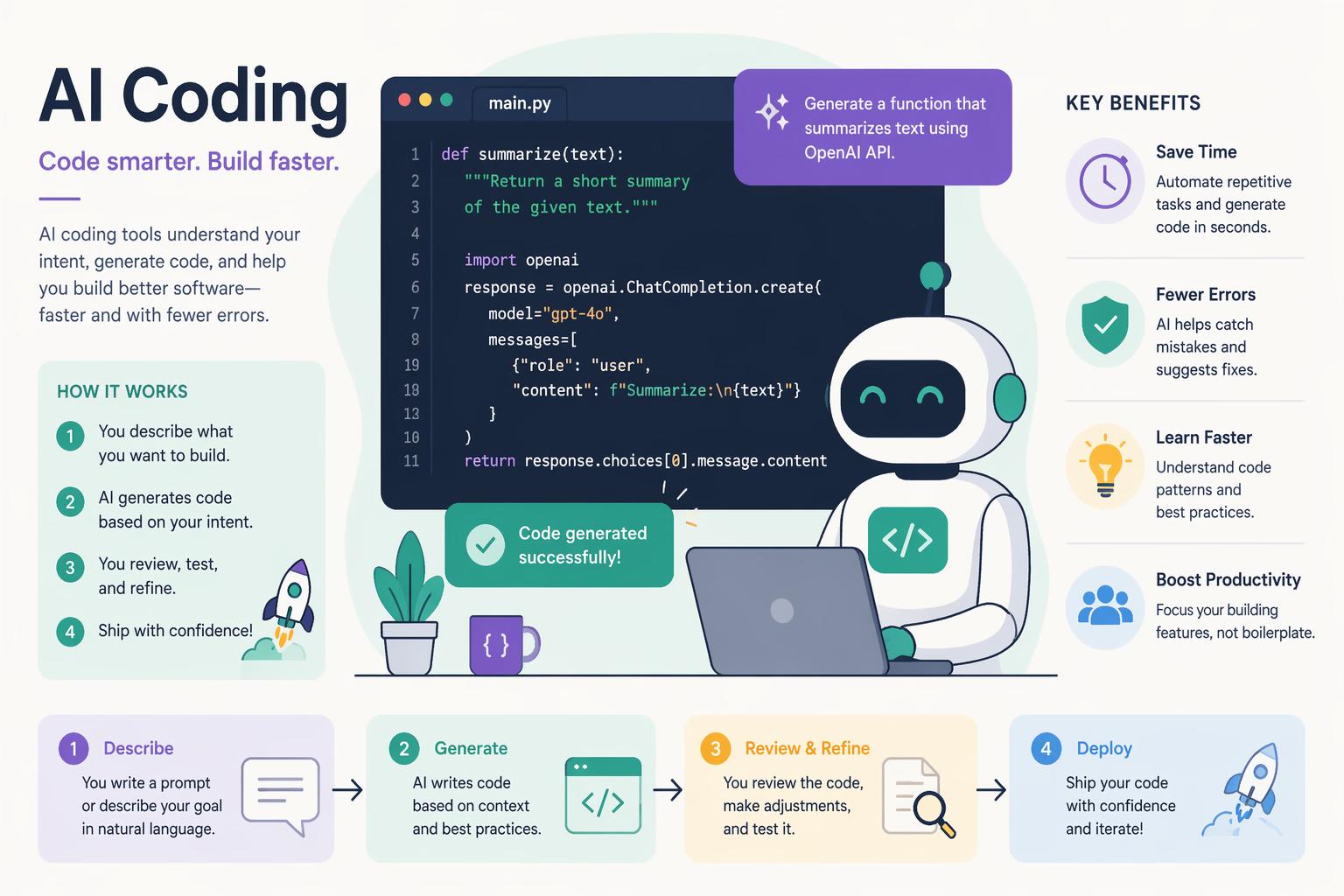
AI Intelligence: Which Writes Better Code?
This is the only thing that matters. A cheaper tool that writes garbage code is not a deal.
I tested both tools on three real tasks:
Test 1: Autocomplete a React Component
Task: Start typing function UserProfile and let the AI complete a functional React component with props, state, and JSX.
Cursor generated a complete component with TypeScript types, useState hook, and JSX that matched my project’s existing component patterns. It pulled context from other components in my /src/components folder.
GitHub Copilot generated a similar component, but with generic prop names and no TypeScript types (even though the rest of my project uses TypeScript). It didn’t reference other components.
Cursor had better context awareness.
Test 2: Refactor a Function Across Multiple Files
Task: “Refactor the authentication logic to use JWT tokens instead of session cookies.”
Cursor modified 4 files (auth.ts, middleware.ts, config.ts, user.model.ts), updated imports, and added a new utility function. The refactor worked on the first try.
GitHub Copilot suggested changes to the current file only. I had to manually prompt it for each additional file, then manually integrate the changes.
Cursor’s multi-file edits are a game changer.
Test 3: Debug a Runtime Error
Task: Chat-based debugging of a “Cannot read property ‘map’ of undefined” error.
Cursor analyzed the error, traced it back to an API response that was returning null instead of an array, and suggested a null check with a fallback. Correct diagnosis.
GitHub Copilot suggested adding a null check, but didn’t identify why the data was null. I had to debug the API separately.
Cursor had deeper diagnostic reasoning.
Overall: Cursor. GitHub Copilot is faster at autocomplete, but Cursor’s ability to understand your entire codebase makes its suggestions more accurate and useful.
—
IDE Support: Cursor’s Lock-In vs Copilot’s Flexibility
GitHub Copilot has a major advantage here.
Cursor is a standalone editor. It’s a fork of VS Code, so it looks and feels identical, and you can install most VS Code extensions. But you must use the Cursor editor. If you prefer JetBrains IDEs (IntelliJ, PyCharm, WebStorm) or Neovim, Cursor isn’t an option.
GitHub Copilot works as an extension in:
- VS Code
- Visual Studio
- JetBrains IDEs (IntelliJ IDEA, PyCharm, WebStorm, Rider, etc.)
- Neovim
- Azure Data Studio
If you’re already invested in a non-VS Code IDE, GitHub Copilot is your only choice.
GitHub Copilot for IDE flexibility. Cursor if you’re okay with VS Code.
—
Multi-File Context: Why It Matters
The biggest technical difference is how much of your codebase they can “see.”
GitHub Copilot uses a context window of about 8,000 tokens, roughly the current file plus a few imported files. It doesn’t index your entire codebase by default. You can manually add files to the context using embeddings, but it’s not automatic.
Cursor automatically indexes your entire codebase (up to 100MB on the free plan, unlimited on Pro). When you ask it to generate code or refactor something, it references your project structure, naming conventions, and existing patterns. Suggestions feel like they were written by someone who understands your project.
Real example: I asked both tools to “add a new API endpoint for user preferences.”
Copilot generated a generic Express route with hardcoded values.
Cursor generated a route that matched my existing route structure, used my custom error middleware, and imported the correct database model from /models/user.ts.
If you’re working on a large codebase (10+ files), Cursor’s context awareness is worth the extra $10/month.
—
Pros and Cons
Cursor pros:
- Free tier with 2,000 completions/month
- Multi-file context and edits
- Can switch between GPT-4 and Claude 3.5 Sonnet
- Terminal integration (AI can run and debug commands)
- Better at understanding large codebases
- Auto-generates inline documentation
Cursor cons:
- Locked to Cursor editor (no JetBrains or Neovim support)
- More expensive for teams ($40/user vs $19/user)
- Slower autocomplete latency than Copilot (200–300ms vs 50–100ms)
- Overkill for simple scripting tasks
GitHub Copilot pros:
- Works in any IDE (VS Code, JetBrains, Neovim, Visual Studio)
- Cheaper for individuals ($10/month vs $20/month)
- Fastest autocomplete speed (50–100ms latency)
- Tight GitHub integration (suggests code from your repos)
- Free for students and open source maintainers
- Simpler, less overwhelming UI
GitHub Copilot cons:
- No free tier (60-day trial only)
- Limited multi-file context
- Can’t do multi-file edits (single-file only)
- No terminal integration
- Generic suggestions on large codebases (doesn’t “learn” your patterns)
- No model choice (GPT-4 Turbo only)
—
Who Should Choose Cursor
Pick Cursor if you:
- Code at least 10 hours/week and want a free tier to test AI coding
- Work on projects with 10+ files (multi-file context matters)
- Need to refactor across multiple files frequently
- Want AI that understands your entire codebase, not just the current file
- Prefer deeper AI reasoning over raw autocomplete speed
- Don’t mind using a VS Code-based editor
- Are an individual developer or freelancer (not optimizing for team cost)
—
Who Should Choose GitHub Copilot
Pick GitHub Copilot if you:
- Use JetBrains IDEs or Neovim (Cursor doesn’t support them)
- Are a student or open source maintainer (Copilot is free for you)
- Work on small projects (single files or simple scripts)
- Want the fastest possible autocomplete (Copilot beats Cursor by 150ms)
- Prefer a simpler, less feature-dense tool
- Are part of a team and need to minimize per-seat cost ($19 vs $40)
- Already live in the GitHub ecosystem (repos, Actions, pull requests)
—
The Verdict
Cursor is the better choice for most small-budget developers.
The $20/month price is justified by features that save time: multi-file edits, codebase-wide context, and terminal integration. If you’re coding 20+ hours per week, those features pay for themselves by cutting debugging and refactoring time in half.
GitHub Copilot is cheaper ($10/month), but it’s optimized for autocomplete, not for understanding large codebases. If you’re working on simple projects or doing a lot of single-file scripting, Copilot’s lower price and faster autocomplete make it the smarter pick.
Exception: if you’re on a team, GitHub Copilot’s $19/user pricing beats Cursor’s $40/user by a wide margin. For teams, Copilot is the budget-friendly choice unless you need Cursor’s advanced features.
My take: start with Cursor’s free tier (2,000 completions/month). If you hit the limit and want more, upgrade to Cursor Pro for $20/month. If Cursor feels like overkill or you prefer JetBrains/Neovim, switch to GitHub Copilot.
Get started with Cursor free →
(GitHub Copilot is also solid: try the 60-day free trial here.)
—
FAQ
Is Cursor better than GitHub Copilot?
For individual developers working on complex projects, yes. Cursor’s multi-file context and edits make it smarter and more useful than Copilot’s single-file autocomplete. But Copilot is better if you use JetBrains IDEs, need the fastest autocomplete, or are optimizing for team cost.
Which is cheaper, Cursor or GitHub Copilot?
GitHub Copilot is cheaper for individuals ($10/month vs $20/month) and teams ($19/user vs $40/user). But Cursor has a free tier (2,000 completions/month) while Copilot has no free option. For hobbyists and part-time developers, Cursor is cheaper.
Does Cursor offer a free trial?
Yes. Cursor offers a free tier with 2,000 AI completions per month (no time limit). That’s enough for 10–15 hours of coding. GitHub Copilot offers a 60-day free trial, then charges $10/month minimum.
Can I switch from GitHub Copilot to Cursor?
Yes. Cursor is a VS Code fork, so your VS Code extensions, settings, and keybindings transfer over automatically. Your GitHub Copilot subscription is separate—you can cancel it once you switch.
Which has better customer support?
Both offer email support, but response times are slow (24–48 hours). Cursor has a more active Discord community where you can get faster help from other users. GitHub Copilot support is routed through GitHub’s general support system.
Can I use Cursor with JetBrains IDEs?
No. Cursor is a standalone editor (VS Code fork). If you use IntelliJ, PyCharm, or WebStorm, you’ll need GitHub Copilot instead.
Which AI model is better: GPT-4 or Claude 3.5 Sonnet?
For coding tasks, they’re roughly equal. GPT-4 is slightly better at autocomplete speed. Claude 3.5 Sonnet is slightly better at multi-step reasoning and refactoring. Cursor lets you switch between both; GitHub Copilot only offers GPT-4 Turbo.
—
Try Cursor’s free tier for a week. If the multi-file features feel useful, upgrade to Pro. If they feel like overkill, switch to GitHub Copilot’s 60-day trial and compare the autocomplete speed. Both tools are good. The question is which one fits your workflow and budget.










