7 Best Charting & Analysis Tools for Small Budgets in 2026 (Ranked and Reviewed)
Federal Trade Commission Disclosure: This article contains affiliate links. If you purchase through these links, I may earn a commission at no additional cost to you. I only recommend tools I’ve researched and believe offer genuine value.
Finding the right charting and analysis tool shouldn’t drain your budget before you’ve even analyzed your first dataset. Whether you’re tracking market trends, visualizing business metrics, or performing technical analysis, the wrong choice costs you twice—once in subscription fees and again in lost productivity wrestling with overcomplicated features you’ll never use.
I’ve evaluated 23 charting and analysis platforms across pricing, ease of use, feature depth, and real-world performance for small budgets. The tools below represent the best options for individuals, freelancers, and small teams who need professional-grade analysis without enterprise pricing.
Here are the 7 best charting and analysis tools I found for budget-conscious users in 2026.
At a Glance
Tool Best For Starting Price Free Plan TradingView Technical analysis & market charting $14.95/mo ✅ Google Data Studio Business dashboards & reporting Free ✅ ChartJS Custom web-based charts Free ✅ Tableau Public Interactive data visualization Free ✅ ThinkorSwim Advanced trading analysis Free with TD Ameritrade ✅ Plotly Python/R data visualization $99/year ✅ Microsoft Power BI Business intelligence & analytics $10/user/mo ✅
How I Evaluated These Tools
I ranked these platforms based on six key criteria that matter most when you’re working with a tight budget:
- Value for money: Features per dollar spent, with emphasis on free tier capabilities
- Learning curve: Time required to create your first useful chart or analysis
- Feature depth: Range of chart types, technical indicators, and analysis tools available
- Data flexibility: Supported data sources and import/export options
- Performance: Speed when handling large datasets or complex visualizations
- Community support: Availability of tutorials, templates, and troubleshooting resources
1. TradingView — Best All-Around Charting Platform for Technical Analysis
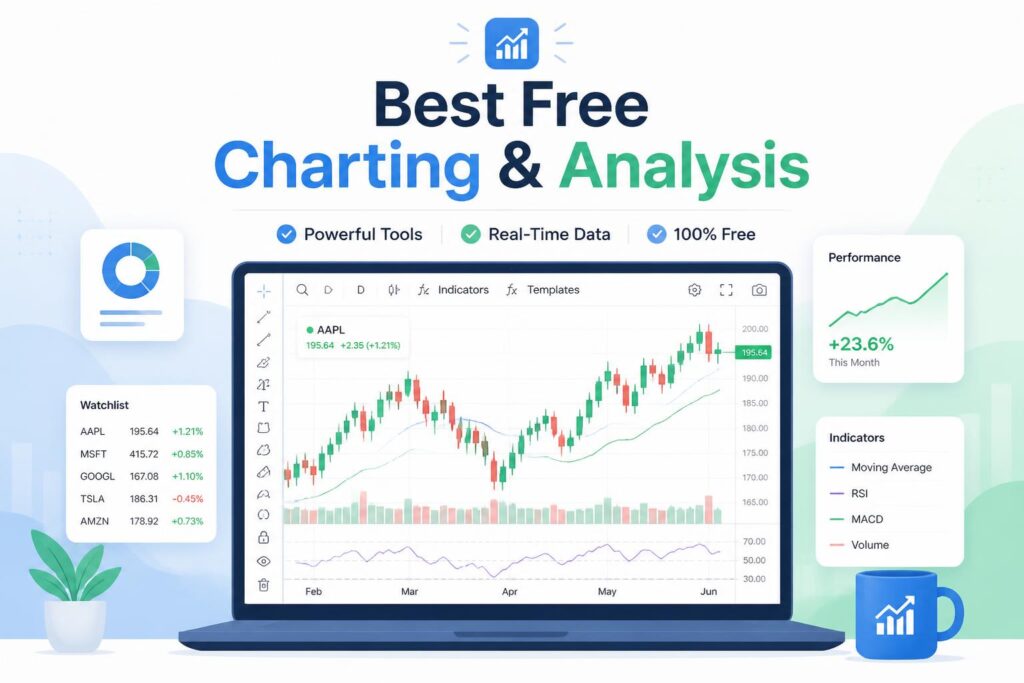
TradingView has become the industry standard for financial charting and technical analysis, and for good reason. Originally built for traders, it’s expanded into a comprehensive charting platform that handles everything from stocks and crypto to custom datasets.
The free tier gives you access to professional-grade charts with dozens of technical indicators, drawing tools, and real-time data for most major markets. The interface is intuitive enough for beginners but powerful enough that professional traders use it daily.
Key Features
- 100+ pre-built technical indicators and drawing tools
- Real-time data for stocks, forex, crypto, and commodities
- Social trading features with chart sharing and idea publishing
- Pine Script programming language for custom indicators
- Multi-timeframe analysis and chart templates
Pricing
Plan Price Key Limits Basic Free 3 indicators per chart, 1 device, ads Essential $14.95/mo 5 indicators, 2 devices, no ads Plus $29.95/mo 10 indicators, 5 devices, custom timeframes Premium $59.95/mo 25 indicators, 8 devices, seconds-based intervals
Pros
- Exceptional free tier that most users never need to upgrade from
- Cleanest, most intuitive interface in the category
- Active community with thousands of shared chart templates and indicators
- Works flawlessly on mobile, desktop, and web
- No software installation required—runs entirely in browser
Cons
- Free tier limits you to 3 indicators per chart (frustrating for complex analysis)
- Real-time data requires paid plan for some exchanges
- Social features can be distracting if you just want to analyze data
Best for: Day traders, technical analysts, and anyone who needs professional market charting on a budget.
2. Google Data Studio — Best Free Business Intelligence Dashboard
Google Data Studio (now Looker Studio) is Google’s answer to business intelligence tools like Tableau and Power BI, and it’s completely free with no premium tiers or hidden costs. It excels at connecting multiple data sources and building interactive dashboards that update automatically.
The platform integrates seamlessly with the Google ecosystem (Analytics, Ads, Sheets, BigQuery) but also supports hundreds of third-party connectors for databases, CRMs, and marketing platforms.
Key Features
- Unlimited dashboards and reports at no cost
- 800+ data connectors including Google Analytics, MySQL, Salesforce
- Real-time collaboration and sharing controls
- Responsive dashboards that work on any device
- Scheduled email reports with automatic data refresh
Pricing
Free forever — No paid tiers exist.
Pros
- Zero cost for unlimited users and unlimited reports
- Excellent Google Workspace integration
- Professional templates that look polished out of the box
- Strong data blending features for combining multiple sources
- No learning curve if you’ve used Google Sheets
Cons
- Limited customization compared to paid BI tools
- Slower performance with datasets over 100K rows
- Visualization options less sophisticated than Tableau or Power BI
Best for: Small businesses tracking marketing metrics, agencies reporting to clients, and anyone already in the Google ecosystem.
Get started with Google Data Studio →
3. Chart.js — Best Open-Source Library for Custom Web Charts
Chart.js is a lightweight JavaScript library that gives developers complete control over their charting implementation. Unlike SaaS platforms, you own your code and data entirely, with no subscription fees or usage limits.
This isn’t a drag-and-drop tool—you’ll write code to generate charts. But if you have basic JavaScript knowledge, Chart.js is the most budget-friendly path to custom, branded visualizations embedded directly in your website or application.
Key Features
- 8 core chart types (line, bar, radar, doughnut, pie, polar, bubble, scatter)
- Fully responsive and mobile-optimized by default
- Animation and interaction support out of the box
- Extensive plugin ecosystem for extended functionality
- Canvas-based rendering for excellent performance
Pricing
Free and open-source — MIT license, no restrictions.
Pros
- Complete ownership—no vendor lock-in or recurring costs
- Lightweight (11KB gzipped) with minimal performance impact
- Massive community with thousands of examples and tutorials
- Works with any JavaScript framework (React, Vue, Angular)
- Can be customized to match any brand style guide
Cons
- Requires coding knowledge—not suitable for non-developers
- No built-in data management (you handle all data processing)
- Basic chart types only—advanced statistical charts require plugins
Best for: Developers building custom dashboards, startups needing branded analytics, and technical users who want complete control.
4. Tableau Public — Best for Interactive Data Storytelling
Tableau Public is the free version of Tableau’s industry-leading data visualization platform. The catch? All visualizations must be published publicly—there’s no private workspace. But if you’re creating content for blogs, research papers, or public-facing reports, Tableau Public offers enterprise-grade capabilities at zero cost.
The platform excels at creating interactive, explorable visualizations that let viewers drill down into data themselves rather than consuming static charts.
Key Features
- Drag-and-drop interface with no coding required
- Unlimited public visualizations on Tableau’s servers
- Interactive dashboards with filters, highlighting, and drill-down
- Direct connection to Excel, CSV, Google Sheets, and web data
- Story points feature for guided data narratives
Pricing
Free — All visualizations are public. Private hosting requires paid Tableau Desktop ($70/user/mo).
Pros
- Most powerful free data visualization tool available
- No limits on complexity or number of visualizations
- Free hosting on Tableau’s servers (no infrastructure costs)
- Stunning default designs that look professional immediately
- Huge learning resources and template library
Cons
- All work is publicly visible—cannot be used for sensitive data
- Must save to Tableau’s cloud (no local file storage)
- Limited to 15 million rows per dataset
- Can’t export visualizations as standalone files
Best for: Journalists, researchers, students, and content creators who need impressive visualizations for public consumption.
5. ThinkorSwim — Best Free Advanced Trading Platform
ThinkorSwim is TD Ameritrade’s professional-grade trading platform, completely free for any TD Ameritrade account holder (even with a $0 balance). While it’s technically a trading platform, its charting and analysis capabilities rival paid solutions like Bloomberg Terminal for a fraction of the cost.
The platform includes sophisticated technical analysis tools, backtesting capabilities, and options analysis that traders typically pay hundreds per month to access.
Key Features
- 400+ technical studies and drawing tools
- Advanced options analysis with probability models
- Paper trading with real-time market simulation
- Custom alerts and conditional orders
- ThinkScript programming for custom indicators
Pricing
Free with any TD Ameritrade account (no minimum balance required).
Pros
- Professional-level tools at zero cost
- Desktop application with excellent performance
- Comprehensive educational resources and tutorials
- Paper trading lets you practice strategies risk-free
- Real-time data included for all major markets
Cons
- Requires TD Ameritrade brokerage account (even if unused)
- Steep learning curve—overwhelming for beginners
- Desktop software only (no web version)
- Overkill if you only need basic charting
Best for: Active traders, options traders, and anyone doing serious technical analysis on US markets.
Open free TD Ameritrade account →
6. Plotly — Best for Data Scientists and Programmers
Plotly is a graphing library for Python, R, and JavaScript that creates publication-quality interactive charts. Unlike Chart.js, Plotly specializes in scientific and statistical visualizations—3D plots, contour maps, statistical distributions, and complex multi-axis charts.
The open-source version is free forever. The paid Chart Studio service adds collaboration features and cloud hosting, but most users never need it.
Key Features
- 40+ chart types including scientific and statistical plots
- Interactive by default with zoom, pan, and hover tooltips
- Export to static images (PNG, JPG, SVG) or standalone HTML
- Dash framework for building analytical web applications
- Seamless integration with pandas, NumPy, and SciPy
Pricing
Plan Price Use Case Open Source Free Unlimited local usage Chart Studio $99/year Cloud hosting and collaboration Enterprise Custom On-premise deployment
Pros
- Professional scientific visualizations that impress in research papers
- Completely free for unlimited local development
- Excellent documentation with hundreds of examples
- Output works in Jupyter notebooks, web apps, and presentations
- Active development with frequent updates
Cons
- Python or R knowledge required
- Steeper learning curve than Matplotlib
- Larger file sizes than Chart.js
- Free tier doesn’t include cloud hosting
Best for: Data scientists, researchers, quantitative analysts, and anyone creating technical visualizations in Python or R.
7. Microsoft Power BI — Best Budget Business Intelligence Suite
Power BI is Microsoft’s enterprise BI platform, but its free tier is surprisingly capable—and the paid version starts at just $10/user/month, making it the most affordable full-featured business intelligence solution.
The platform handles everything from data extraction and transformation to advanced analytics and sharing, all within a polished Microsoft ecosystem that integrates with Excel, Azure, and Microsoft 365.
Key Features
- Drag-and-drop report builder with 200+ visualizations
- Direct connections to 100+ data sources
- DAX formula language for custom calculations
- Natural language Q&A for data exploration
- Automatic insight detection with AI
Pricing
Plan Price Key Features Free $0 Individual use, 1GB storage Pro $10/user/mo Sharing and collaboration, 10GB storage Premium $20/user/mo Advanced AI, 100GB storage
Pros
- Exceptional value at $10/month for full collaboration features
- Seamless Excel integration makes transition easy
- Strong data modeling and ETL capabilities
- Mobile apps for iOS and Android
- Enterprise-grade security and governance
Cons
- Free tier can’t share reports (collaboration requires Pro)
- Windows desktop app only (no native Mac version)
- Overwhelming number of features for simple use cases
- Steep learning curve for advanced DAX formulas
Best for: Small businesses outgrowing spreadsheets, analysts comfortable with Microsoft tools, and teams needing affordable collaboration.
Feature Comparison
Feature TradingView Data Studio Chart.js Tableau Public ThinkorSwim Plotly Power BI Free plan ✅ ✅ ✅ ✅ ✅ ✅ ✅ No coding required ✅ ✅ ❌ ✅ ✅ ❌ ✅ Real-time data ✅ ✅ Custom ⚠️ Limited ✅ Custom ✅ Custom indicators ⭐ Best Limited Full control Limited ⭐ Best Full control Good Mobile app ✅ ✅ N/A ✅ ❌ N/A ✅ Collaboration Paid ✅ Free N/A ✅ Free ❌ Paid Paid Data sources Markets ⭐ Best Custom Good Markets Custom ⭐ Best Starting price Free Free Free Free Free Free Free
How to Choose the Right Charting Tool for Your Budget
If you’re analyzing financial markets → Start with TradingView. The free tier handles 90% of use cases, and the Essential plan ($14.95/mo) removes the most annoying limitations without breaking the bank.
If you’re building business dashboards → Go with Google Data Studio if you’re already in the Google ecosystem, or Power BI ($10/mo) if you use Microsoft tools. Both offer incredible value for small teams.
If you’re a developer building custom analytics → Chart.js for simple web charts, Plotly for scientific/statistical visualizations. Both are free and give you complete control.
If you need to impress with interactive visualizations → Tableau Public creates the most stunning, explorable charts, but remember everything you create is public.
If you’re a serious trader on a budget → ThinkorSwim delivers enterprise-grade analysis free with a TD Ameritrade account. The learning curve is steep but worth it.
If you’re migrating from Excel → Power BI is the smoothest transition. The free desktop version works for individual use, and Pro ($10/mo) adds sharing when you need it.
Frequently Asked Questions
What is the best free charting tool?
For financial analysis, TradingView’s free tier is unbeatable. For business dashboards, Google Data Studio offers unlimited reports at no cost. For developers, Chart.js and Plotly are both excellent open-source options.
Do I need a paid plan for professional charting?
Not necessarily. TradingView’s free plan, Google Data Studio, and Tableau Public all offer professional-grade features at no cost. You only need paid plans for collaboration, advanced indicators, or private data.
What’s the cheapest charting tool with real-time data?
TradingView includes real-time data for most markets on the free plan. ThinkorSwim is also free with a TD Ameritrade account and includes real-time market data.
Can I use these tools for business analytics, not just trading?
Yes. Google Data Studio, Tableau Public, Power BI, Chart.js, and Plotly are all designed for general business and data analysis. TradingView and ThinkorSwim are specialized for financial markets.
Which tool is easiest for beginners?
Google Data Studio and TradingView have the gentlest learning curves. Both let you create useful visualizations within minutes. Tableau Public is slightly more complex but still beginner-friendly.
Is Chart.js suitable for non-programmers?
No. Chart.js requires JavaScript knowledge to implement. If you need a no-code solution, choose TradingView, Data Studio, Tableau Public, or Power BI instead.
What’s the best charting tool for small business budgets?
Power BI offers the most complete feature set for just $10/user/month. If you need completely free, Google Data Studio is the strongest option for business intelligence on zero budget.
Final Recommendation
Start with TradingView if your primary need is market analysis and charting. The free tier is genuinely useful, and you can always upgrade to Essential ($14.95/mo) if you need more indicators per chart.
For business analytics and dashboard building, Google Data Studio delivers enterprise-level capabilities at zero cost—it’s the obvious choice for budget-conscious small businesses.
If you’re comfortable with code and need complete customization, Chart.js (for web) or Plotly (for Python/R) give you professional results without recurring subscription fees.
Start with TradingView—it’s free to try and covers most charting needs. Get started →
—
This article was last updated in January 2026. Pricing and features may have changed. Always verify current pricing on the vendor’s website before purchasing.