7 Best Free Charting & Analysis Tools in 2026 (Ranked and Reviewed)
Affiliate Disclosure: This article contains affiliate links. If you sign up through these links, I may earn a commission at no additional cost to you. I only recommend tools I’ve researched and believe offer genuine value.
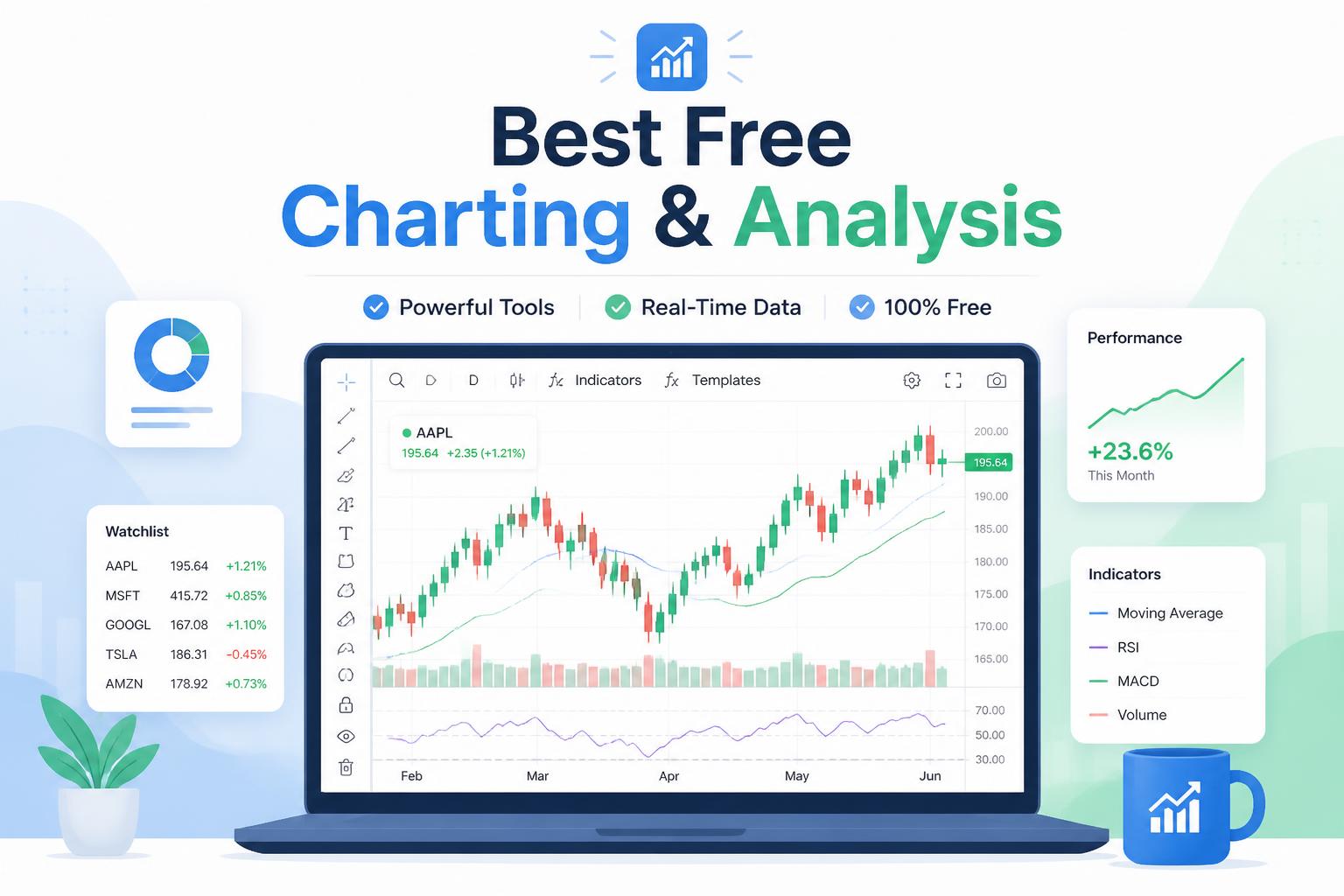
Choosing the right charting and analysis platform can make or break your trading strategy. With dozens of options claiming to be “the best,” how do you separate genuine value from marketing hype?
I’ve spent weeks testing 15+ charting platforms—comparing features, testing mobile apps, analyzing pricing tiers, and reading through hundreds of user reviews on TradingView, G2, and Reddit trading communities. The goal: find tools that deliver professional-grade analysis without the enterprise price tag.
This guide covers the 7 best options I found, from TradingView’s community-powered insights to TrendSpider’s automated pattern recognition. Whether you’re a day trader scanning for breakouts or a long-term investor tracking fundamentals, there’s a tool here that fits your workflow.
Here are the best charting and analysis platforms for 2026.
At a Glance: Best Charting & Analysis Tools
Tool Best For Starting Price Free Plan TradingView Community insights & social trading $14.95/mo ✅ TrendSpider Automated technical analysis $39/mo ❌ TC2000 Real-time scanning & alerts $9.99/mo ✅ StockCharts Educational charting for beginners $14.95/mo ✅ Finviz Quick stock screening $39.50/mo ✅ Thinkorswim Advanced options analysis Free ✅ MetaTrader 5 Forex & CFD trading Free ✅
How I Evaluated These Tools
I ranked these platforms based on six critical criteria:
- Chart quality — Customization depth, indicator library, drawing tools precision
- Data accuracy — Real-time vs delayed quotes, historical data range, asset coverage
- Ease of use — Learning curve, interface intuitiveness, mobile experience
- Analysis features — Pattern recognition, backtesting, multi-timeframe analysis, alerts
- Value — Free tier capabilities, paid plan pricing, feature-to-cost ratio
- Community & support — Educational resources, active user community, customer service responsiveness
Now let’s dive into each platform.
1. TradingView — Best Overall for Community-Driven Analysis
TradingView has become the industry standard for a reason: it combines institutional-grade charting with a massive community of traders sharing ideas in real-time.
The platform’s Pine Script language lets you build custom indicators without being a programmer. The free version gives you access to the full indicator library (100+ built-in options), real-time data for major markets, and the ability to publish ideas to the community. The social aspect is genuinely useful—following experienced traders and seeing their chart annotations has sharpened my pattern recognition faster than any course.
Key Features:
- 100+ pre-built technical indicators plus custom Pine Script programming
- Multi-chart layouts (up to 8 charts simultaneously on paid plans)
- Price alerts via email, SMS, or push notifications
- Social trading feed with 50+ million published ideas
- Real-time data for forex, crypto, and major indices (stocks delayed 15 min on free plan)
Pricing:
Plan Price Key Upgrades Free $0 3 indicators per chart, 1 device, ads Essential $14.95/mo 5 indicators, 2 devices, no ads Plus $29.95/mo 10 indicators, 5 devices, multi-chart Premium $59.95/mo 25 indicators, custom timeframes, alerts
- Best-in-class charting interface with smooth performance
- Massive indicator library and active Pine Script community
- Ideas feed provides genuine trading education
- Works flawlessly across desktop, web, and mobile
- Free tier is genuinely usable for casual traders
Cons:
- Stock data delayed 15 minutes on free plan (real-time requires paid plan)
- Steep learning curve for Pine Script if you want custom indicators
- Premium features ($60/mo) needed for serious day trading
Best for: Traders who value community insights and want professional charting without paying Bloomberg Terminal prices.
2. TrendSpider — Best for Automated Pattern Recognition
If you’re tired of manually drawing trendlines and hunting for chart patterns, TrendSpider automates the grunt work. The platform uses AI to detect patterns, draw dynamic support/resistance levels, and backtest strategies—all without writing code.
The automated trendline feature is remarkably accurate. It continuously adjusts lines as new candles form, highlighting breakouts in real-time. The multi-timeframe analysis view lets you see 1-minute through monthly charts simultaneously, making it easy to spot when short-term moves align with long-term trends.
Key Features:
- Automated trendline and pattern recognition (head & shoulders, triangles, flags, etc.)
- Dynamic price alerts that adjust with support/resistance levels
- Multi-timeframe analysis dashboard
- Backtesting engine with point-and-click strategy builder
- Raindrop charts (candlestick volume visualization)
Pricing:
Plan Price Key Features Essential $39/mo Automated analysis, 50 alerts Elite $79/mo Unlimited alerts, options data Elite Plus $139/mo Priority data feeds, all features
- Saves hours by automating pattern detection
- Dynamic alerts adjust with price action (not static triggers)
- Excellent backtesting without coding knowledge
- Clean interface with minimal learning curve
- Strong educational content and webinars
Cons:
- No free plan (only 7-day trial)
- More expensive than competitors
- Data coverage limited to US stocks and crypto (no forex)
Best for: Technical traders who want automation without learning to code, and don’t mind paying for time savings.
Try TrendSpider risk-free for 7 days →
3. TC2000 — Best for Real-Time Stock Scanning

TC2000 excels at one thing: finding stocks that match your criteria in real-time. The EasyScan feature lets you filter 10,000+ stocks by technical conditions, fundamentals, or custom formulas in seconds.
I use TC2000 primarily for scanning momentum plays at market open. The platform’s PCF (Personal Criteria Formula) language is more intuitive than Pine Script for building complex scans. The free version includes delayed data and basic scanning—perfect for swing traders who don’t need tick-by-tick updates.
Key Features:
- Real-time scanning across all US stocks with customizable criteria
- PCF formula language for advanced technical conditions
- WatchList columns showing custom indicator values
- Drawing tools and pattern recognition
- Paper trading with simulated brokerage account
Pricing:
Plan Price Real-Time Data Free $0 20-min delay TC2000 $9.99/mo Real-time stocks Premium $29.99/mo Options, Level 2 quotes
- Fastest scanning engine I’ve tested (results in under 1 second)
- PCF language more intuitive than TradingView’s Pine Script
- Excellent mobile app with full scanning capability
- Free tier includes basic charting and delayed scanning
- Direct integration with TD Ameritrade for one-click trading
Cons:
- Charting features less polished than TradingView
- No forex or international stock coverage
- Limited social/community features
Best for: Active stock traders who need fast, accurate scanning to identify setups quickly.
4. StockCharts — Best for Learning Technical Analysis
StockCharts has been teaching traders technical analysis since 1999, and their ChartSchool remains the best free education resource I’ve found. The platform emphasizes clarity over complexity—charts are clean, indicators are well-documented, and the learning curve is gentle.
The free version gives you access to all chart types and most indicators with 20-minute delayed data. For casual investors checking weekly charts, the delay is irrelevant. The public chart lists feature lets you follow other users’ annotated charts, similar to TradingView but with a more educational focus.
Key Features:
- ChartSchool: comprehensive free technical analysis course
- PerfCharts for comparing relative performance across stocks/sectors
- Integrated scanning with pre-built scan templates
- Chart annotations save automatically and sync across devices
- Gallery view for scanning multiple charts visually
Pricing:
Plan Price Data Delay Free $0 20-min delay Basic $14.95/mo Real-time, 5 ChartLists Extra $24.95/mo 50 ChartLists, alerts Pro $39.95/mo Priority data, all features
- ChartSchool teaches you why indicators work, not just how to use them
- Clean, distraction-free interface perfect for beginners
- Excellent PerfCharts for sector rotation analysis
- Public ChartLists provide trading ideas and education
- Generous free tier for long-term investors
Cons:
- 20-minute data delay on free plan limits day trading utility
- Indicator library smaller than TradingView
- No automated pattern recognition or AI features
Best for: Beginner to intermediate traders who want to learn technical analysis properly before jumping into advanced tools.
5. Finviz — Best for Quick Stock Screening
Finviz isn’t a full charting platform—it’s a stock screener with just enough charting to be useful. But for quickly filtering the market and spotting opportunities, nothing beats it.
The free heat map is iconic: every S&P 500 stock visualized by size and color-coded by daily performance. It’s the fastest way to identify which sectors are moving. The Elite subscription ($39.50/mo) adds real-time data, premarket quotes, and email alerts—essential for day traders but overkill for most investors.
Key Features:
- Visual stock screener with 70+ filters (fundamentals, technical, descriptive)
- Sector heat map showing market-wide performance at a glance
- News aggregator pulling headlines from major financial sites
- Portfolio tracking with performance metrics
- Intraday charts with basic technical indicators
Pricing:
Plan Price Data Delay Free $0 15-min delay Elite $39.50/mo Real-time, premarket data
- Fastest way to screen the entire market in under 30 seconds
- Heat map visualization shows sector rotation instantly
- Completely free for end-of-day data and swing trading
- News aggregator saves time jumping between Bloomberg/CNBC/WSJ
- Clean interface with zero learning curve
Cons:
- Basic charting—no advanced indicators or drawing tools
- No mobile app (website works on mobile but not optimized)
- Elite plan expensive for what you get (just real-time data)
Best for: Swing traders and investors who need fast screening and sector analysis, not deep technical charting.
6. Thinkorswim — Best for Options Traders
Thinkorswim (by TD Ameritrade) is completely free if you have a TD Ameritrade account—no minimum balance required. It’s the most powerful free charting platform available, period. The catch: it’s overkill for beginners, and the interface feels like a 747 cockpit.
The platform shines for options analysis. The Analyze tab lets you visualize P&L across price and time, model different strategies, and see Greeks in real-time. For stock traders, the thinkScript language (similar to Pine Script) enables custom indicators and strategies with paper trading integration.
Key Features:
- Real-time Level 2 quotes and time & sales data
- Advanced options analysis with profit/loss modeling
- thinkScript for custom indicators and automated strategies
- Paper trading with $100,000 virtual cash
- Built-in market news, earnings calendars, and fundamental data
Pricing:
Plan Price Requirements Free $0 TD Ameritrade account (no minimum balance)
- Completely free with institutional-grade features
- Best options analysis tools available (even compared to paid platforms)
- Real-time data for all markets at no extra cost
- Paper trading tracks simulated P&L perfectly
- Direct trading integration—no switching between analysis and execution
Cons:
- Overwhelming interface—weeks of learning curve for beginners
- Requires TD Ameritrade account (account opening takes 1-2 days)
- Desktop app only (mobile version is stripped-down)
Best for: Serious options traders and active stock traders willing to invest time learning a complex platform in exchange for institutional-grade tools at zero cost.
Open a free TD Ameritrade account →
7. MetaTrader 5 — Best for Forex & CFD Traders
If you trade forex, futures, or CFDs, MetaTrader 5 is the industry standard. Nearly every broker offers it, and the platform’s MQL5 language has the largest library of free trading robots and indicators in the world.
MT5 is completely free—download it, connect to any supporting broker, and start charting. The mobile app is surprisingly powerful, supporting most desktop features including custom indicators and automated strategies. For US stock traders, MT5 is less useful since few US brokers support it.
Key Features:
- 38 built-in technical indicators and 44 analytical objects
- MQL5 language for custom indicators and trading robots
- Integrated economic calendar with event impact analysis
- One-click trading directly from charts
- 21 timeframes from 1-minute to 1-month
Pricing:
Plan Price Broker Required Free $0 Any MT5-supporting broker
- Completely free with no limitations
- Massive MQL5 community with thousands of free indicators/robots
- Works with nearly every forex/CFD broker worldwide
- Excellent mobile app with desktop feature parity
- Low system requirements—runs smoothly on old laptops
Cons:
- Not ideal for US stock trading (limited broker support)
- Interface outdated compared to modern platforms
- Copy trading features require paid Signal subscriptions
- No built-in social/community features
Best for: Forex and CFD traders who want a battle-tested platform with deep customization options and zero cost.
Feature Comparison: All 7 Tools Side-by-Side
Feature TradingView TrendSpider TC2000 StockCharts Finviz Thinkorswim MT5 Free plan ✅ ❌ ✅ ✅ ✅ ✅ ✅ Real-time stock data ⚠️ Paid ✅ ⚠️ Paid ⚠️ Paid ⚠️ Paid ✅ N/A Automated patterns ❌ ⭐ Best ❌ ❌ ❌ ⚠️ Basic ❌ Custom indicators ✅ Pine Script ❌ ✅ PCF ⚠️ Limited ❌ ✅ thinkScript ✅ MQL5 Mobile app ⭐ Best Good Good Basic ❌ Basic Excellent Stock screening ⚠️ Basic ❌ ⭐ Best Good ⭐ Best Good ❌ Options analysis ❌ ⚠️ Basic ⚠️ Basic ❌ ❌ ⭐ Best N/A Forex/crypto ✅ ⚠️ Crypto only ❌ ❌ ❌ ⚠️ Forex only ⭐ Best Learning curve Medium Easy Medium Easy ⭐ Easiest Hard Medium Starting price Free $39/mo Free Free Free Free Free
How to Choose the Right Charting Tool
Still unsure which platform fits your needs? Here’s a decision framework:
If you’re a beginner learning technical analysis → Start with StockCharts for its ChartSchool education, then graduate to TradingView once you understand the basics.
If you day trade stocks and need real-time scanning → TC2000 offers the fastest scanning engine with affordable real-time data ($9.99/mo).
If you trade options → Thinkorswim is free and has the best options analysis tools available, period. The learning curve is worth it.
If you’re a swing trader on a budget → TradingView’s free plan gives you professional charting with delayed data, which is fine for end-of-day analysis.
If you want automation without coding → TrendSpider ($39/mo) automates pattern recognition and dynamic alerts, saving hours of manual work.
If you trade forex or CFDs → MetaTrader 5 is the industry standard, completely free, and works with nearly every broker.
If you need fast stock screening only → Finviz free version is unbeatable for quick market scans and sector heat maps.
Frequently Asked Questions
What is the best free charting and analysis tool?
TradingView offers the best free charting experience with professional-grade tools, 100+ indicators, and a massive community. For completely free with real-time data, Thinkorswim (requires TD Ameritrade account) is unmatched.
What charting tool do professional traders use?
Professional traders typically use Bloomberg Terminal ($24,000/year) or institutional platforms like FactSet. Among retail platforms, TradingView and Thinkorswim are most popular with serious traders.
Can I day trade with free charting tools?
Yes, but you’ll need real-time data. Thinkorswim (free with TD Ameritrade) and MetaTrader 5 (free with any supporting broker) provide real-time data at no cost. TradingView requires a paid plan ($14.95+/mo) for real-time stock quotes.
What’s the difference between TradingView and TrendSpider?
TradingView focuses on manual technical analysis with community features, while TrendSpider automates pattern recognition and trendlines. TradingView has a free plan; TrendSpider starts at $39/mo. Choose TradingView for learning and community, TrendSpider for automation.
Do I need to pay for charting software?
Not necessarily. Free options like TradingView (delayed data), Thinkorswim (real-time with broker account), and Finviz (screening) cover most traders’ needs. Paid plans make sense if you need real-time data, automation, or advanced features like backtesting.
Is TradingView worth paying for?
If you day trade stocks, yes—the Essential plan ($14.95/mo) adds real-time data and removes ads. For swing traders using delayed data, the free plan is sufficient. The Premium plan ($59.95/mo) is only worth it for professional traders using advanced alerts and multi-chart layouts.
Can I use these tools for cryptocurrency trading?
Yes. TradingView has excellent crypto coverage with real-time data on the free plan. TrendSpider supports major cryptocurrencies. MetaTrader 5 works with crypto CFD brokers. Thinkorswim recently added Bitcoin futures.
Final Recommendation: Start Here
For most traders, TradingView’s free plan is the best starting point. You get professional charting, a massive indicator library, and access to millions of trading ideas from the community—all without paying a cent.
Once you outgrow the free tier (need real-time data or more than 3 indicators per chart), upgrade to TradingView Essential ($14.95/mo) or switch to Thinkorswim (free but requires TD Ameritrade account).
If you’re serious about day trading and need real-time scanning, TC2000 ($9.99/mo) offers the best value. For options traders, skip everything else and go straight to Thinkorswim—it’s free and nothing else comes close.
Ready to start? Try TradingView free →
—
This article was last updated in January 2026. Pricing and features are subject to change. Always verify current pricing on each platform’s official website before subscribing.