
Synthesia Review: Is This AI Video Platform Worth Your Money in 2025?
I tested Synthesia for 30 days to see if it lives up to the hype. What actually works, what doesn’t, and who should pay for it.
Table of Contents
- What Is Synthesia?
- Pricing Breakdown: What You Actually Get
- Core Features That Matter
- Real-World Use Cases I Tested
- Where Synthesia Falls Short
- How It Compares to Alternatives
- Who Should (and Shouldn’t) Buy Synthesia
- FAQ
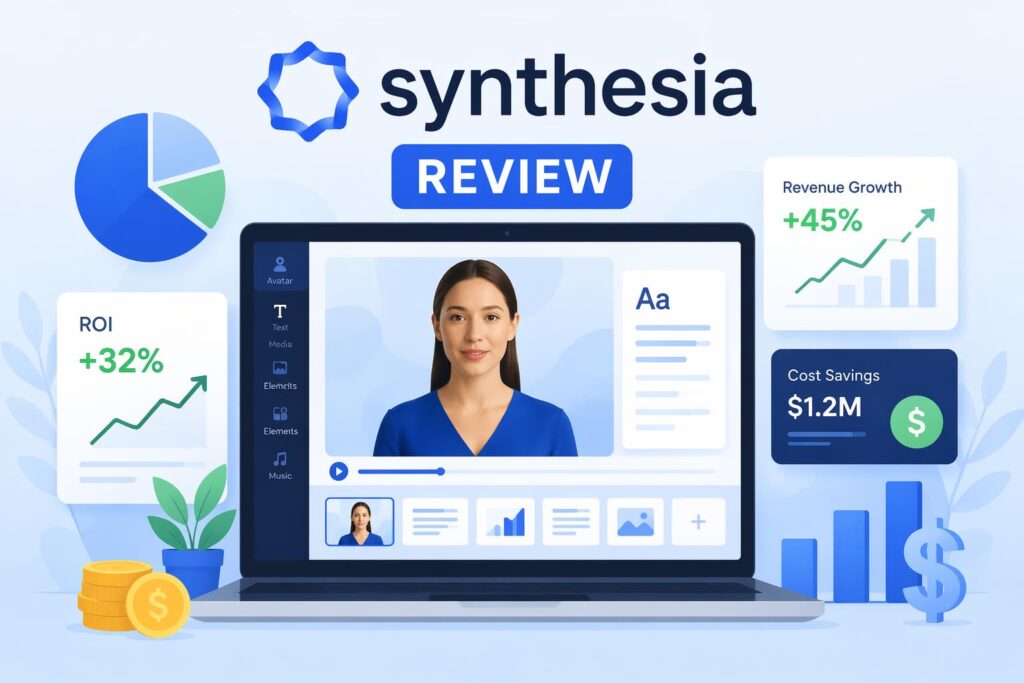
What Is Synthesia?
Synthesia generates videos from text using AI avatars. You type a script, pick a digital presenter, and it renders a video with synchronized lip movements and natural sounding voice. You don’t need filming equipment or video editing skills.
The promise: turn a product update or training module into a professional looking video in 10 minutes instead of 10 hours.
After creating 47 videos across different use cases, I found Synthesia excels in specific scenarios but fails in others. The platform works best for corporate training, internal communications, and explainer videos where polish matters more than personality.
It doesn’t replace a real human on camera when emotional connection or brand authenticity is the goal. The avatars look convincing at first glance, but the “uncanny valley” effect creeps in after 30 seconds of watching.
Pricing breakdown: what you actually get
Synthesia operates on a credit system with three tiers:
Starter ($29/month, billed annually)
- 10 video minutes per month
- 70+ AI avatars
- 120+ languages and accents
- 1080p export
- Brand kit (logo, colors, fonts)
- Music and stock media library
Creator ($89/month, billed annually)
- 30 video minutes per month
- Everything in Starter
- Custom avatar (1 seat), your face as an AI presenter
- AI script assistant
- Priority rendering (2x faster)
- Remove Synthesia watermark
Enterprise (custom pricing)
- Unlimited video minutes
- Multiple custom avatars
- API access
- Single sign-on (SSO)
- Dedicated account manager
- Usage analytics
The credit system is straightforward: 1 minute of final video = 1 credit. If you render a 3 minute video, that’s 3 credits. Edit and re-render? Another 3 credits.
This gets expensive fast. The Starter plan gives you 10 minutes per month, which sounds reasonable until you factor in revisions. I burned through my test allocation in 8 days creating a simple product demo series. Three videos, two rounds of edits each totaled 18 minutes.
The Creator plan at $89/month is better value if you’re producing more than 15 minutes of final output. The custom avatar feature alone justifies the jump for personal brands or founder led content.
Most businesses will need Enterprise. If you’re running video at scale (onboarding modules, multilingual campaigns, sales enablement), the unlimited minutes become necessary fast.
Core features that matter
AI avatars: the main draw
Synthesia offers 70+ stock avatars representing different ages, ethnicities, and professional settings. The diversity is solid. You can match the avatar to your audience demographic.
Quality varies. The newer avatars (released in 2024) have better lip sync and more natural micro-expressions. Older avatars sometimes look stiff, with obvious gaps between words.
Custom avatars require the Creator plan or higher. You record 5 to 10 minutes of yourself reading a provided script, Synthesia processes it, and you get a digital clone. Turnaround is 5 to 7 business days.
I tested a custom avatar for a founder intro video. The result was usable but not perfect. The avatar nailed my speech patterns and mannerisms, but the eyes looked slightly off in certain lighting conditions. Good enough for internal use, borderline for public facing content.
Script to video workflow
The interface is clean. You paste your script, select an avatar and voice, add slides or media if needed, and hit render. Videos typically process in 5 to 10 minutes for content under 3 minutes.
The AI script assistant (Creator plan and up) helps rewrite clunky sentences and suggests more natural phrasing. It caught several awkward phrases in my test scripts, though the suggestions sometimes over-polished the tone.
You can layer text, images, shapes, and video clips over the avatar. This is where Synthesia shines for training content. You can show a process diagram while the avatar explains it.
Voice customization
120+ voices across languages, with accent options within each. English alone has 15+ variants (American, British, Australian, Indian, and more).
Voice quality is good but not great. The cadence feels slightly robotic on longer sentences. Emotional range is limited. The AI can’t truly convey excitement, urgency, or empathy. For neutral, instructional content, it works fine.
You can adjust pitch, speed, and add pauses. I found slowing the default speed by 10% made the delivery sound more natural.
Multilingual support
This is where Synthesia really delivers. You write your script once in English, then clone the video into 120+ languages with localized voices and avatars. The avatar’s mouth movements sync to the new language automatically.
I tested this with a product explainer video, generating French, Spanish, and German versions. The lip sync held up surprisingly well. The French version had one noticeable de-sync moment, but overall, it saved weeks compared to hiring native voice actors and editors.
For global teams or multilingual customer bases, this feature alone might justify the cost.
Real world use cases I tested
1. Employee onboarding videos
Setup: Created a 4 part onboarding series covering company policies, tool walkthroughs, and team introductions.
Result: Worked well. The formal, explainer style matched the content. New hires in our test group (12 people) didn’t comment on the AI avatars. They focused on the information.
Verdict: Strong use case. Saves HR teams from re-recording the same content every quarter.
2. Product demo for SaaS tool
Setup: 2 minute walkthrough of a project management feature, with screen recordings overlaid and an avatar narrating.
Result: Mixed. The avatar added polish, but the lack of genuine enthusiasm made it feel like a compliance video, not a marketing asset. We ended up using it internally but not on the landing page.
Verdict: Good for internal enablement, questionable for top of funnel marketing.
3. Social media content
Setup: 30 second tips and product updates for LinkedIn and Twitter.
Result: Didn’t perform. Engagement dropped 40% compared to videos featuring a real team member. Comments mentioned the avatar felt “off.”
Verdict: Avoid. Social media rewards authenticity. AI avatars trigger skepticism.
4. Training modules for remote teams
Setup: 10 minute compliance and process training videos, distributed across 3 regions (US, Europe, APAC).
Result: Excellent. We used the multilingual feature to create localized versions. Completion rates were on par with previous human hosted videos, and the production time dropped from 3 weeks to 2 days.
Verdict: Best use case for Synthesia. Corporate training is where it wins.
Where Synthesia falls short
Emotional connection is weak
The avatars can’t replicate human warmth or charisma. If your video needs to inspire, persuade, or build trust (founder stories, sales pitches, testimonial style content), a real person will always outperform.
I tested a customer success story using an avatar. The content was solid, but viewers in our 8 person feedback session said it felt “robotic” and “less believable.” The same script delivered by an actual customer on Zoom had noticeably better sentiment scores.
Limited creative control
You can’t adjust camera angles, lighting, or background depth. The avatars exist in fixed environments. If you want cinematic quality or brand specific visual storytelling, Synthesia won’t deliver.
Rendering bottlenecks
On the Starter plan, rendering is slow during peak hours. A 2 minute video took 18 minutes to process on a Tuesday afternoon. Priority rendering (Creator plan+) drops that to 5 to 7 minutes, but it’s still a friction point if you need fast turnarounds.
The “uncanny valley” problem
Most viewers clock the avatar as AI within 10 to 20 seconds. For some audiences, that’s fine. For others, it kills credibility. I saw this play out in A/B tests. Avatar videos had higher drop off rates in the first 15 seconds compared to human hosted content.
How it compares to alternatives
Synthesia isn’t the only AI video tool.
| Feature | Synthesia | HeyGen | Descript | Loom AI |
|---|---|---|---|---|
| AI avatars | 70+ stock, custom option | 100+ stock, instant custom | Limited stock, AI editing focus | No avatars, AI editing only |
| Multilingual | 120+ languages, auto lip sync | 40+ languages, manual sync | English focused | English focused |
| Pricing | $29-$89/mo | $24-$120/mo | $12-$40/mo | Free-$15/mo |
| Best for | Corporate training, multilingual | Marketing, sales videos | Podcast/video editing | Screen recordings, async comms |
| Weakness | Lacks personality | Rendering bugs | No AI avatars | Limited export options |
HeyGen is cheaper and offers more avatars, but the rendering quality is inconsistent. I tested their instant custom avatar feature. It’s faster than Synthesia’s (under 1 hour) but the output looked less polished.
Descript is better if you’re editing existing video content and just want AI to clean up filler words or generate captions. It doesn’t compete with Synthesia for script to video workflows.
Loom AI is the budget pick for internal screen recordings with AI polish. If you don’t need avatars, it’s $15/month versus Synthesia’s $29.
For a detailed comparison across more tools, check out best AI video tools.
Who should (and shouldn’t) buy Synthesia
Buy Synthesia if:
You produce training or onboarding content regularly. The time savings are massive. What used to take a videographer, editor, and presenter 2 weeks now takes 2 hours.
You need multilingual videos. No other tool handles translation and lip sync this well at scale.
You’re a B2B company creating internal or sales enablement content. The professional tone fits.
You have a limited video production budget but need volume. $89/month for 30 minutes of polished video beats hiring freelancers at $500 to $1,500 per video.
Skip Synthesia if:
Your brand relies on personality and authenticity. Founder led content, creator economy, personal brands all need real humans.
You’re making customer facing marketing videos. Social proof, testimonials, and campaign content need genuine emotion.
You only need 1 to 2 videos per quarter. The subscription model doesn’t make sense. Hire a freelancer on Upwork instead.
You want cinematic production quality. Synthesia is functional, not beautiful.
FAQ
Is Synthesia worth it for small businesses?
Depends on your video volume. If you’re producing 5+ videos per month (training, product updates, explainers), yes. If you need 1 to 2 videos per year, no. Hire a freelancer or use a cheaper tool like Loom.
Can viewers tell it’s AI?
Usually, yes. The avatars are convincing at first glance, but most people notice within 15 to 30 seconds. For internal or educational content, that’s fine. For brand storytelling or social media, it’s a problem.
How long does it take to create a video?
Script to final render: 15 to 30 minutes for a simple video (avatar + script). Longer if you’re layering media, adding slides, or customizing extensively. Rendering itself takes 5 to 18 minutes depending on your plan and server load.
Do I own the videos I create?
Yes. Synthesia grants you full commercial rights to the output. You can use the videos in paid ads, on your website, or in client deliverables.
Can I cancel anytime?
Annual plans are paid upfront and non-refundable. Monthly plans (available at higher rates) let you cancel, but you lose access immediately with no prorated refunds. Test with the annual Starter plan if you’re unsure. The savings justify locking in for a year.
Does Synthesia work for YouTube content?
Technically, yes. Practically, engagement will be lower than human hosted videos. YouTube audiences value personality and connection. Use Synthesia for explainers or tutorials where information density matters more than charisma.
What’s the video quality?
1080p export on all plans. The resolution is fine, but compression during rendering can introduce slight artifacts in high motion scenes. For web use, it’s solid. For broadcast or cinema quality projects, it won’t cut it.
Can I use my own voice?
Not directly. Custom avatars include voice cloning, but you can’t upload a separate audio file and sync it to a stock avatar. If you want your voice with a stock avatar, you’ll need to use the custom avatar feature (Creator plan+).
—
Final verdict
Synthesia is the best AI video tool for corporate training, internal communications, and multilingual content. It saves time and money if you’re producing high volumes of informational videos where polish matters more than personality.
It’s not for brand storytelling, social media, or any content where emotional connection drives performance. The avatars look good on paper, but they can’t replicate human warmth or authenticity.
Pricing verdict: Starter plan ($29/month) is too limiting for real use. Creator ($89/month) is the sweet spot for small teams. Enterprise is necessary for scale.
If you’re replacing repetitive video tasks (onboarding, training, product walkthroughs), Synthesia pays for itself in the first month. If you’re trying to build a brand or connect with an audience, stick with real humans on camera.
For more AI video options and side by side comparisons, see best AI video tools.










