Best budgeting apps in 2026 (ranked and reviewed for real-life money control)
Keeping track of spending is still one of the hardest parts of managing money in 2026. Subscriptions pile up, prices keep shifting, and most people end up with transactions scattered across multiple accounts and cards.
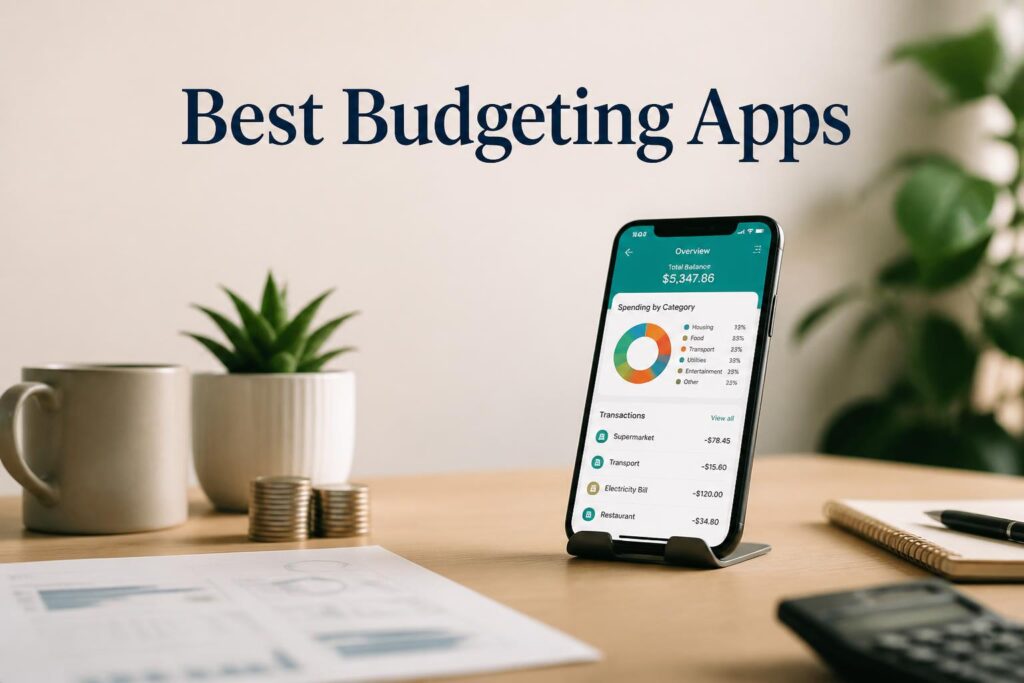
Budgeting apps have improved a lot in the last few years. Most now connect directly to your bank accounts, sort transactions automatically, and give you a clearer picture of where your money is going. Some also try to predict cash flow or point out spending habits you might not notice on your own.
This guide looks at 10 budgeting apps based on day-to-day usefulness: how accurate they are, how easy they feel to use, what they cost, and whether they actually help people stay on track.
Apps like YNAB, Monarch Money, Copilot Money, and all show up here, but they solve slightly different problems.
—
At a glance: budgeting apps in 2026
| App | Best for | Starting price | Free plan |
|---|---|---|---|
| YNAB | Structured zero-based budgeting | $14.99/mo | No |
| Monarch Money | Full financial overview | $14.99/mo | No |
| Copilot Money | AI-based budgeting (iOS) | $13/mo | No |
| Rocket Money | Subscriptions and bill tracking | $0–$12/mo | Yes |
| PocketGuard | Limiting overspending | $0–$12.99/mo | Yes |
| EveryDollar | Simple zero-based budgeting | $0–$17.99/mo | Yes |
| Goodbudget | Envelope-style budgeting | $0–$10/mo | Yes |
| Empower | Net worth and investments | Free | Yes |
| Spendee | Visual budgeting | $0–$14.99/mo | Yes |
| Honeydue | Couples budgeting | Free | Yes |
—
How we looked at these apps
Each app was judged on a few practical things:
- How well it syncs with bank accounts and categorizes spending
- Whether its budgeting method actually fits real-life habits
- How easy it is to set up and use day to day
- Whether the price matches what you get
- How clear the insights and reports are
- Basic security and reliability
—
1. YNAB — structured budgeting that changes how you spend
YNAB is built around a simple idea: every dollar gets assigned a purpose before you spend it. It’s more hands-on than most apps, but that’s also what makes it effective for many people.
What it does well
- Zero-based budgeting system
- Syncs across devices
- Goal tracking for savings
- Debt payoff planning
Pricing
- $14.99/month or $109/year
- 34-day trial
- No free plan
Pros
- Strong structure for controlling spending
- Helps build long-term habits
- Reliable syncing
Cons
- Takes time to learn
- Requires ongoing attention
Best for: People who want a stricter system and don’t mind putting in some effort
—
2. Monarch Money — one place for everything
Monarch Money brings budgeting, account tracking, and net worth together in one dashboard. It’s often used as a replacement for Mint after its shutdown.
Key features
- Budget tracking and net worth overview
- Investment tracking
- Shared household access
- Custom dashboards
Pricing
- $14.99/month or $99.99/year
Pros
- Clean, modern interface
- Good for households
- Strong overall financial overview
Cons
- No free version
- Setup takes a bit of time
Best for: People who want all finances in one place
—
3. Copilot Money — automation-first budgeting for iPhone users
Copilot Money focuses on automation. Once connected, it categorizes transactions and highlights spending patterns without much manual input.
Key features
- AI-based transaction categorization
- Spending insights
- Subscription tracking
- Net worth overview
Pricing
- $13/month or $95/year
- iOS only
Pros
- Very easy to use
- Minimal manual work
- Clean design
Cons
- Apple devices only
- Less customizable than other tools
Best for: iPhone users who want something that mostly runs on its own
—
4. Rocket Money — focused on reducing waste
Rocket Money is especially useful for spotting subscriptions and recurring charges. It also offers bill negotiation in some cases.
Key features
- Subscription tracking and cancellation
- Bill negotiation
- Budget tracking tools
- Credit monitoring (premium)
Pricing
- Free plan available
- $6–$12/month premium
Pros
- Helps cut unnecessary spending
- Easy to set up
- Useful free version
Cons
- Some tools locked behind paywall
- Savings share reduces benefit of negotiation
Best for: People trying to clean up recurring expenses
—
5. PocketGuard — simple “how much can I spend?”
PocketGuard shows how much money is left after bills and savings. It keeps things simple rather than detailed.
Key features
- “In My Pocket” spending view
- Bill tracking
- Automatic categorization
Pricing
- Free version
- $12.99/month for full features
Pros
- Easy to understand
- Good for avoiding overspending
- Quick setup
Cons
- Limited depth
- Fewer advanced tools
Best for: Beginners who want a simple spending limit
—
6. EveryDollar — basic zero-based budgeting
EveryDollar follows a simplified version of zero-based budgeting. It’s designed to be straightforward rather than feature-heavy.
Key features
- Monthly budget planning
- Drag-and-drop categories
- Debt tracking
Pricing
- Free version
- $17.99/month premium
Pros
- Easy to learn
- Clear structure
- Good starting point
Cons
- Limited automation in free plan
- Paid plan needed for syncing
Best for: First-time budget users
—
7. Goodbudget — envelope budgeting without automation
Goodbudget uses the envelope method, where money is split into categories manually.
Key features
- Envelope-based budgeting
- Sync across devices
- Debt tracking
Pricing
- Free plan available
- $8–$10/month premium
Pros
- Simple logic
- Works well for couples
- Encourages discipline
Cons
- Manual entry required
- No bank syncing
Best for: People who prefer manual control over automation
—
8. Empower — net worth tracking first
Empower is less about budgeting and more about understanding your overall financial position.
Key features
- Net worth tracking
- Investment monitoring
- Retirement tools
Pricing
- Free
Pros
- Strong investment insights
- No cost
- Clear overview of assets
Cons
- Weak budgeting tools
- More useful for investors
Best for: Long-term wealth tracking
—
9. Spendee — visual budgeting
Spendee focuses on making spending easier to see, with color-coded categories and shared wallets.
Key features
- Visual expense tracking
- Shared wallets
- Multi-currency support
Pricing
- Free plan
- $14.99/month premium
Pros
- Easy to read at a glance
- Good for families
- Clean interface
Cons
- Limited automation
- Fewer advanced tools
Best for: People who prefer visual breakdowns
—
10. Honeydue — budgeting for couples
Honeydue is designed for shared finances. It focuses on communication and transparency between partners.
Key features
- Shared budgeting
- Bill reminders
- Expense splitting
- In-app messaging
Pricing
- Free
Pros
- Built for couples
- Simple setup
- Useful bill tracking
Cons
- Limited analytics
- Not ideal for solo use
Best for: Couples managing shared expenses
—
Quick comparison
| Feature | YNAB | Monarch | Copilot | Rocket Money | PocketGuard |
|---|---|---|---|---|---|
| Free plan | No | No | No | Yes | Yes |
| Bank sync | Yes | Yes | Yes | Yes | Yes |
| AI features | Limited | Some | Strong | Limited | Limited |
| Investment tracking | No | Yes | Some | No | No |
| Subscription tools | Some | Some | Some | Strong | Some |
—
Choosing the right app
A simple way to narrow it down:
- Want structure and discipline → YNAB
- Want everything in one dashboard → Monarch Money
- Want automation → Copilot Money
- Want to reduce subscriptions → Rocket Money
- Want something simple → PocketGuard or EveryDollar
- Share finances with a partner → Honeydue
- Focused on investments → Empower
Most of these apps solve the same core issue: helping you understand where your money goes. The difference is how hands-on you want to be.
—
FAQ
Which budgeting app is best overall?
YNAB and Monarch Money tend to cover the widest range of needs, depending on whether you prefer structure or convenience.
Are there good free budgeting apps?
Yes. Empower and Honeydue are solid free options.
What’s easiest for beginners?
PocketGuard and EveryDollar are usually the simplest to start with.
Does YNAB really work?
It works well for people who stick with it, but it requires consistency.
Which app helps save the most money?
Rocket Money often helps by cutting unused subscriptions and recurring charges.
—
Final note
If you want a structured system, start with YNAB. If you want something more automatic, Monarch Money is easier to live with day to day.
Most other apps sit somewhere in between.
👉 Original source: https://moneysavingway.com/best-budgeting-apps/
—
Update note
Pricing and features change often, so it’s worth revisiting comparisons every so often rather than relying on a single list long-term.