Frugal Living for Small Budgets in 2026 (Practical Strategies That Actually Hold Up)
Frugal living isn’t really about cutting everything to the bone. Most people trying to stretch a small budget don’t need more advice—they need things that reliably work without taking over their life.
This guide focuses on tools and habits that people actually stick with. Not perfect systems, just ones that make spending easier to understand and a bit less chaotic.
You’ll see a mix of budgeting apps, food-saving tricks, and small lifestyle changes. Nothing complicated. Just the stuff that tends to make a real difference over time.
—
At a Glance: Tools and Approaches
Tool / Strategy What it’s useful for Cost YNAB Full budgeting structure Paid PocketGuard Simple spending overview Free / Paid Goodbudget Envelope-style budgeting Free / Paid Rakuten Cashback on purchases Free Too Good To Go Discounted surplus food Pay per use Thrift marketplaces Second-hand buying Free Meal planning Cutting grocery waste Free Public libraries Free media and learning Free Energy habits Lower utility bills Free
What this list is based on
Each option here is judged on a few simple things:
- whether it actually saves money in practice
- how easy it is to keep using week after week
- whether it works on a tight income
- how much effort it takes to maintain
No complicated finance theory. Just what tends to work in real households.
—
1. YNAB — Structured budgeting that forces clarity
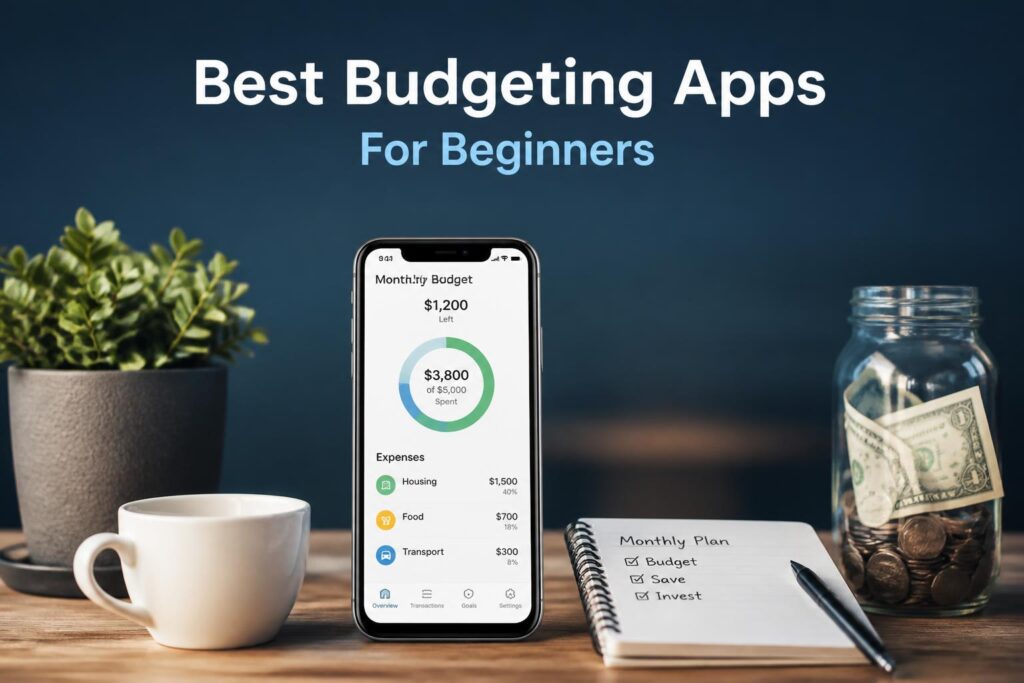
YNAB is built around assigning every dollar a job before you spend it. It’s more structured than most budgeting apps, and that’s the point.
People usually either like it quickly or bounce off it. If it clicks, it tends to change how you think about spending.
What it does:
- zero-based budgeting (every dollar assigned)
- syncing across devices
- goal tracking for savings and debt
- automatic transaction imports
Cost: about $14.99/month after trial
Good:
- strong structure for tight budgets
- helps reduce impulsive spending
- clear view of priorities
Not so good:
- paid only
- takes time to get used to
- works best if you stay consistent
Best for people who want a firm system instead of guessing where money goes.
—
2. PocketGuard — “What can I spend right now?”
PocketGuard keeps things simple. It tries to answer one question: how much is safe to spend today.
It doesn’t push heavy budgeting categories unless you want them.
Features:
- shows available spending money
- tracks bills and subscriptions
- basic budget categories
- bank syncing
Cost: free version available, paid upgrades optional
Good:
- very easy to start
- quick overview of finances
- helps avoid overdrafts
Not so good:
- limited depth
- fewer customization options
Best for people who don’t want to think too much about budgeting tools.
—
3. Goodbudget — envelope budgeting without paper
Goodbudget copies the old envelope method, where money is split into categories like food, rent, and transport.
Features:
- envelope-style budgeting
- shared household access
- manual tracking
- debt tracking envelopes
Cost: free tier, paid upgrade available
Good:
- simple mental model
- works well for couples or families
- encourages intentional spending
Not so good:
- manual entry takes effort
- less automation than other apps
Best for people who prefer hands-on control.
—
4. Rakuten — cashback that quietly adds up
Rakuten gives cashback when you shop through supported retailers. It doesn’t change your habits much, but returns a small percentage over time.
Features:
- cashback at partner stores
- browser extension
- seasonal bonuses
- payout via PayPal or check
Cost: free
Good:
- passive savings
- easy setup
- works in the background
Not so good:
- only useful if you already shop online
- payouts are delayed
- can encourage unnecessary spending if you’re not careful
Best for regular online shoppers.
—
5. Too Good To Go — discounted surplus food
This app connects you with restaurants and shops selling leftover food at low prices.
Features:
- surprise food bundles
- local pickup
- rotating deals
Cost: pay per order
Good:
- cheap meals
- reduces food waste
- decent option in cities
Not so good:
- you don’t choose exactly what you get
- availability depends on location
- pickup times can be fixed
Best for urban users trying to cut food costs quickly.
—
6. Thrift marketplaces — second-hand saving
Buying used items is one of the most consistent ways to spend less. Clothes, furniture, electronics, even appliances show up at lower prices.
Where people usually look:
- Facebook Marketplace
- local thrift stores
- resale apps
Good:
- big cost savings
- wide variety of items
- sometimes you find unique stuff
Not so good:
- takes time to search
- quality varies
- returns aren’t always possible
Best for people willing to trade time for lower prices.
—
7. Meal planning — reducing food waste without overthinking it
Planning meals ahead of time cuts down impulse buying and random takeout orders.
Common approach:
- plan 3–7 days ahead
- reuse ingredients across meals
- cook in batches when possible
- shop with a list only
Good:
- lower grocery bills
- fewer wasted ingredients
- less daily decision fatigue
Not so good:
- needs some consistency
- can feel repetitive if not varied
Best for households trying to stabilize food spending.
—
8. Public libraries — still underrated
Libraries quietly save a lot of money if you actually use them.
What you get:
- books and audiobooks
- eBooks and digital platforms
- learning resources
- community events
Good:
- completely free
- useful for learning new skills
- wide range of content
Not so good:
- depends on local library quality
- newest releases may be limited
Best for replacing paid subscriptions or entertainment costs.
—
9. Energy habits — slow but steady savings
Utility bills are easy to ignore until they add up. Small changes tend to matter more than people expect.
Examples:
- switching to LED lighting
- unplugging idle devices
- reducing hot water use
- using efficient appliances
Good:
- ongoing monthly savings
- simple changes
- no subscriptions needed
Not so good:
- savings vary by home
- requires consistency
Best for reducing fixed monthly costs.
—
How to pick a starting point
Most people don’t need everything at once.
A simple way to start:
- Want full control → YNAB
- Want simplicity → PocketGuard
- Want hands-on budgeting → Goodbudget
- Want passive savings → Rakuten
- Want lower food costs → meal planning + Too Good To Go
- Want long-term bill reduction → energy habits
The real improvement usually comes from combining a couple of these, not chasing all of them.
—
FAQ
What actually saves the most money? Budgeting tools plus controlling food spending usually make the biggest difference.
What’s easiest to start with? PocketGuard or cashback tools. They don’t require much change.
How much can you realistically save? It varies, but many people see noticeable reductions in monthly spending once habits settle in.
Do you need apps for this? Not really. They help, but habits like meal planning and reducing waste matter just as much.
How do you avoid feeling restricted? Focus on making spending clearer, not cutting everything. The goal is control, not deprivation.
—
Closing thought
The most reliable setup for small budgets usually isn’t one perfect tool. It’s a couple of simple systems working together.
A budgeting app to keep things visible, and a habit like meal planning to stop slow leaks in spending.
Start small. Stick with it long enough for it to become routine. Then adjust from there.