Monarch Review 2026: Is It Worth It?
If you’ve bounced between budgeting apps and still feel like your money disappears without explanation, that’s pretty common. A lot of tools either go too heavy on features or hide useful stuff behind paywalls.
Monarch is one of those apps that tries to pull everything into one place. In 2026, though, that raises a fair question: does it actually make managing money easier, or just add another subscription?
Here’s a clear breakdown of how it works and where it fits.
—
What Is Monarch?
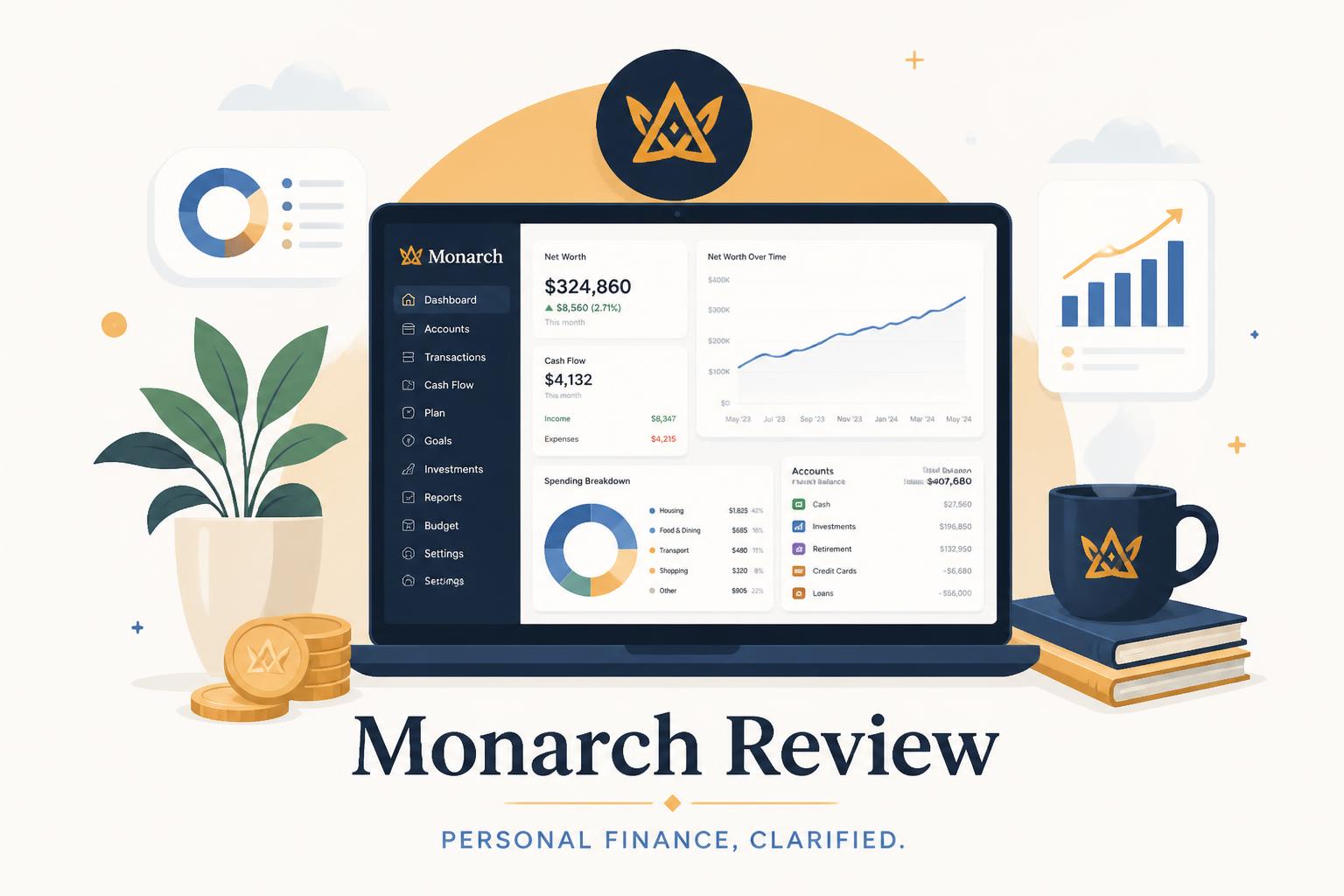
Monarch is a personal finance app that brings most of your financial life into a single dashboard.
Instead of only focusing on budgeting, it tries to cover a bit of everything:
- Budget tracking
- Net worth tracking
- Investments
- Recurring subscriptions
- Planning tools for longer-term goals
The pitch is simple enough: fewer apps, more visibility in one place.
Whether that actually feels “simple” depends on how you set it up.
—
Key Features Breakdown
Monarch stands out mostly because it doesn’t limit itself to just budgeting.
1. Budgeting System
The budgeting side uses an envelope-style setup. You assign money into categories like rent, groceries, savings, or entertainment.
You can adjust categories quite freely, which helps if your spending doesn’t fit a rigid structure.
A few things people usually notice:
- Transactions sync with linked bank accounts
- Budgets can be shared with a partner or family
- You can use either monthly or rolling setups
The tradeoff is setup time. If you rush through it, things can feel disorganized later.
—
2. Net Worth Tracking
Once you connect your accounts, Monarch builds a net worth overview from:
- Bank accounts
- Credit cards
- Loans
- Investment accounts
It all shows up in one place instead of scattered across different apps.

For a lot of people, this is the first time they see their full financial picture in a single number. Sometimes that’s motivating. Sometimes it’s a bit uncomfortable.
—
3. Subscription Tracking
Monarch also tries to surface recurring payments automatically.
It usually catches things like:
- Streaming services
- Software tools
- Gym memberships
It won’t catch everything perfectly, but it does surface subscriptions people forget about more often than they expect.
—
4. Investment Overview
You can connect investment accounts to see how things are performing.
It’s not meant for trading. It’s more of a “what do I actually own right now?” view:
- Portfolio performance over time
- Allocation breakdown
- Gains and losses
Simple visibility, not active management.
—
5. Collaboration Features
This is where Monarch feels more complete than many budgeting tools.
You can share access with:
- A partner
- Family members
- A financial advisor
Permissions can be controlled, so not everyone sees everything. This helps avoid the usual confusion in shared finances.
—
Pricing: Is Monarch Expensive?
There’s no free version you can keep using long-term.
Pricing is subscription-based, usually monthly or discounted annually.
Compared to free apps, that’s a noticeable hurdle.
But the value proposition is different here. You’re not paying for budgeting categories alone. You’re paying for the integration of everything in one system.
If you were already juggling multiple tools, it can replace a few of them.
—
Pros and Cons
Pros
- Clean interface that’s easy to navigate
- Strong account syncing
- Works well for couples or shared finances
- Net worth tracking included
- No ads or constant upsells
Cons
- No free tier
- Setup takes real effort upfront
- Bank syncing isn’t perfect everywhere
- Might be too much for simple budgets
- Beginners may need time to adjust
—
Who Should Use Monarch?
It really depends on how complex your finances are.
It tends to work well for:
- People with multiple accounts
- Couples managing shared money
- Users moving away from spreadsheets
- Anyone tracking long-term net worth
It’s probably not the best fit if:
- You just want a basic cash budget
- You don’t want to pay for software
- You prefer very minimal tools
If your finances are already spread across different places, Monarch helps bring things together. If not, it may feel like more than you need.
—
Monarch vs Other Budgeting Apps
A quick comparison helps put it in context.
Monarch vs YNAB
YNAB is more structured and strict.
- YNAB: strong budgeting discipline
- Monarch: broader overview and flexibility
YNAB pushes behavior change. Monarch focuses more on visibility.
—
Monarch vs Rocket Money
Rocket Money is lighter and more automation-focused.
- Rocket Money: subscriptions and basic budgeting
- Monarch: full financial overview
Rocket Money works if subscriptions are your main concern. Monarch goes much wider.
—
Monarch vs Mint
Mint used to be the go-to, but it’s no longer really maintained in the same way.
- Mint: free, but limited and fading out
- Monarch: paid, actively maintained
Many former Mint users moved to Monarch just for stability alone.
—
User Experience: What It Feels Like
This is probably the part that matters most day to day.
Monarch feels:
- Clean
- Fast
- Easy to scan
- Centered around a main dashboard
It avoids overwhelming you with too many charts at once.
The only real friction point is the beginning. Connecting accounts and cleaning up categories takes time. There’s no way around that.
After that, daily use is much smoother.
—
Security and Trust
Monarch uses standard security practices for financial apps:
- Read-only access to bank data
- Encrypted connections
- No ability to move money
It can see your transactions, but it can’t touch your accounts.
That’s pretty standard for apps in this category.
—
Real-World Example
Say you have income coming from a few places:
- A salary
- Freelance work
- Investments
Without a tool like this, you might split that across spreadsheets, bank apps, and investment platforms.
With Monarch:
- Transactions sync automatically
- Net worth updates on its own
- Spending patterns become easier to notice
The benefit is less about features and more about not having to piece everything together manually.
—
Common Complaints
No app in this space is perfect.
People often mention:
- Delays syncing certain banks
- Setup feeling overwhelming at first
- Subscription cost feeling high early on
Most of these tend to matter less after the first week or two.
—
Final Verdict: Is Monarch Worth It?
Monarch isn’t trying to be a cheap budgeting app.
It’s closer to a full financial dashboard.
It makes sense if you want:
- Clear visibility across all accounts
- Long-term tracking of net worth
- Shared budgeting tools
- A single place to view everything
It’s less ideal if you want something:
- Free
- Extremely simple
- Quick to set up
Bottom line
Monarch is more about clarity than simplicity. It works best when your financial life is already a bit scattered and you want everything pulled together in one place.
For the right person, that alone can make it worth using.