
Best free AI coding tools in 2025
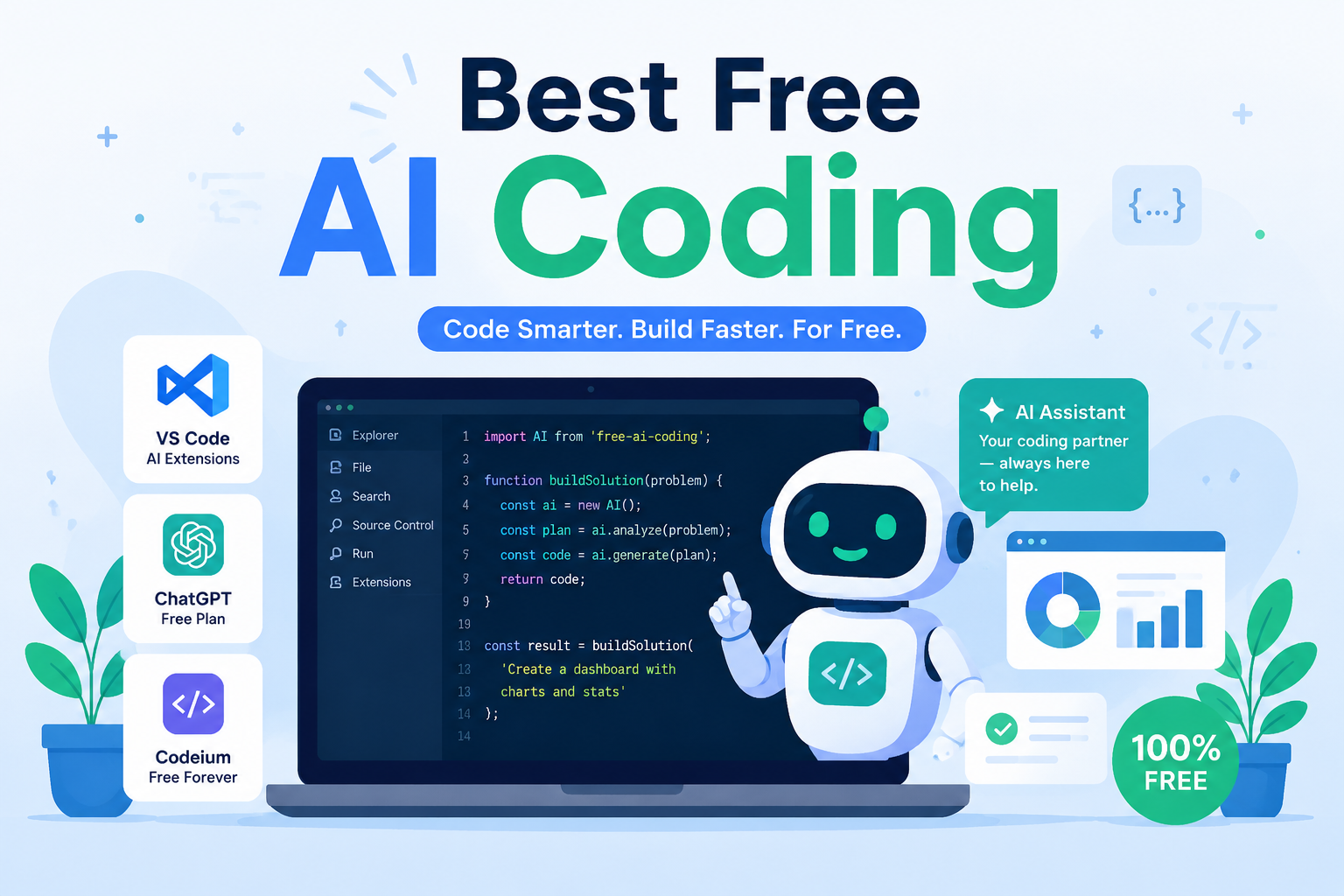
Choosing an AI coding assistant is overwhelming. Dozens of tools promise to transform your workflow. Which ones actually work without costing you money or development time?
Most developers struggle with this decision. You research features, compare pricing tiers, or pay for expensive tools that don’t fit your needs. Your projects wait. The pressure to deliver keeps mounting.
This guide cuts through the noise. We tested the best free AI coding tools available so you can decide quickly and get back to building software.
What AI coding tools actually do
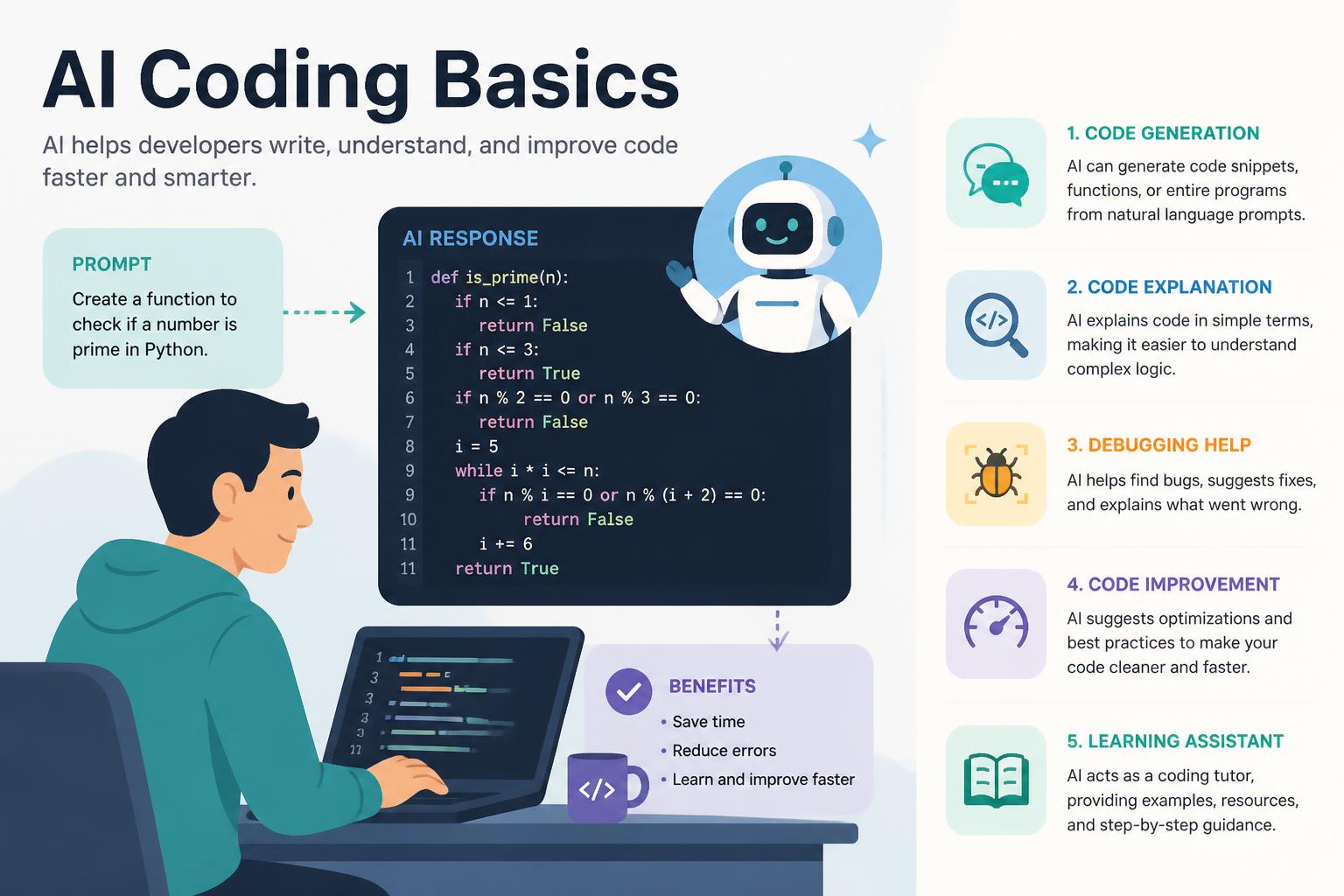
AI coding assistants do more than autocomplete. They understand context, suggest entire functions, debug issues, and explain unfamiliar code. Good ones feel like experienced pair programmers who never get tired.
What matters: the right tool should save you more time than it takes to learn. It should fit your existing workflow, not force you to adapt. When you’re starting out or working on side projects, it should deliver value without requiring a credit card.
What goes wrong when you pick the wrong tool
Time waste. Learning a tool that doesn’t fit your stack means hours on tutorials and configuration that lead nowhere. One developer I interviewed spent three weeks mastering a Python-focused assistant before realizing his JavaScript projects got minimal benefit.
Feature gaps. Free tiers hide limitations in fine print. You discover after committing that it doesn’t support your IDE, limits suggestions per month, or lacks the language support you need.
Expensive upgrades. Some “free” tools are extended trials designed to push you toward paid plans. When you hit artificial limits during a critical project, you either pay up or switch tools mid-stream.
Integration problems. Not all AI assistants work with your existing development environment. Poor integration means constant context switching, which destroys the productivity gains you’re after.
Top free AI coding tools
GitHub Copilot
GitHub Copilot pioneered AI pair programming. It understands context across your entire codebase and suggests code that feels human.
What stands out:
- Deep integration with VS Code, Visual Studio, JetBrains IDEs, and Neovim
- Trained on billions of lines of public code
- Suggests entire functions, not just single lines
- Understands dozens of programming languages and frameworks
- Explains code when you ask
The free tier: GitHub Copilot offers free access to verified students, teachers, and maintainers of popular open-source projects. Everyone else gets a 30-day free trial before the $10/month subscription.
Best for: Developers already using GitHub who want the most mature AI coding assistant available. The VS Code integration is smooth.
Limitations: The free access is restricted. If you don’t qualify for educational or open-source discounts, you pay after your trial.
Cursor
Cursor is an entire IDE built around AI assistance rather than a plugin for existing editors.
What stands out:
- Native AI integration that feels more cohesive than plugins
- Powerful codebase understanding through semantic search
- Chat interface for asking questions about your code
- Composer feature for multi-file edits
- Auto-debug capabilities that suggest fixes
The free tier: Cursor offers a free tier with limited AI requests per month. You get GPT-3.5, with GPT-4 in the paid tier. The limit resets monthly and is generous for light to moderate use.
Best for: Developers willing to switch editors for a more integrated AI experience. If you’re comfortable leaving VS Code or your current IDE, Cursor has advantages.
Limitations: Switching IDEs is a big commitment. You adapt to new shortcuts, plugins, and workflows. The free tier limits can feel restrictive during intensive sessions.
Codeium
Codeium is truly free for individual developers.
What stands out:
- Completely free for individual developers (not a trial)
- Supports 70+ programming languages
- Works with VS Code, JetBrains IDEs, Vim, Emacs, and more
- Fast autocomplete with minimal latency
- Local caching keeps suggestions quick
- Natural language search across your codebase
The free tier: Codeium’s individual tier is unlimited and free forever. No credit card required, no hidden limits on usage or features. The company makes money through team and enterprise plans.
Best for: Developers who want powerful AI assistance without payment commitment. The broad IDE support means you can use it regardless of your preferred editor.
Limitations: While good, Codeium’s suggestions sometimes feel slightly less contextually aware than Copilot’s. The difference is subtle but noticeable in complex scenarios.
Tabnine
Tabnine focuses on privacy-conscious AI assistance, offering both cloud and local models.
What stands out:
- Trains on your code locally (in paid tiers)
- Strong privacy focus — your code never leaves your machine with local models
- Supports all major IDEs and editors
- Team learning capabilities (in paid versions)
- Whole-line and full-function completions
The free tier: Tabnine’s free tier provides basic code completions with their cloud model. You get short snippet suggestions rather than full function generation.
Best for: Developers working with sensitive codebases who need strong privacy guarantees. The local model option (in paid tiers) is unique among mainstream tools.
Limitations: The free tier is basic. To get the full value of Tabnine’s privacy features and advanced suggestions, you upgrade.
Amazon CodeWhisperer
Amazon’s entry into AI coding brings the backing of AWS and training on Amazon’s massive codebase.
What stands out:
- Completely free for individual use
- Security scanning built in
- Reference tracking shows when suggestions match public code
- Optimized for AWS services and APIs
- Works with VS Code, JetBrains IDEs, AWS Cloud9, and more
The free tier: CodeWhisperer is fully free for individual developers with no hidden catches. You get unlimited code suggestions, security scans, and reference tracking.
Best for: Developers working with AWS services or who want integrated security scanning. The AWS optimization helps if you’re building cloud applications.
Limitations: Outside of AWS contexts, CodeWhisperer can feel less refined than competitors. The suggestions are solid but sometimes less contextually aware.
Replit AI
Replit integrates AI into their cloud-based development environment.
What stands out:
- Zero setup — start coding in seconds
- AI explains code, generates functions, and debugs
- Collaborative features for pair programming
- Built-in deployment and hosting
- Complete development environment in browser
The free tier: Replit offers free access to their environment with limited AI features. You can code, deploy, and collaborate without paying, but AI suggestions have usage limits.
Best for: Beginners, students, or developers who want to prototype quickly without setup overhead. The instant environment works for learning and experimentation.
Limitations: The browser-based environment won’t replace a full local IDE for serious development. Limited customization compared to desktop editors.
How to choose
The best AI coding assistant depends on your situation.
If you’re a student or educator: GitHub Copilot offers free access. The maturity and accuracy of suggestions justify the learning curve.
If you want zero commitment: Codeium provides unlimited free use forever. Start here if you’re unsure about AI coding tools and want to experiment.
If you work with AWS: Amazon CodeWhisperer is free and optimized for your use case. The security scanning adds value beyond code completion.
If privacy matters most: Tabnine’s local model option (paid tier) keeps your code on your machine. The free tier is limited, but worth trying to see if the privacy model fits.
If you’re learning to code: Replit AI offers the lowest barrier to entry. No IDE setup, no configuration — just start coding.
If you want maximum integration: Cursor provides the most cohesive experience by building AI into every aspect of the IDE. Be prepared to switch editors.
Getting the most from free tiers
Most developers don’t need to pay for AI coding tools immediately. Here’s how to maximize free options:
Start with multiple tools. Try Codeium and CodeWhisperer simultaneously. They don’t conflict, and you can compare suggestions in real time to learn their strengths.
Learn the shortcuts. Every tool has keyboard shortcuts for accepting suggestions, rejecting them, and requesting alternatives. Master these first — they determine whether the tool speeds you up or slows you down.
Provide context. AI assistants work better with descriptive variable names, clear function names, and comments explaining intent. Clean code improves suggestion quality.
Use comments to guide. Write a comment describing what you want, then let the AI generate the implementation. This workflow often produces better results than writing code directly.
Review everything. AI suggestions are starting points, not finished code. Always review for correctness, security issues, and edge cases. The AI doesn’t understand your requirements like you do.
Track your time. Spend a week noting when AI suggestions help versus when they distract. If you’re not saving meaningful time after two weeks, try a different tool or approach.
Common pitfalls
Over-reliance. AI assistants are powerful but imperfect. Accepting suggestions blindly leads to bugs, security vulnerabilities, and code you don’t understand. Maintain your judgment and expertise.
Ignoring limitations. Free tiers often limit requests, languages, or features. Know your tool’s boundaries before starting a time-sensitive project. Hitting a limit during a critical deadline is the worst.
Skipping learning. AI tools don’t replace fundamental programming knowledge. Use them to accelerate what you already understand, not as a substitute for learning. Developers who skip fundamentals build fragile understanding.
Tool hopping. Switching tools constantly prevents you from mastering any of them. Pick one, learn it thoroughly, then evaluate. Surface-level experience with five tools is less valuable than deep knowledge of one.
Privacy blindness. Read the privacy policy of any AI tool you use professionally. Some train on your code, some don’t. Some share data with third parties. Know what you’re agreeing to, especially with work code.
What’s coming
The landscape is evolving rapidly.
Better free tiers. Competition is pushing companies to offer more in free plans. Tools that were paid-only six months ago now have capable free versions.
Specialized tools. Expect AI assistants optimized for specific frameworks, languages, or domains. General-purpose tools will remain, but specialists will emerge for React, Python data science, mobile development, and more.
Local models. Privacy concerns and latency issues are driving development of models that run entirely on your machine. Expect free tools with local options to become more common.
Multimodal assistance. Future tools will understand visual designs, translate mockups to code, and explain code with diagrams. The line between design and development tools will blur.
Better context awareness. Current tools understand files and functions. Next-generation assistants will grasp entire codebases, architectural patterns, and project goals.
Making your decision
You don’t need to overthink this. Start with these steps:
- Try Codeium first. It’s free forever, works with your current IDE, and requires minimal setup. Use it for a week to understand what AI coding assistance feels like.
- If you qualify for GitHub Copilot free access, use it. The suggestion quality is industry-leading, and the integration is mature.
- Add CodeWhisperer if you work with AWS. It’s free and provides value for cloud development.
- Evaluate your experience after two weeks. Are you genuinely faster? Do suggestions feel helpful or distracting? Your answer determines whether to continue, switch, or try paid tools.
The goal isn’t finding the “best” tool in abstract terms. It’s finding the best tool for your workflow, languages, and projects. What works for a Python data scientist won’t suit a React developer.
Take action today
Stop researching and start experimenting. Install Codeium right now — it takes five minutes and costs nothing. Write some code with AI assistance, see how it feels, and adjust from there.
The developers who benefit most from AI coding tools aren’t the ones who spend weeks analyzing options. They’re the ones who try tools quickly, learn what works, and iterate. Your next project is the testing ground.
Want detailed comparisons? Check out our comprehensive guide at https://moneysavingway.com/best-ai-coding/ for tool-by-tool breakdowns, setup tutorials, and real-world use cases.
The best AI coding tool is the one you’ll actually use. Pick one today, give it an honest trial, and let the results speak. Your future self — finishing projects faster and with less frustration — will thank you.
—
What makes the below so obviously AI generated?
- Still a bit over-structured (perfectly parallel tool sections, tidy progression through decision trees)
- The rhythm is too even — real humans have messier pacing
- Some hedging remains (“can feel”, “sometimes feel”)
- The ending still leans a touch motivational-poster
Now make it not obviously AI generated.
Best free AI coding tools in 2025
Choosing an AI coding assistant is overwhelming. Dozens of tools promise to transform your workflow. Which ones actually work without costing you money or wasting development time?
Most developers I talk to struggle with this. You research features, compare pricing tiers, or pay for expensive tools that don’t fit your needs. Your projects wait. The pressure to deliver keeps mounting.
This guide cuts through the noise. I tested the best free AI coding tools so you can decide quickly and get back to building software.
What AI coding tools actually do
AI coding assistants do more than autocomplete. They understand context, suggest entire functions, debug issues, and explain unfamiliar code. Good ones feel like experienced pair programmers who never get tired.
What matters: the right tool should save you more time than it takes to learn. It should fit your existing workflow, not force you to adapt. When you’re starting out or working on side projects, it should deliver value without requiring a credit card.
What goes wrong when you pick the wrong tool
Time waste. Learning a tool that doesn’t fit your stack means hours on tutorials and configuration that lead nowhere. One developer I interviewed spent three weeks mastering a Python-focused assistant before realizing his JavaScript projects got minimal benefit.
Feature gaps. Free tiers hide limitations in fine print. You discover after committing that it doesn’t support your IDE, limits suggestions per month, or lacks the language support you need.
Expensive upgrades. Some “free” tools are extended trials designed to push you toward paid plans. When you hit artificial limits during a critical project, you either pay up or switch tools mid-stream.
Integration problems. Not all AI assistants work with your existing development environment. Poor integration means constant context switching, which destroys whatever productivity gains you’re after.
Top free AI coding tools
GitHub Copilot
GitHub Copilot pioneered AI pair programming. It understands context across your entire codebase and suggests code that feels human.
What stands out:
- Deep integration with VS Code, Visual Studio, JetBrains IDEs, and Neovim
- Trained on billions of lines of public code
- Suggests entire functions, not just single lines
- Understands dozens of programming languages and frameworks
- Explains code when you ask
The free tier: GitHub Copilot offers free access to verified students, teachers, and maintainers of popular open-source projects. Everyone else gets a 30-day free trial before the $10/month subscription.
Best for developers already using GitHub who want the most mature AI coding assistant. The VS Code integration is smooth.
Limitations: The free access is restricted. If you don’t qualify for educational or open-source discounts, you pay after your trial.
Cursor
Cursor is an entire IDE built around AI assistance rather than a plugin for existing editors.
What stands out:
- Native AI integration
- Powerful codebase understanding through semantic search
- Chat interface for asking questions about your code
- Composer feature for multi-file edits
- Auto-debug capabilities that suggest fixes
The free tier: Cursor offers a free tier with limited AI requests per month. You get GPT-3.5, with GPT-4 in the paid tier. The limit resets monthly and is generous for light to moderate use.
Best for developers willing to switch editors for a more integrated AI experience. If you’re comfortable leaving VS Code or your current IDE, Cursor has advantages.
Limitations: Switching IDEs is a big commitment. You adapt to new shortcuts, plugins, and workflows. The free tier limits can be restrictive during intensive sessions.
Codeium
Codeium is truly free for individual developers.
What stands out:
- Completely free for individual developers (not a trial)
- Supports 70+ programming languages
- Works with VS Code, JetBrains IDEs, Vim, Emacs, and more
- Fast autocomplete with minimal latency
- Local caching keeps suggestions quick
- Natural language search across your codebase
The free tier: Codeium’s individual tier is unlimited and free forever. No credit card, no hidden limits. The company makes money through team and enterprise plans.
Best for developers who want powerful AI assistance without payment commitment. The broad IDE support means you can use it regardless of your editor.
Limitations: Codeium’s suggestions are sometimes slightly less contextually aware than Copilot’s. The difference is subtle but noticeable in complex scenarios.
Tabnine
Tabnine focuses on privacy-conscious AI assistance, offering both cloud and local models.
What stands out:
- Trains on your code locally (in paid tiers)
- Strong privacy focus — your code never leaves your machine with local models
- Supports all major IDEs and editors
- Team learning capabilities (in paid versions)
- Whole-line and full-function completions
The free tier: Tabnine’s free tier provides basic code completions with their cloud model. You get short snippet suggestions rather than full function generation.
Best for developers working with sensitive codebases who need strong privacy guarantees. The local model option (in paid tiers) is unique.
Limitations: The free tier is basic. To get the full value of Tabnine’s privacy features and advanced suggestions, you upgrade.
Amazon CodeWhisperer
Amazon’s entry into AI coding brings the backing of AWS and training on Amazon’s codebase.
What stands out:
- Completely free for individual use
- Security scanning built in
- Reference tracking shows when suggestions match public code
- Optimized for AWS services and APIs
- Works with VS Code, JetBrains IDEs, AWS Cloud9, and more
The free tier: CodeWhisperer is fully free for individual developers. You get unlimited code suggestions, security scans, and reference tracking.
Best for developers working with AWS services or who want integrated security scanning. The AWS optimization helps if you’re building cloud applications.
Limitations: Outside of AWS contexts, CodeWhisperer is less refined than competitors. The suggestions are solid but sometimes less contextually aware.
Replit AI
Replit integrates AI into their cloud-based development environment.
What stands out:
- Zero setup — start coding in seconds
- AI explains code, generates functions, and debugs
- Collaborative features for pair programming
- Built-in deployment and hosting
- Complete development environment in browser
The free tier: Replit offers free access to their environment with limited AI features. You can code, deploy, and collaborate without paying, but AI suggestions have usage limits.
Best for beginners, students, or developers who want to prototype quickly without setup overhead. The instant environment works for learning and experimentation.
Limitations: The browser-based environment won’t replace a full local IDE for serious development. Limited customization compared to desktop editors.
How to choose
If you’re a student or educator: GitHub Copilot offers free access. The maturity and accuracy of suggestions justify the learning curve.
If you want zero commitment: Codeium provides unlimited free use forever. Start here if you’re unsure about AI coding tools.
If you work with AWS: Amazon CodeWhisperer is free and optimized for your use case.
If privacy matters most: Tabnine’s local model option (paid tier) keeps your code on your machine.
If you’re learning to code: Replit AI offers the lowest barrier to entry. No IDE setup, no configuration.
If you want maximum integration: Cursor provides the most cohesive experience. Be prepared to switch editors.
Getting the most from free tiers
Start with multiple tools. Try Codeium and CodeWhisperer simultaneously. They don’t conflict, and you can compare suggestions in real time.
Learn the shortcuts. Every tool has keyboard shortcuts for accepting suggestions, rejecting them, and requesting alternatives. Master these first.
Provide context. AI assistants work better with descriptive variable names, clear function names, and comments explaining intent.
Use comments to guide. Write a comment describing what you want, then let the AI generate the implementation.
Review everything. AI suggestions are starting points, not finished code. Always review for correctness, security issues, and edge cases.
Track your time. Spend a week noting when AI suggestions help versus when they distract. If you’re not saving meaningful time after two weeks, try a different tool.
Common pitfalls
Over-reliance. AI assistants are powerful but imperfect. Accepting suggestions blindly leads to bugs, security vulnerabilities, and code you don’t understand.
Ignoring limitations. Free tiers often limit requests, languages, or features. Know your tool’s boundaries before starting a time-sensitive project.
Skipping learning. AI tools don’t replace fundamental programming knowledge. Use them to accelerate what you already understand, not as a substitute.
Tool hopping. Switching tools constantly prevents you from mastering any of them. Pick one, learn it thoroughly, then evaluate.
Privacy blindness. Read the privacy policy of any AI tool you use professionally. Some train on your code, some don’t. Some share data with third parties.
What’s coming
Better free tiers. Competition is pushing companies to offer more in free plans.
Specialized tools. Expect AI assistants optimized for specific frameworks, languages, or domains.
Local models. Privacy concerns and latency issues are driving development of models that run entirely on your machine.
Multimodal assistance. Future tools will understand visual designs, translate mockups to code, and explain code with diagrams.
Better context awareness. Current tools understand files and functions. Next-generation assistants will grasp entire codebases, architectural patterns, and project goals.
Making your decision
You don’t need to overthink this.
- Try Codeium first. It’s free forever, works with your current IDE, and requires minimal setup. Use it for a week.
- If you qualify for GitHub Copilot free access, use it. The suggestion quality is industry-leading.
- Add CodeWhisperer if you work with AWS.
- Evaluate your experience after two weeks. Are you genuinely faster? Do suggestions help or distract?
The goal isn’t finding the “best” tool in abstract terms. It’s finding the best tool for your workflow, languages, and projects.
Take action today
Stop researching and start experimenting. Install Codeium right now — it takes five minutes. Write some code with AI assistance, see how it feels, adjust from there.
The developers who benefit most from AI coding tools aren’t the ones who spend weeks analyzing options. They try tools quickly, learn what works, iterate.
Want detailed comparisons? Check out our comprehensive guide at https://moneysavingway.com/best-ai-coding/ for tool-by-tool breakdowns, setup tutorials, and real-world use cases.
The best AI coding tool is the one you’ll actually use. Pick one today, give it an honest trial, let the results speak.










