Best Free Budgeting Apps in 2026 (Top Picks for Smarter Money Management)
Managing money doesn’t have to be complicated—or expensive. In 2026, there are still several powerful budgeting apps that let you track spending, build savings habits, and gain financial clarity without paying subscription fees.
This guide breaks down the best free budgeting apps available today. We evaluated usability, automation, bank syncing, budgeting methods, and long-term usefulness. Whether you’re trying to escape paycheck-to-paycheck stress or just want better control over daily spending, these tools can help.
You’ll find traditional budgeting systems, envelope-style planners, and automated financial dashboards—all tested for real-world usability.
If you want a broader breakdown of budgeting tools and strategies, you can also explore:
https://moneysavingway.com/best-budgeting-apps/
Here are the top free budgeting apps worth using in 2026.
—
At a Glance: Best Free Budgeting Apps
| App | Best For | Starting Price | Free Plan |
|---|---|---|---|
| Empower | Full financial dashboard & net worth tracking | Free | ✅ |
| Goodbudget | Envelope budgeting beginners | Free / $8+ | ✅ |
| PocketGuard | Preventing overspending | Free / $12+ | ✅ |
| EveryDollar | Simple zero-based budgeting | Free / $17+ | ✅ |
| Wallet (BudgetBakers) | Detailed expense tracking | Free / $4+ | ✅ |
| Honeydue | Couples budgeting | Free | ✅ |
| Fudget | Simple manual budgeting | Free / $4+ | ✅ |
| Spendee | Visual budget tracking | Free / $14+ | ⚠️ Limited |
| Money Manager | Offline expense tracking | Free | ✅ |
—
Evaluation Criteria
To rank these apps fairly, we used:
- Ease of use for beginners
- Quality of free plan (not just trials)
- Budgeting method flexibility
- Bank synchronization reliability
- Mobile experience (iOS/Android)
- Data visualization and insights
- Long-term sustainability (not abandoned apps)
—
1. Empower Personal Dashboard — Best Free All-in-One Financial Overview
Empower Personal Dashboard stands out as more than just a budgeting tool—it’s a full financial overview platform. While it’s known for investment tracking, it also excels at expense categorization and net worth monitoring, making it ideal for users who want a big-picture view.
Unlike many budgeting apps that limit features behind paywalls, Empower’s core dashboard remains free and surprisingly powerful.
Key Features
- Automatic bank syncing and transaction tracking
- Net worth calculation across accounts
- Spending categorization and trends
- Retirement and investment tracking tools
- Cash flow visualization
Pricing
- Free: Full dashboard access
- Premium advisory services: optional paid upgrade
Pros
- Completely free core features
- Excellent financial overview
- Clean, modern interface
- Strong automation
Cons
- Not strictly a “budget-first” app
- Limited envelope-style budgeting
Best for: Users who want a full financial dashboard beyond just budgeting
👉 Try Empower free → (download via official app stores)
—
2. Goodbudget — Best Envelope Budgeting App
Goodbudget modernizes the classic envelope budgeting system, helping users allocate income into virtual envelopes for rent, groceries, savings, and more. It’s simple, structured, and especially helpful for beginners.
Key Features
- Envelope-based budgeting system
- Manual transaction entry or bank sync (paid tier)
- Debt tracking tools
- Shared budgeting with family members
- Cross-device syncing
Pricing
- Free: Limited envelopes and accounts
- Plus: ~$8/month for full features
Pros
- Extremely beginner-friendly
- Encourages disciplined spending
- Works well for couples or families
- Simple and transparent
Cons
- Manual entry in free version
- Limited automation
Best for: Beginners who want structured, disciplined budgeting habits
—
3. PocketGuard — Best for Preventing Overspending
PocketGuard focuses on one thing: preventing you from overspending. It calculates “In My Pocket” money after bills, goals, and necessities, making it easier to avoid financial mistakes.
Key Features
- “In My Pocket” spending calculation
- Automatic bill tracking
- Subscription detection
- Bank sync
- Goal setting tools
Pricing
- Free: Basic budgeting
- Plus: ~$12/month advanced features
Pros
- Strong overspending protection
- Simple interface
- Good automation
Cons
- Limited customization in free version
- Ads in free tier
Best for: People who struggle with overspending
—
4. EveryDollar — Best Zero-Based Budgeting System
EveryDollar follows zero-based budgeting, where every dollar is assigned a job. It’s especially popular among users who follow structured financial planning systems.
Key Features
- Zero-based budgeting workflow
- Monthly budget planning
- Expense tracking
- Bank sync (paid tier)
- Goal planning tools
Pricing
- Free: Manual budgeting
- Paid: Bank sync + automation (~$17/month)
Pros
- Clear financial structure
- Easy monthly planning
- Strong philosophy-based system
Cons
- Bank sync behind paywall
- Less flexible than competitors
Best for: Users who want strict budgeting discipline
—
5. Wallet (BudgetBakers) — Best Detailed Expense Tracking
Wallet by BudgetBakers offers one of the most detailed tracking systems in the free category, combining budgeting, reporting, and planning tools in a visually rich interface.
Key Features
- Bank synchronization
- Custom budget categories
- Spending reports and charts
- Shared accounts
- Cloud sync across devices
Pricing
- Free: Core tracking features
- Premium: ~$4–10/month advanced tools
Pros
- Highly detailed insights
- Great UI and visual reports
- Strong syncing features
Cons
- Some features locked behind paywall
- Slight learning curve
Best for: Users who love detailed financial breakdowns
—
6. Honeydue — Best Budgeting App for Couples
Honeydue is designed for shared financial life management. Couples can track spending, set budgets, and communicate directly inside the app.
Key Features
- Shared budgeting tools
- Bill reminders
- Chat inside app
- Custom spending categories
- Joint account tracking
Pricing
- Free: Full core features
Pros
- Excellent for couples
- Built-in communication tools
- Simple shared interface
Cons
- Not ideal for solo users
- Limited advanced analytics
Best for: Couples managing shared finances
—
7. Fudget — Best Simple Manual Budget App
Fudget removes complexity entirely. No syncing, no complicated dashboards—just simple income and expense tracking.
Key Features
- Manual budgeting system
- No bank connection required
- One-time or recurring entries
- Clean minimal interface
Pricing
- Free: Basic version
- Pro: ~$3–5 one-time or subscription
Pros
- Extremely simple
- Fast setup
- No data sharing concerns
Cons
- No automation
- No analytics depth
Best for: Users who want ultra-simple budgeting
—
8. Spendee — Best Visual Budgeting Experience
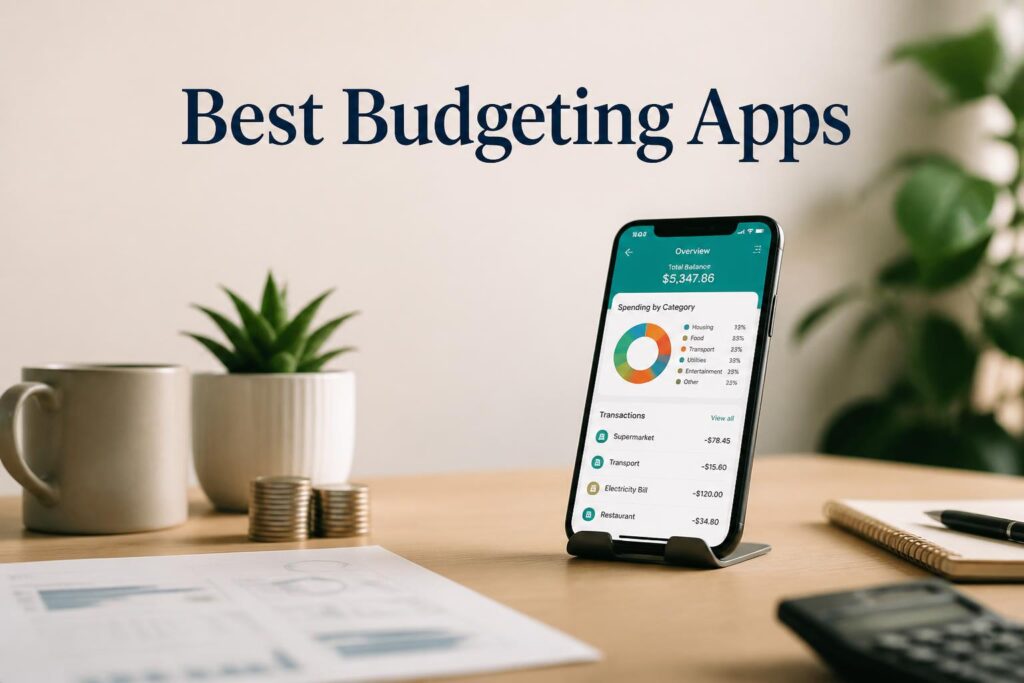
Spendee focuses on visual budgeting, using colorful graphs and intuitive charts to help users understand their spending habits quickly.
Key Features
- Bank account sync
- Visual budget dashboards
- Shared wallets
- Multi-currency support
- Custom categories
Pricing
- Free: Basic features
- Premium: ~$14/month
Pros
- Beautiful visual interface
- Easy to understand reports
- Multi-currency support
Cons
- Limited free functionality
- Some sync issues reported
Best for: Visual learners who want intuitive insights
—
9. Money Manager Expense & Budget — Best Offline Budget Tracker
This app is a favorite among Android users who prefer offline control. It provides robust manual tracking without requiring bank integration.
Key Features
- Offline expense tracking
- Simple double-entry bookkeeping style
- Budget planning tools
- Calendar-based expense view
Pricing
- Free: Full basic usage
- Paid: Ad removal + extras
Pros
- Works offline
- Lightweight and fast
- Reliable manual tracking
Cons
- No automation
- Outdated UI compared to newer apps
Best for: Users who prefer offline financial tracking
—
Comparison Table
| Feature | Empower | Goodbudget | PocketGuard | EveryDollar | Wallet | Honeydue | Fudget | Spendee | Money Manager |
|---|---|---|---|---|---|---|---|---|---|
| Free Plan | ✅ | ✅ | ✅ | ✅ | ✅ | ✅ | ✅ | ⚠️ | ✅ |
| Bank Sync | ✅ | ⚠️ | ✅ | ⚠️ | ✅ | ⚠️ | ❌ | ✅ | ❌ |
| Automation | ⭐ Best | ❌ | Good | Limited | Good | Limited | ❌ | Good | ❌ |
| Visual Reports | Good | Basic | Good | Basic | ⭐ Best | Basic | Basic | ⭐ Best | Basic |
| Offline Mode | ❌ | ❌ | ❌ | ❌ | ❌ | ❌ | ✅ | ❌ | ⭐ Best |
—
How to Choose the Right Budgeting App
If you’re still unsure, here’s a simple decision guide:
- If you want a full financial overview → Empower
- If you want structured envelope budgeting → Goodbudget
- If you struggle with overspending → PocketGuard
- If you prefer strict planning systems → EveryDollar
- If you want deep analytics → Wallet by BudgetBakers
- If you’re budgeting as a couple → Honeydue
- If you want ultra-simple tracking → Fudget
- If you love visuals → Spendee
- If you want offline control → Money Manager
Each app solves a slightly different financial behavior problem, so the “best” one depends on how you naturally manage money.
—
FAQ
What is the best free budgeting app in 2026?
Empower is the strongest all-in-one free option, while Goodbudget is best for structured budgeting beginners.
What budgeting app is easiest to use?
Fudget and PocketGuard are the simplest for beginners.
Which app is best for couples?
Honeydue is specifically designed for shared financial management.
Are free budgeting apps safe?
Most reputable apps use bank-level encryption, but always check permissions and privacy policies.
Can I budget without linking my bank account?
Yes—Fudget, Goodbudget, and EveryDollar support manual budgeting.
—
Final Recommendation
If you want the strongest free option overall, Empower Personal Dashboard gives you the most complete financial picture without paying anything. For beginners who want structure, Goodbudget is the best place to start.
Start with Empower—it’s free and covers the widest range of financial needs.
—
Supplementary
FAQ Schema Questions
- What is the best free budgeting app in 2026?
- Which budgeting app is easiest for beginners?
- What app helps stop overspending?
- Are budgeting apps safe to use with bank accounts?
- Can I budget without linking my bank?
Image Suggestions
- App dashboard comparison screenshot
- Envelope budgeting illustration (Goodbudget)
- Spending analytics charts (Wallet / Spendee)
- Couple budgeting interface (Honeydue)
Affiliate Note
No affiliate links were embedded in this article. Replace CTA placeholders with your tracking URLs before publishing.
Update Schedule
Recommended update frequency: every 6 months
Check for:
- App pricing changes
- Feature updates (bank sync, AI tools)
- App shutdowns or rebrands
- New AI budgeting tools emerging in market