
How to Save Money on AI Image Generation: 9 Smart Strategies That Actually Work (2026)
Disclosure: This article contains affiliate links. If you purchase through these links, I may earn a commission at no extra cost to you.
Most AI image tools cost $20-50 a month. If you only need occasional images, that adds up fast. Here are nine ways to cut that cost, or skip it entirely.
What you need before starting
- Basic understanding of AI prompts (no technical expertise required)
- A clear idea of what images you need (style, subject, purpose)
- Estimated time: 20-30 minutes to set up your cost-saving system
1. Use free tiers first
Most platforms give you 10-50 free images per month. Sign up for Bing Image Creator, Leonardo.ai, Ideogram, and Craiyon. That’s 100+ free images across four accounts if you bother to track when credits reset.
Set a calendar reminder. People forget they have credits and let them expire. I’ve done this more times than I want to admit.
The trick is treating free tiers as your main toolkit, not just a trial. Some creators run their entire operation this way by planning ahead and batching requests.
2. Write better prompts
Bad prompts waste generations. Every retry costs credits.
Weak: “a dog in a park”
Better: “Golden retriever running through autumn park, golden hour lighting, shallow depth of field, professional pet photography, vibrant fall colors, Canon 5D quality”
The formula: subject + style + composition + lighting + quality keywords. Add what you don’t want in negative prompts. Be specific.
Save prompts that work. When your success rate goes from 40% to 75%, you just cut costs by a third. This is the highest-impact change you can make—better than any paid feature.
3. Generate in bulk
Platforms charge per image, but some discount bulk packages. Leonardo.ai sells token bundles. Plan your image needs for the week and generate everything in one session instead of creating images one at a time.
Per-image cost drops from $0.50 to $0.15 when you buy 100 tokens instead of 10. Works well if you need multiple blog images, social media graphics, or product mockups all at once.
4. Use image-to-image instead of text-to-image
Starting from an existing image—your photo, a sketch, anything—uses fewer credits than generating from scratch.
Upload a base image to a tool that supports image-to-image (Midjourney, Stable Diffusion, Leonardo.ai). Transform it with AI. Adjust the strength slider. Lower strength keeps more of the original and costs less.
Credits last two or three times longer this way. Good for turning sketches into finished art or changing the style of existing photos.
5. Run Stable Diffusion locally
If you generate 20+ images weekly and have an NVIDIA GPU (6GB+ VRAM), install Stable Diffusion WebUI on your computer. Takes 2-4 hours to set up the first time. After that, unlimited free images.
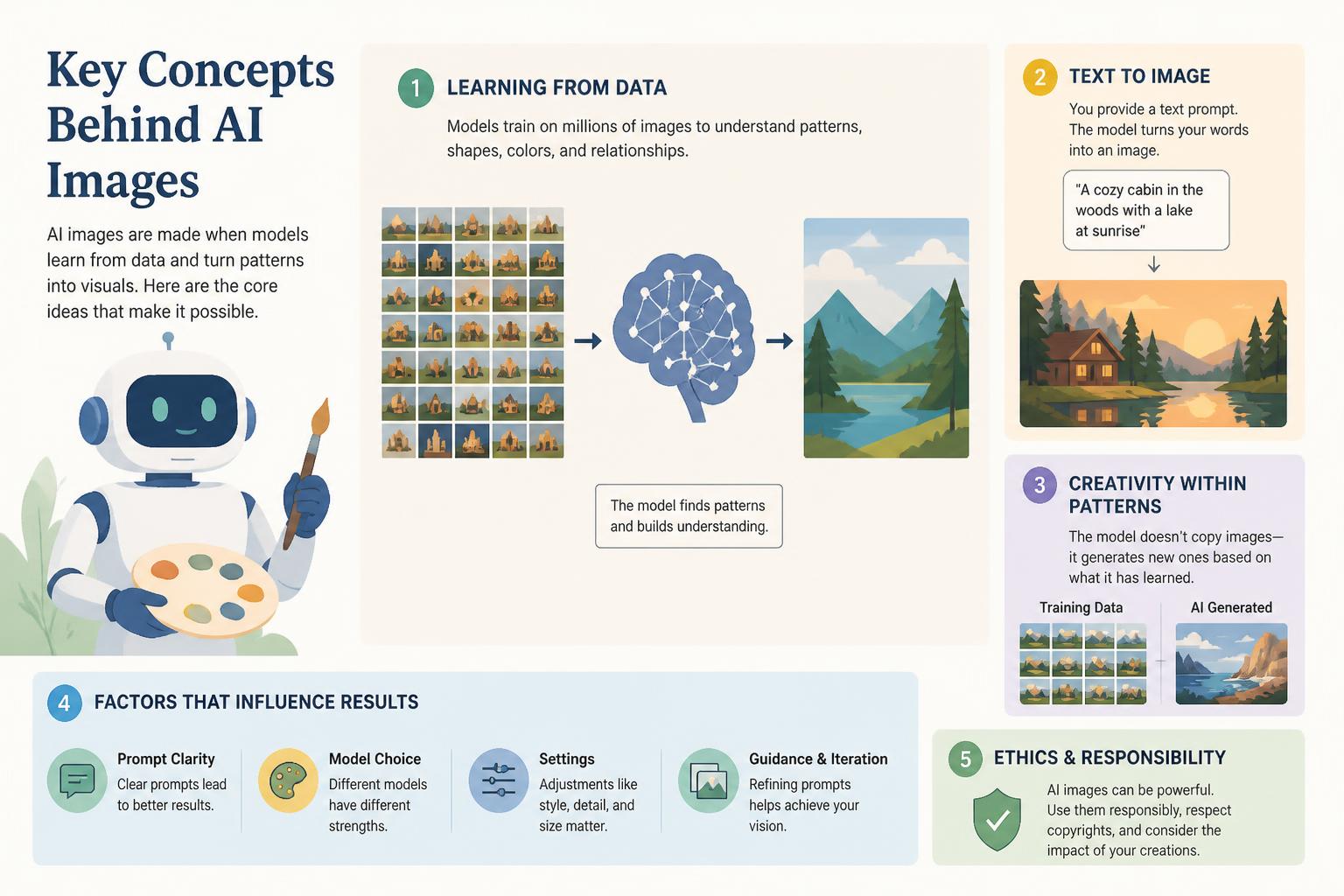
The setup:
- Check your hardware requirements (NVIDIA GPU with 6GB+ VRAM recommended)
- Download Stable Diffusion WebUI (AUTOMATIC1111 is most popular)
- Install following the GitHub instructions for your operating system
- Download your preferred models from Hugging Face or Civitai
- Start generating unlimited images with no recurring fees
Midjourney costs $10-60 monthly. Local Stable Diffusion costs zero after setup. Break even in month one if you’re a regular user.
The learning curve is real, though. If you’re not comfortable with basic tech setup, this one’s probably not worth the headache.
6. Generate low-res, then upscale
High-resolution generation burns through credits fast. Generate at 512×512 or 1024×1024, then upscale separately with free tools like Upscayl or Real-ESRGAN.
Two-step approach:
- Generate your image at standard resolution
- Use a dedicated AI upscaler to increase resolution afterward
- Try free upscalers first (Upscayl, Real-ESRGAN, or waifu2x for anime)
- Only pay for upscaling if free options don’t meet quality needs
Cuts credit use by half or more for the same final quality. This separation of generation and upscaling is how professional AI artists keep costs down while delivering print-quality work.
7. Split a subscription
If you work with a team or have creator friends, split one account. A $30 subscription becomes $6-10 per person.
How to set this up:
- Find 2-4 trusted collaborators with similar image needs
- Choose a platform that allows multiple users (check terms of service)
- Split the subscription cost equally
- Set monthly credit budgets per person to keep usage fair
- Use a shared tracking sheet to monitor who’s used what
Only do this with platforms that explicitly allow account sharing or team plans. Violating terms of service can get your account terminated.
Platforms with official team features: Leonardo.ai, Midjourney (higher tiers), Runway ML.
8. Generate during off-peak hours
Some platforms have slower processing during business hours in US/EU time zones. Late night or early morning can be faster.
Identify your platform’s peak hours (usually 9 AM – 9 PM in major time zones). Schedule batch generation for late night or early morning. Check if your platform offers off-peak discounts—some do seasonally.
Not all platforms implement time-based pricing yet, but it’s an emerging trend worth monitoring.
9. Reuse what you already made
Your biggest savings might be images you already generated.
Build a library of your generated images organized by style and subject. Use image-to-image to create variations instead of starting fresh. Combine elements from multiple images using AI outpainting or inpainting. Change only what needs changing—background, colors, small details.
One hero image becomes 10+ social media variations. Recolor existing images for different brands. Use successful compositions as templates for new subjects.
This is probably the most overlooked approach. Treating AI images as starting points rather than finished products unlocks way more value from every generation.
Your cost-saving system in action
If you implement even three or four of these strategies, you’ll probably cut your AI image expenses by 60-90% while maintaining or improving quality.
Free tiers give you 100+ monthly images across platforms. Better prompts reduce waste by 60-75%. Bulk generation cuts per-image costs by half. Local Stable Diffusion eliminates subscriptions entirely. Strategic upscaling saves 50% on high-res images.
The shift is from “pay per image” thinking to “build a system” thinking. Your cost per image drops once you have the right tools, workflows, and habits in place.
Troubleshooting common issues
“Free tiers aren’t enough for my volume needs”
Combine strategies 1, 3, and 9: Use free tiers for initial generation, bulk generate variations, then repurpose extensively. Most creators can stretch 100 free images into 300+ usable assets.
“Local Stable Diffusion isn’t working on my computer”
If your hardware isn’t compatible, focus on better prompts + image-to-image + upscaling + cost sharing instead. That combination still cuts costs 70%+.
“I need images today but don’t have time to learn all this”
Start with steps 1 and 2 only—free accounts and better prompts. You’ll see immediate savings with minimal learning curve. Add other strategies gradually.
“Quality suffers when I try to save money”
Quality and cost aren’t opposites. Prompt engineering actually improves quality while reducing cost. The trick is working smarter, not cheaper.
Next steps
- Set up your free accounts this week across 3-4 platforms
- Create a prompt swipe file documenting what works
- Test image-to-image workflows for your most common image needs
- Track your actual costs for 30 days to measure savings
The creators who save the most aren’t necessarily the most technical—they’re the most strategic.
FAQ
Do I really need paid AI image tools, or can I stick with free options forever?
Free tiers alone can sustain casual users (10-50 images per month). If you need 100+ images monthly or require commercial licenses, paid tools become necessary—but strategies 3-9 still reduce those costs.
Which free AI image generator gives the best quality in 2026?
Bing Image Creator (powered by DALL-E) and Leonardo.ai’s free tier consistently rank highest for quality. Ideogram excels at text-in-images, which most tools struggle with.
How much does it actually cost to run Stable Diffusion locally?
Zero recurring costs if you have compatible hardware. Electricity is negligible (similar to gaming for a few hours). The only cost is the learning time investment (2-4 hours initial setup).
Can I use free AI-generated images commercially?
Check each platform’s terms. Most free tiers allow commercial use with attribution, but some (like Craiyon) require paid plans for commercial licenses. Always verify before using in client work.
What’s the realistic monthly savings using these strategies?
Most users report 60-85% cost reduction. If you’re currently spending $30-50 per month on AI images, expect to drop to $5-15 per month while maintaining similar output volume and quality.
Is prompt engineering really that important for saving money?
Yes. It’s the highest-impact, lowest-effort strategy. Improving your prompts from 40% to 75% success rate means you need 40% fewer total generations—that’s immediate cost savings every time you create.
Last updated: January 2026










