
How to Compare AI Video Generators: Step-by-Step Guide (2026)
Affiliate Disclosure: This article contains affiliate links. If you purchase through these links, we may earn a commission at no extra cost to you.
Picking an AI video generator in 2026 feels like choosing a phone plan—everyone claims they’re the best, the pricing is confusing, and you’re worried you’ll pay for features you don’t need.
The good news: AI video quality has exploded this year. The bad news: with tools like Kling 3.0, Google VEO 3.1, SeaArt 2.0, and Runway Gen-4.5 all competing for your attention, the choice is harder than ever.
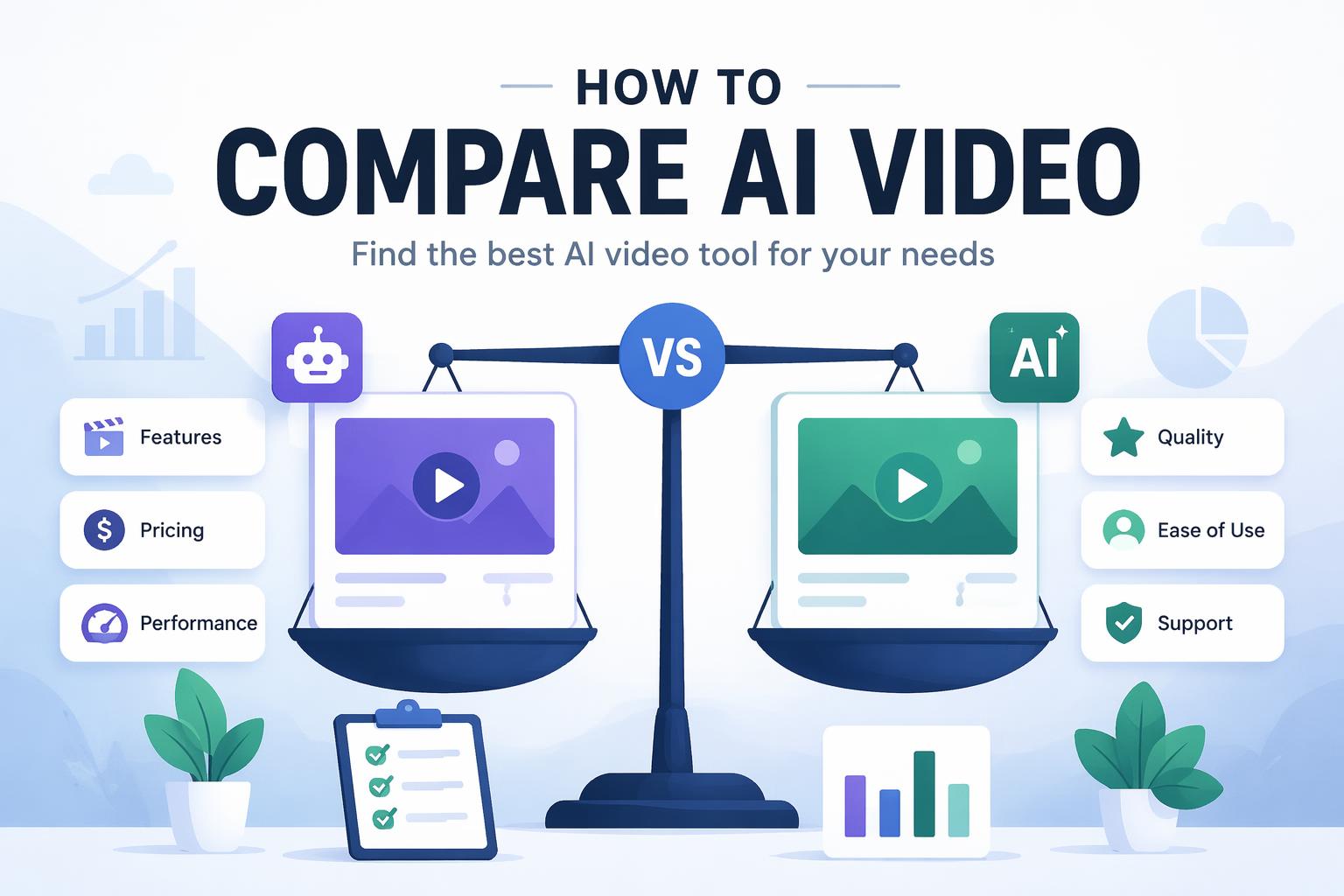
This guide gives you a systematic framework for comparing AI video generators based on what actually matters—physics quality, audio fidelity, creative control, and price. By the end, you’ll know which tool fits your use case, whether you’re making social content, commercial ads, or cinematic sequences.
What you’ll learn:
- How to test AI video generators objectively
- Which quality metrics separate good from great
- How to match tools to your specific workflow
- Where free plans end and paid tiers begin
Estimated time: 20 minutes to read, 1-2 hours to test tools yourself
—
Why Comparing AI Video Tools Is Harder in 2026
In 2026, AI video generation crossed a threshold. Google’s Veo 3.1 generates footage that’s hard to distinguish from real clips. OpenAI’s Sora 2 powers actual commercial ad campaigns. Character consistency—once a disaster—is now standard across leading platforms.
But this sophistication creates a new problem: every tool looks impressive in demo reels. The differences that matter—physics accuracy, audio quality, prompt control, licensing terms—only surface when you dig deeper.
This guide walks you through a structured comparison process so you can cut through the marketing and find the right tool.
—
What You Need Before Starting
Get specific before you compare anything.
Requirements:
- A clear use case (social media, ads, film, education)
- 2-3 hours to test multiple platforms
- Sample prompts ready (we’ll provide a starter set)
- Budget range in mind
Recommended test accounts:
- Free trials from 2-3 platforms you’re evaluating
- Most tools offer free tiers with watermarks or limited exports
Optional but helpful:
- Reference footage or style examples
- List of specific features you need (voiceover, music, specific aspect ratios)
—
Step 1: Define Your Primary Use Case
Before you compare any tools, get specific about what you’re making.
AI video generators optimize for different strengths. Runway Gen-4.5 excels at artistic and stylized output. Google VEO 3.1 focuses on photorealism and dialogue. Kling 3.0 offers solid value for the price according to 2026 platform reviews.
Ask yourself:
- What’s the final output? (YouTube video, Instagram Reel, commercial, explainer)
- What style do you need? (photorealistic, animated, stylized, cinematic)
- How much creative control do you need? (full scene direction vs. quick output)
- What’s your budget? (free, under $50/month, enterprise)
Write down your answers. This becomes your evaluation filter.
Example: “Short-form social videos with consistent brand characters, under $30/month”
—
Step 2: Identify Your Core Quality Metrics
Not all quality metrics matter equally for every use case. Here’s how to prioritize:
Physics Accuracy
How realistically objects and people move. Critical for product demos, educational content, anything claiming realism.2026 benchmark: SeaArt 2.0 leads with a 9.5 physics rating in comparative evaluations.
Test this: Generate a prompt with complex motion (person walking while carrying an object, liquid pouring, cloth draping). Watch for unnatural movements, morphing, or physics breaks.
Audio Quality
Dialogue clarity, ambient sound, music integration. Critical for ads, narrative content, anything without separate audio editing.2026 benchmark: Google VEO 3.1 scored 10 for audio quality, with native dialogue generation. Kling and SeaArt both rated 9.5.
Test this: Generate a scene with dialogue or ambient sound. Listen for clarity, lip-sync accuracy (if characters speak), and whether audio matches the visual mood.
Visual Fidelity
Resolution, detail, lighting, color accuracy. Critical for professional output, commercial use, anything displayed on large screens.Test this: Generate the same prompt on multiple platforms. Compare at full resolution—zoom in on faces, textures, backgrounds. Check for artifacts, blur, or uncanny valley effects.
Prompt Control
How well the tool interprets complex instructions and multi-modal inputs (text, image, video references).2026 shift: Multi-modal input is now standard. Tools like Seedance 2.0 feature identity-lock systems for character consistency. Most platforms accept image and video references alongside text prompts.
Test this: Submit a detailed prompt with specific camera angles, lighting, and character descriptions. See how much the output matches your intent.
Generation Speed
Time from prompt to final render. Critical for iteration-heavy workflows, tight deadlines, high-volume production.Test this: Track time from prompt submission to final export across platforms. Factor in queue times during peak hours.
Which 2-3 metrics matter most for your use case? Rank them.
—
Step 3: Create a Standardized Test Prompt Set
To compare tools fairly, test them with identical prompts.
Starter test prompts for 2026:
- Simple motion test: “A person walking through a park on a sunny day, shot from the side, slow motion”
- Physics challenge: “Coffee being poured into a glass cup, steam rising, close-up shot”
- Character consistency test: “A woman in her 30s with short black hair and glasses, smiling at the camera, then turning to look out a window”
- Complex scene: “Wide shot of a busy city street at golden hour, cars passing, people crossing, realistic lighting and shadows”
- Style test: “Cinematic shot of a lone astronaut on Mars, dramatic lighting, 35mm film aesthetic”
Run all five prompts through each platform you’re evaluating. Save the outputs for side-by-side comparison.
> Note: Prompt syntax varies between platforms. Adapt phrasing based on each tool’s documentation, but keep the core request identical.
Save the test videos in organized folders.
—
Step 4: Evaluate Creative Input Methods
In 2026, AI video tools accept more than just text prompts. Understanding which input methods each platform supports helps you match tools to your creative workflow.
Input methods to check:
Text-to-Video
The foundation—describe what you want, get video output. Every platform supports this.Image-to-Video
Upload a reference image (character, scene, style frame) and animate it. Essential for brand consistency and specific visual requirements.Test this: Upload the same reference image to each platform and prompt them to animate it. Compare how well they preserve the original visual identity.
Video-to-Video
Upload existing footage and transform it (change style, enhance, or use as motion reference). Useful for style transfer, rough-to-polished workflows, motion templates.Multi-Modal Prompts
Combine text + image + video references in a single prompt. Multi-modal input is replacing text-only prompts as the dominant creative interface in 2026.Platform example: Seedance 2.0 features an identity-lock system that maintains character consistency across multi-modal inputs.
Which input methods will you actually use? Which platforms support them best?
—
Step 5: Compare Character Consistency Features
If your project involves recurring characters, consistency is non-negotiable.
By 2026, character consistency has become baseline. Leading platforms offer identity-lock features that maintain character appearance across multiple generations.
Test character consistency:
- Generate a character in Scene 1 with a detailed description
- Use the same description (or upload Scene 1 as reference) for Scene 2 with different action/setting
- Compare facial features, clothing, proportions, and unique identifiers
Red flags:
- Character’s face changes between scenes
- Clothing or accessories morph or disappear
- Proportions shift noticeably
- Unique identifiers (tattoos, scars, specific hairstyles) don’t persist
The same recognizable character should appear across multiple generations, with only intentional changes (different expressions, poses, camera angles).
—
Step 6: Analyze Pricing vs. Your Volume Needs
AI video pricing models vary wildly. Here’s how to calculate true cost:
Common pricing structures:
Credit-Based Systems
You buy credits, each generation costs X credits. Check:- How many credits per video (varies by length, resolution, features)
- Whether unused credits expire
- Bulk discount tiers
Subscription Tiers
Monthly fee for X video exports or X minutes of generation. Check:- Export limits vs. your monthly volume
- What happens when you hit the cap (pay-per-export, wait until next month, forced upgrade)
- Whether watermarks apply to lower tiers
Free Tiers
Generous in 2026, but always check:- Watermark placement and size
- Resolution caps (usually 720p or lower)
- Commercial use restrictions
- Export limits per day/month
Calculate your cost:
Estimate monthly volume (number of videos, total minutes). Factor in iterations—you rarely nail it first try, so multiply expected volume by 2-3x. Add up platform costs based on your calculated volume. Compare final monthly spend.
Kling 3.0 consistently ranks as offering strong value among leading platforms in 2026 reviews.
—
Step 7: Check Licensing and Commercial Use Terms
This is where many creators get burned. Read the fine print before you commit.
Key questions:
Can you use outputs commercially?
Some free tiers restrict commercial use. Paid tiers typically grant commercial rights, but check:- Whether you need to credit the platform
- If there are revenue caps (some licenses restrict commercial use to projects under $X revenue)
- Geographic restrictions
Who owns the generated content?
Most platforms grant you ownership of outputs, but verify:- Whether the platform retains any rights to use your outputs
- If they can use your prompts or results for training future models
- Whether you can resell or license generated content to clients
Copyright and training data transparency
In 2026, copyright concerns have exploded, with platforms facing increasing scrutiny over training data sources.Example: Adobe Firefly is trained exclusively on licensed content, making it a safer choice for risk-averse commercial projects.
Red flag checklist:
- Vague “royalty-free” language without specific commercial use terms
- No information about training data sources
- Terms that allow the platform to use your outputs without permission
- Restrictions on client work or resale
Screenshot the terms. Make sure your intended use case is covered.
—
Step 8: Test Ease of Editing and Export Options
Great output means nothing if you can’t integrate it into your workflow.
Check export capabilities:
Resolution and Format Options
- Maximum resolution (4K, 1080p, 720p)
- File formats (MP4, MOV, WebM, etc.)
- Codec options (H.264, H.265/HEVC, ProRes)
- Aspect ratio presets (16:9, 9:16, 1:1, custom)
Post-Generation Editing
Some platforms offer built-in editing:- Trim and cut within the platform
- Add text overlays or graphics
- Adjust color grading
- Replace or adjust audio
Do you need these features, or will you edit in external software anyway?
Integration with Other Tools
Check for:- Direct exports to YouTube, social platforms
- API access for automation
- Compatibility with editing software (Premiere, Final Cut, DaVinci Resolve)
- Bulk export options
Test this: Generate a video and export it in your preferred format at your target resolution. Import it into your editing software and check for quality loss, compatibility issues, or unexpected artifacts.
The platform should export in formats compatible with your existing workflow, without extra conversion steps.
—
Step 9: Evaluate Audio Capabilities
In 2026, AI video audio has become a major differentiator. Some platforms treat audio as an afterthought. Others offer native dialogue generation and sophisticated soundscaping.
Audio features to test:
Dialogue and Voice Integration
If your use case involves speaking characters, check:- Lip-sync accuracy
- Voice quality and natural cadence
- Ability to specify voice characteristics (age, gender, accent, emotion)
- Whether you can upload custom voice samples
2026 leader: Google VEO 3.1 received a perfect 10 score for audio quality with native dialogue generation.
Ambient Sound and Music
- Automatic background music generation
- Ambient sound matching scene context (city noise, nature sounds, etc.)
- Music library access (royalty-free tracks)
- Custom audio upload support
Audio Editing Controls
- Volume adjustment for dialogue vs. background
- Audio track separation (export dialogue and music as separate tracks)
- Ability to mute auto-generated audio and add your own
Test this: Generate a scene with dialogue and ambient sound. Listen with headphones for:
- Dialogue clarity
- Whether ambient sounds match the visual scene
- Audio-visual sync quality
- Background music appropriateness
Does the platform’s audio quality meet your needs, or will you need to replace audio in post-production?
—
Step 10: Factor in Learning Curve and Support
The best tool is the one you’ll actually use. Evaluate how long it takes to become proficient.
Assess the learning curve:
Prompt Engineering Complexity
- Are results good with simple prompts, or do you need advanced prompt techniques?
- Does the platform provide prompt templates or examples?
- How much iteration is typical before getting usable results?
Interface Complexity
- Is the UI intuitive or cluttered?
- Are advanced features hidden behind menus or easily accessible?
- Can you save and reuse settings, characters, or scenes?
Available Resources
Check for:- Official documentation quality
- Video tutorials (both official and community-created)
- Active user community (Discord, Reddit, forums)
- Customer support responsiveness (test with a pre-sales question)
Time investment test: Track how long it takes you to go from account creation to first satisfactory output. If it’s over an hour, the learning curve may be steeper than advertised.
> Note: Platforms with active community prompt-sharing significantly reduce learning time, according to 2026 content creators.
Realistically, how long before you’re productive on each platform? Is that time investment worth it for your use case?
—
Step 11: Run a Side-by-Side Final Comparison
Now that you’ve tested multiple platforms across all key dimensions, it’s time to make a decision.
Create a comparison matrix:
Feature Platform A Platform B Platform C Physics Quality (1-10) Audio Quality (1-10) Prompt Control (1-10) Character Consistency Cost per Video Learning Curve (hours) Commercial License ✓/✗ ✓/✗ ✓/✗ Best For
Weighting your decision:
If your priority is photorealism and dialogue, weight audio and physics scores higher. If you’re making stylized content on a budget, weight cost and creative control higher.
Red flags that should eliminate a platform:
- Licensing terms don’t cover your use case
- Quality consistently below competitors in your priority metrics
- Cost per video exceeds budget even at lowest tier
- Critical features missing (e.g., you need character consistency, platform doesn’t offer it)
You should have a clear winner based on your weighted priorities, or a shortlist of 2 platforms for final testing.
—
Step 12: Make Your Decision and Set Up Workflow Integration
Choose your platform and commit to a workflow integration test.
Before you commit to a paid plan:
- Run a real project (not just test prompts) on the free tier or trial
- Time the entire workflow from concept to final export
- Share the result with stakeholders or audience to gauge reception
- Calculate actual cost based on real usage (iterations, exports, add-ons)
Setting up for long-term success:
Organize Your Assets
- Create a prompt library for recurring needs
- Save character references and style guides
- Build templates for common video types
Establish Quality Standards
- Define minimum acceptable quality for different use cases
- Create review checklists before exporting
- Set up approval workflows if working with clients or teams
Plan for Scaling
- Understand how pricing changes as volume grows
- Identify bottlenecks in your workflow
- Consider when to upgrade tiers or add team members
You should have a production-ready workflow using your chosen platform, with clear quality standards and cost predictability.
—
What You’ve Just Built
You now have a systematic framework for evaluating AI video generators that goes beyond surface-level marketing claims. You’ve tested real-world performance across physics, audio, creative control, pricing, and licensing—the factors that determine whether you’ll still be using the tool in six months.
Your comparison framework includes:
- Standardized test prompts for fair evaluation
- Quality metrics tailored to your use case
- Cost calculations based on realistic volume
- Licensing verification for commercial safety
- Workflow integration testing
Next steps:
- Revisit this comparison every 6 months—AI video tools evolve rapidly in 2026
- Join user communities for your chosen platform to learn advanced techniques
- Document your own prompt strategies and share with your team
Based on 2026 evaluations:
- Best physics accuracy: SeaArt 2.0 (9.5 rating)
- Best audio quality: Google VEO 3.1 (10 rating)
- Strong value for price: Kling 3.0
- Best for commercial safety: Adobe Firefly (licensed training data)
—
Troubleshooting Common Comparison Issues
“I’m getting wildly different results from the same prompt”
AI video generation includes randomness. Run each prompt 2-3 times per platform and compare average quality, not single best output.“Free tiers are too limited to properly test”
Focus on quality metrics (physics, audio, prompt control) which show even in watermarked outputs. Save budget and export testing for finalists only.“Every platform claims to be the best”
Ignore marketing claims. Trust only your own test results and independent 2026 benchmarks like the physics and audio ratings referenced in this guide.“I need features from multiple platforms”
Consider a hybrid workflow—use Platform A for character generation, Platform B for scene rendering, and combine in post-production. Increases complexity but maximizes quality.“Platform I chose raised prices after I committed”
Most platforms grandfather existing users at original pricing for 12 months. Check terms before signing annual contracts. Monthly subscriptions offer more flexibility during the rapidly evolving 2026 environment.—
Frequently Asked Questions
Do I need a paid plan to compare AI video generators effectively?
No. Most quality differences (physics accuracy, audio fidelity, prompt control) are visible in free tier outputs. Use free trials to test everything except final export quality and volume pricing.How long does it take to properly compare AI video tools?
Plan for 2-3 hours of active testing spread across several days. This allows you to test during different times (queue times vary), iterate on prompts, and let each platform’s strengths reveal themselves.Can I use free tier outputs commercially?
Usually no—most platforms restrict commercial use to paid tiers. Always check the license terms for your specific tier before publishing or selling content.Which AI video generator is best for beginners?
In 2026, tools with strong multi-modal input and visual interfaces reduce the prompt engineering learning curve. Look for platforms offering image-to-video and strong prompt templates.How often should I re-evaluate my AI video platform choice?
Every 6 months in 2026. The AI video field is evolving rapidly—new features, pricing changes, and competitor improvements can shift the best choice for your use case quickly.What if the platform I need is outside my budget?
Start with a free tier for non-commercial projects to build skills, then upgrade when client work or revenue justifies the cost. Alternatively, focus on platforms offering strong value for the price like Kling 3.0.—
Ready to Choose Your AI Video Platform?
You now have the framework to cut through the hype and make a data-driven decision about AI video generators. The right tool isn’t the one with the flashiest demos—it’s the one that matches your workflow, budget, and quality requirements.
The AI video generation field will continue evolving rapidly through 2026 and beyond. Bookmark this comparison framework and revisit it as new platforms emerge and existing ones add features.
The best AI video generator is the one you’ll actually use consistently. Choose based on your real needs, not aspirational use cases.
Start your comparison today, and you’ll have confidence that you’re investing in the right tool for your creative goals.










