How to Choose Robo-Advisors: A Step-by-Step Guide (2026)
Choosing a robo-advisor is easier than it looks once you know what matters. With over 60 providers on the market, the paralysis usually comes from not knowing which factors actually affect your returns versus which are just marketing noise.
This guide walks through the decision step by step. By the end, you’ll know which platforms fit your situation and which ones to skip.
Takes about 15 minutes to read, maybe 30 to actually make the call and open an account.
Disclosure: This article contains affiliate links. If you sign up for a robo-advisor through our links, we may earn a commission at no extra cost to you. This helps support our work bringing you unbiased financial guidance.
What You Need Before Starting
- A clear sense of your investment goals (retirement, general wealth building, short-term savings)
- Your approximate starting investment amount
- Basic knowledge of your risk tolerance (conservative, moderate, or aggressive)
- 30-45 minutes to evaluate and open an account
Step 1: Determine Your Investment Amount
Start with the simplest filter: how much money do you have to invest right now?
Account minimums vary:
- $0 minimum: Betterment, Fidelity Go
- $50 minimum: Robinhood Strategies (for Gold members)
- $100 minimum: Vanguard Digital Advisor
- $500 minimum: Wealthfront
- $5,000 minimum: Schwab Intelligent Portfolios
Write down your starting amount. This cuts your list immediately.
> Note: Some platforms like Betterment have tiered minimums ($0 for digital-only, $10 for premium features). Make sure you know which tier you’re looking at.
Step 2: Calculate Your True Annual Cost
Robo-advisor fees are not always straightforward. Management fees typically range from 0.25% to 0.85% annually, but some platforms charge nothing at certain balance levels.
Here’s how to calculate your real cost:
- Identify the management fee percentage (what the robo-advisor charges)
- Add the fund expense ratios (the cost of the ETFs inside your portfolio)
- Multiply by your investment amount to get your dollar cost
Example:
- You have $10,000 to invest
- Wealthfront charges 0.25% management fee
- Average ETF expense ratio: ~0.10%
- Total annual cost: 0.35% × $10,000 = $35 per year
Compare this across your shortlist:
- Fidelity Go: $0 management fee under $25,000 + ~0% expense ratio = $0/year
- Betterment: 0.25% management fee + ~0.10% expense ratio = $35/year on $10k
- Vanguard Digital Advisor: Around $15-$16 per year for every $10k in an all-index portfolio
Fidelity Go is hard to beat for balances under $25,000. Once you cross that threshold, it charges 0.35%, which makes other platforms more competitive.
Step 3: Match Features to Your Goals
Not all robo-advisors offer the same capabilities. Match your goals to the features that support them.
If your goal is retirement planning:
- Look for: Retirement account types (Traditional IRA, Roth IRA, SEP IRA)
- Check for: Retirement planning tools and calculators
- Schwab Intelligent Portfolios has dedicated retirement tools; Vanguard Digital Advisor offers personalized risk assessments.
If your goal is tax efficiency:
- Look for: Automatic tax-loss harvesting
- Check for: Daily vs. annual tax-loss harvesting (daily is better)
- Wealthfront does daily tax-loss harvesting; Betterment does it automatically.
If your goal is socially responsible investing:
- Look for: ESG (Environmental, Social, Governance) portfolio options
- Betterment offers a range of socially responsible portfolios.
If your goal is hands-off simplicity:
- Look for: Automatic rebalancing
- Check for: Goal-based planning tools that require minimal input
- Betterment has goal-based financial planning tools; Ally Invest Robo Portfolios does automatic rebalancing.
List your top two goals, then filter your shortlist to platforms that offer those features.
Step 4: Evaluate Portfolio Construction
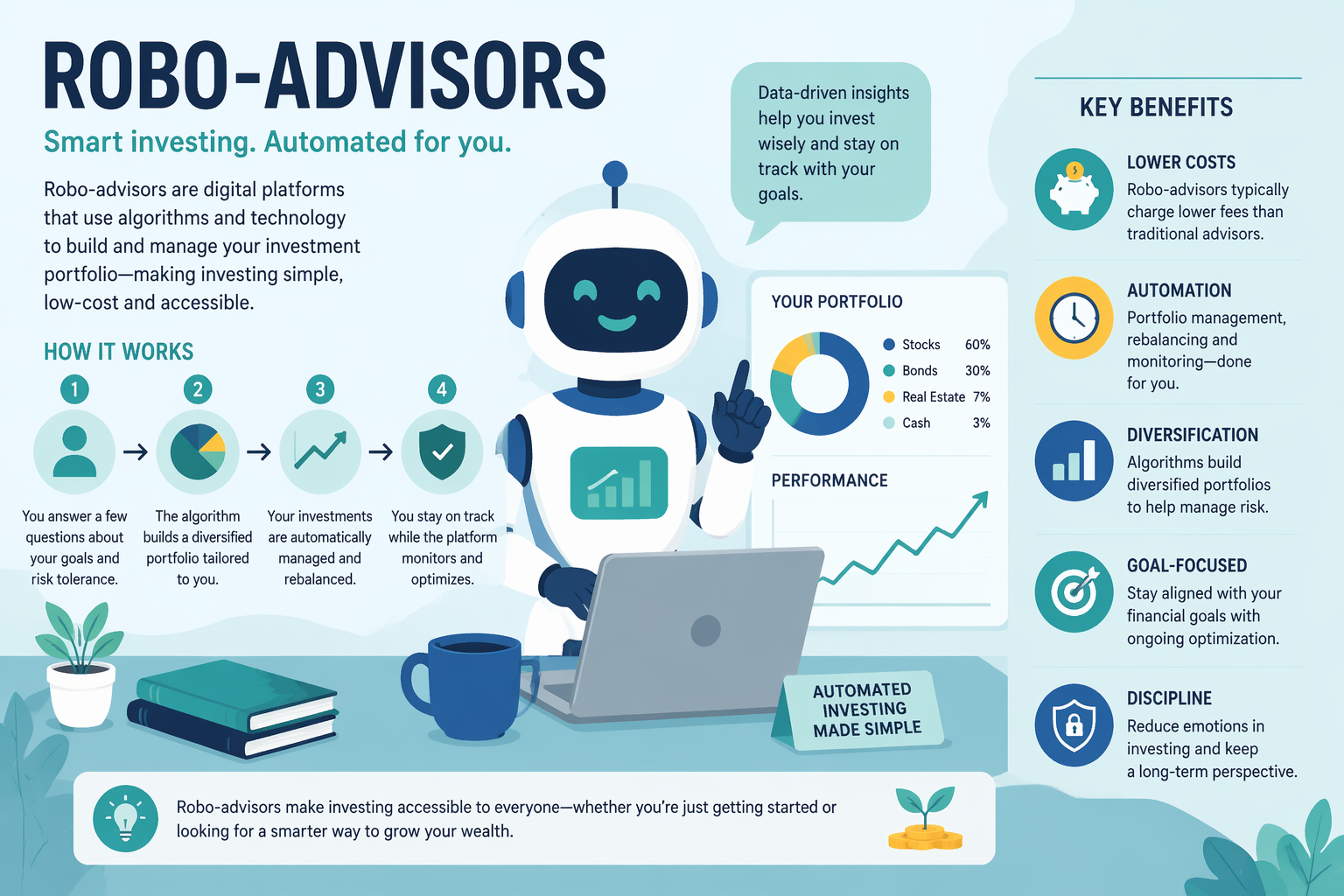
How a robo-advisor builds your portfolio matters more than most people realize.
Most robo-advisors use exchange-traded funds (ETFs) to create portfolios. What differs is the sophistication of their asset allocation approach.
Ask these questions:
- How many asset classes does the portfolio include?
- Is the allocation personalized or template-based?
- What fund providers do they use?
Navigate to each platform’s “How We Invest” or “Portfolio Strategy” page. Read their approach.
If a platform doesn’t transparently explain what funds they use and why, skip it.
Step 5: Test Customer Service Accessibility
Robo-advisors automate investing, but you’ll eventually need human help. Test this before you commit.
Check these touchpoints:
- Chat availability:
- Phone support:
- Access to human advisors:
Call or chat with at least one platform on your shortlist. Ask a basic question like “How does rebalancing work?” and see how the response feels.
Helpful, jargon-free answers within a few minutes are what you’re after.
Step 6: Review Account Type Compatibility
You need the right account type for your investment purpose.
Common account types offered:
- Taxable brokerage accounts: For general investing (all platforms offer this)
- Traditional IRA: Pre-tax retirement savings
- Roth IRA: After-tax retirement savings
- SEP IRA / Solo 401(k): For self-employed individuals
- 529 College Savings: For education expenses
- Joint accounts: For investing with a partner
- Trust accounts: For estate planning
Which platforms support specialty accounts:
- 529 plans: Wealthfront offers a variety of account types including 529
- Multiple account types: Vanguard Digital Advisor (check which types they manage)
If you need anything beyond a basic taxable brokerage or IRA, verify support explicitly. Navigate to the “Account Types” or FAQ section of each platform.
> Planning ahead: Even if you’re starting with a taxable account, choose a platform that supports the account types you’ll need later (like a Roth IRA for retirement).
Step 7: Assess Mobile Experience
You’ll manage your investments primarily on your phone. The mobile experience matters.
Download the app for your top 2-3 contenders. You don’t need to create an account yet—just explore the interface.
Evaluate:
- Dashboard clarity:
- Ease of deposits:
- Portfolio adjustments:
- Educational content:
Spend 10 minutes in each app. If the navigation feels confusing now, it won’t improve after you invest.
Step 8: Understand Integration with Other Accounts
The best robo-advisor for you might be one that connects to accounts you already have.
Bank integrations:
- Ally Invest Robo Portfolios: Ally Bank integration
- Fidelity Go: Integration with other Fidelity accounts
- Betterment: Cash management solutions
If you bank with Ally, Ally Invest Robo Portfolios makes transfers instant. If you already have a Fidelity credit card or checking account, Fidelity Go creates a unified financial dashboard.
List the financial institutions you currently use. Check if any robo-advisor on your list offers deep integration.
> Bonus tip: Integrated platforms often offer higher savings rates on cash and faster transfers between accounts.
Step 9: Verify Safety and Regulatory Compliance
All legitimate robo-advisors are regulated, but it’s worth confirming.
Check for:
- SIPC insurance:
- SEC registration:
- Encryption and security:
Navigate to each platform’s “Security” or “About” page. You should find mentions of SIPC coverage and SEC registration.
If a platform doesn’t mention SIPC insurance or SEC registration, that’s a red flag.
Step 10: Make Your Final Decision
You’ve narrowed it down. Now choose based on your top priority.
Decision matrix:
Your Priority Best Choice Why Lowest fees overall Fidelity Go (under $25k balance) $0 management fee + 0% expense ratio funds Best for beginners Betterment Goal-based planning tools, low $0-$10 minimum, human guidance available Tax optimization Wealthfront Daily tax-loss harvesting, access to diverse asset classes Retirement focus Vanguard Digital Advisor Personalized risk assessments, 300+ glide paths, strong reputation Great service Schwab Intelligent Portfolios Good customer service, retirement planning tools Lowest barrier to entry Betterment or Fidelity Go $0 to start
Step 11: Open Your Account
Once you’ve chosen, opening the account takes 10-15 minutes.
You’ll need:
- Social Security number
- Driver’s license or government ID
- Bank account details for linking
- Employment information
- Approximate net worth and annual income
The process:
- Visit the robo-advisor’s website or open their app
- Click “Get Started” or “Open an Account”
- Select your account type (taxable brokerage, IRA, etc.)
- Complete the application with your personal information
- Link your bank account
- Fund your account with your initial deposit
- Answer the risk assessment questionnaire
- Review your recommended portfolio
- Confirm and activate
Most platforms let you fund immediately via electronic transfer. Some offer a temporary $0 advisory fee period—Vanguard Digital Advisor offers no advisory fees for the first 90 days.
A confirmation email and access to your new portfolio dashboard should arrive within minutes of funding.
> First deposit tip: If your platform offers fee-free periods or bonuses for larger initial deposits, take advantage of those promotions.
Step 12: Set Up Recurring Investments
Don’t stop at the initial deposit. Automate your investing to build wealth consistently.
After your account is funded:
- Navigate to the “Transfers” or “Deposits” section
- Select “Set up recurring deposit” or “Automatic investing”
- Choose your frequency (weekly, bi-weekly, monthly)
- Set your amount (even $50/month compounds over time)
- Confirm the recurring schedule
Robo-advisors are projected to expand from an estimated $18.5 billion in 2026 to almost $68 billion by 2031. That growth comes from consistent, automated investing.
What You’ve Accomplished
You’ve chosen a robo-advisor that fits your goals, budget, and investment style. Your portfolio is built, your deposits are automated, and you’re on track to grow wealth with minimal effort.
The platforms highlighted in this guide—Wealthfront, Betterment, Fidelity Go, Vanguard Digital Advisor, and Schwab Intelligent Portfolios—are the highest-rated robo-advisors in 2026, each scoring highly across over 59 evaluation criteria from independent reviewers.
If you’re ready to open your account:
- Start with Wealthfront → — 0.25% fees and daily tax-loss harvesting
- Try Betterment → — $0 minimum and goal-based tools
- Explore Fidelity Go → — $0 fees under $25k
Troubleshooting Common Issues
“I don’t know my risk tolerance”
Most robo-advisors include a questionnaire that determines this for you. Answer honestly about how you’d react to a 20% portfolio drop—if that thought terrifies you, you’re conservative. If you’d invest more, you’re aggressive.
“The recommended portfolio seems too conservative/aggressive”
You can usually adjust your risk level manually after seeing the initial recommendation. Look for a slider or settings option labeled “Risk Level” or “Portfolio Allocation.”
“My bank account won’t link”
Try linking manually using your routing and account numbers instead of the automatic login method. If that fails, contact customer support—this is a common issue they can resolve quickly.
“I’m not eligible for the platform I wanted”
Some platforms have eligibility requirements. Vanguard Digital Advisor requires a $100 minimum. If you don’t meet the threshold, start with a $0 minimum platform like Betterment or Fidelity Go, then transfer later once your balance grows.
“Should I move my existing investments to a robo-advisor?”
Only if your current fees are higher. Calculate your total cost (advisor fees + fund expenses) and compare it to what you’d pay at a robo-advisor. If you’re paying over 1% annually, switching likely makes sense.
Next Steps
Now that your robo-advisor is set up:
- Set a calendar reminder to review your portfolio quarterly (not daily—avoid obsessive checking)
- Increase your contributions whenever you get a raise or bonus
- Explore tax-loss harvesting if your platform offers it and you have a taxable account
- Add additional account types as your needs evolve (open a Roth IRA if you haven’t already)
- Refer friends if your platform offers referral bonuses
The power of robo-advisors isn’t just low fees—it’s the discipline of automated, consistent investing.
Frequently Asked Questions
Do I need a paid plan for robo-advisors to follow this tutorial?
No. Most robo-advisors charge a percentage of your balance (typically 0.25% to 0.35%), not a separate subscription. Fidelity Go is completely free for balances under $25,000. You can complete this entire tutorial and start investing without paying any upfront fees.
How long does it take to set up a robo-advisor account?
10-15 minutes for the application, plus 1-3 business days for your bank transfer to clear. Some platforms let you start investing immediately with instant verification, while others require the funds to settle first.
Can I do this without investing a lot of money?
Yes. Betterment and Fidelity Go have $0 minimums. Robinhood Strategies starts at $50 (for Gold members). You can begin with whatever amount you have available and add to it over time through recurring deposits.
Are robo-advisors safe for investing?
Yes. All reputable robo-advisors are regulated by the SEC and offer SIPC insurance, which protects up to $500,000 per account if the brokerage fails. They use bank-level encryption and two-factor authentication. Your investments are as safe with a robo-advisor as they are with traditional brokerages.
Can robo-advisors help with retirement planning?
Yes. Most robo-advisors support IRA accounts (Traditional, Roth, SEP) and offer retirement planning tools. Platforms like Schwab Intelligent Portfolios and Vanguard Digital Advisor provide personalized retirement projections and advice. Betterment offers goal-based planning for retirement timelines.
What should I do if I’m still unsure which robo-advisor to choose?
Start with Fidelity Go if you have under $25,000 (it’s free), or Betterment if you want the most beginner-friendly experience. Both let you test the platform risk-free. You can always transfer your investments to a different robo-advisor later if your needs change—there’s no long-term commitment.
—
Ready to automate your investing? The robo-advisors in this guide are trusted by over 1.4 million customers combined and manage billions in assets. Pick the one that fits your goals and start building wealth on autopilot.