
Best Free AI Writing Tools in 2025: How to Pick One Without Wasting Time

You shouldn’t need to test 47 tools or spend $200/month to get decent AI writing help. The space has exploded with options—some legitimately useful, others charging premium prices for features that should be standard, and plenty promising more than they deliver.
This guide focuses on free AI writing tools that actually work and shows you how to pick the right one without overpaying or burning a week on trials.
What Actually Matters in an AI Writing Tool
A good AI writing tool should:
Understand context. It needs to know the difference between a business proposal and a casual blog post without you explaining it three times.
Handle different formats. Blog posts, emails, social captions—you shouldn’t need a different tool for each.
Need minimal editing. You want a starting point or enhancement, not a full rewrite job.
Balance speed and quality. Fast is good. Fast and wrong is not.
Offer real value in the free tier. Not just a teaser that forces an upgrade after two uses.
Best Free AI Writing Tools
ChatGPT (OpenAI)
The free tier gives you GPT-4o mini, which handles most writing tasks.
Best for: Conversational content, brainstorming, general writing
Strengths:
- Free for substantial use
- Maintains context across long conversations
- Adapts to different tones easily
- Works for everything from creative writing to technical docs
Downsides:
- No plagiarism checking
- Needs clear prompts
- Usage limits during peak hours
- No specialized templates
When to use it: ChatGPT works when you need flexibility. Draft an outline, expand sections, refine tone, add examples—all in one thread without switching tools.
Claude (Anthropic)
Claude’s free tier gives you access to models that handle nuanced, thoughtful writing.
Best for: Long-form content, editing, analytical writing
Strengths:
- Understands context well
- Produces coherent long-form content
- Good at editing existing work
- Handles complex instructions
Downsides:
- Daily message limits
- Not widely integrated with other tools
- Can be overly cautious sometimes
When to use it: Claude is good for refining drafts. Paste your work and ask for structural improvements or style adjustments. It gives thoughtful feedback beyond basic grammar fixes.
Google Gemini
Google’s AI integrates with Workspace and offers generous free access.
Best for: Google users, research-heavy writing, combining images with text
Strengths:
- Works with Google Docs, Gmail, other Google services
- Can pull current information through Search
- Handles images
- Generous free tier
- Good at synthesizing research
Downsides:
- Can be wordy
- Best features need Google Workspace
When to use it: Use Gemini when you need recent information or research. It can pull current data and synthesize sources without you switching tabs.
Microsoft Copilot
Microsoft’s assistant comes free with a Microsoft account and works with Office apps.
Best for: Business writing, Office users, professional documents
Strengths:
- Free through Edge or Bing
- Works with Word, Outlook, Office apps (with Microsoft 365)
- Good at professional writing
- Can edit documents directly in Word
Downsides:
- Free version has fewer features than paid
- Works best in Microsoft ecosystem
- Weaker on creative writing
When to use it: Copilot is good for workplace tasks—emails, reports, meeting summaries, professional docs that need to fit corporate standards.
Notion AI
Notion’s AI helps create and organize content in your workspace.
Best for: Knowledge work, content organization, team collaboration
Strengths:
- Built into Notion
- Good for brainstorming and outlining
- Transforms content formats (bullets to paragraphs, etc.)
- Maintains consistent style
- Free trial lets you test it
Downsides:
- Needs Notion account
- Free trial is time-limited
- Less powerful than standalone tools
- Works best as part of Notion workflow
When to use it: Use Notion AI when your writing lives in Notion. Good for wikis, documentation, content that needs to stay organized in your knowledge base.
Specialized Free Tools
Grammarly (Free Tier)
Known for grammar checking, but the free tier includes basic AI suggestions.
Best for: Error-free writing, clarity, tone adjustments
What’s free: Grammar, spelling, basic clarity suggestions, tone detection
Limitations: Advanced features like style suggestions and plagiarism detection need premium
Hemingway Editor
Helps make writing clear and concise by highlighting complex sentences.
Best for: Improving readability, concise writing, editing
What’s free: Full desktop functionality, readability scoring, sentence analysis
Limitations: Web version has fewer features; AI suggestions are basic
QuillBot (Free Tier)
Focuses on paraphrasing and rewording while keeping meaning.
Best for: Paraphrasing, avoiding repetition, academic writing
What’s free: Basic paraphrasing, summarization, limited word count
Limitations: Free tier has strict word limits; advanced modes need premium
How to Pick Without Overpaying
Step 1: Know What You Actually Need
Ask yourself:
- Writing long-form (blogs, articles, reports)?
- Need quick social captions and short content?
- Focusing on business and professional writing?
- Working on creative projects?
- Need editing more than generation?
Your answer narrows the options immediately. Don’t pick based on the full feature list—pick based on what you’ll use daily.
Step 2: Actually Test the Free Tiers
Every tool here offers real free access. Before paying:
- Use it for at least a week
- Test with your actual work, not experiments
- See where the limits bite
- Compare outputs across 2-3 tools for the same task
Your “perfect” tool might actually be the runner-up once you test with real scenarios.
Step 3: Calculate Time Savings vs. Cost
Free tools have trade-offs—features, speed, or usage limits. Be honest:
- How much time does this save per week?
- What’s that time worth to you?
- Do the free limits create friction?
- Would a paid tier actually pay for itself?
Sometimes spending $10-20/month for a tool that saves 5 hours is the right call. Other times, rotating free tiers gives you everything you need.
Step 4: Check Workflow Integration
The best tool is the one you’ll actually use. Consider:
- Does it work where you write?
- Can you access it quickly?
- Does it fit your existing tools?
- Is the interface intuitive?
A slightly less powerful tool that integrates perfectly beats a superior one you barely use.
Step 5: Check the Quality-to-Effort Ratio
Not all AI output needs the same editing:
- Which tools get closest to your final output?
- How much editing does each need?
- Does it learn your preferences?
- Can you figure out good prompts quickly?
The tool that gets you 80% there with minimal prompting often beats the one needing extensive prompt engineering for 90%.
Mistakes to Avoid
Choosing based on marketing hype. Impressive demos don’t mean it fits your needs. Test yourself.
Skipping free options. Current free AI tools offer capabilities that cost hundreds per month two years ago.
Not testing with real work. Sample prompts tell you little. Use them for actual projects.
Ignoring the learning curve. Some powerful tools need time learning effective prompting. A tool that works immediately might beat one that’s theoretically better but needs training.
Focusing only on output quality. Speed, reliability, interface, and integration matter too. High-quality outputs mean little if the tool is frustrating or unavailable when you need it.
Get Better Results
Write Better Prompts
Specific prompts generate better results. Not “write a blog post about AI,” but “Write a 500-word blog post for small business owners explaining how AI writing tools save time, friendly tone, with practical examples.”
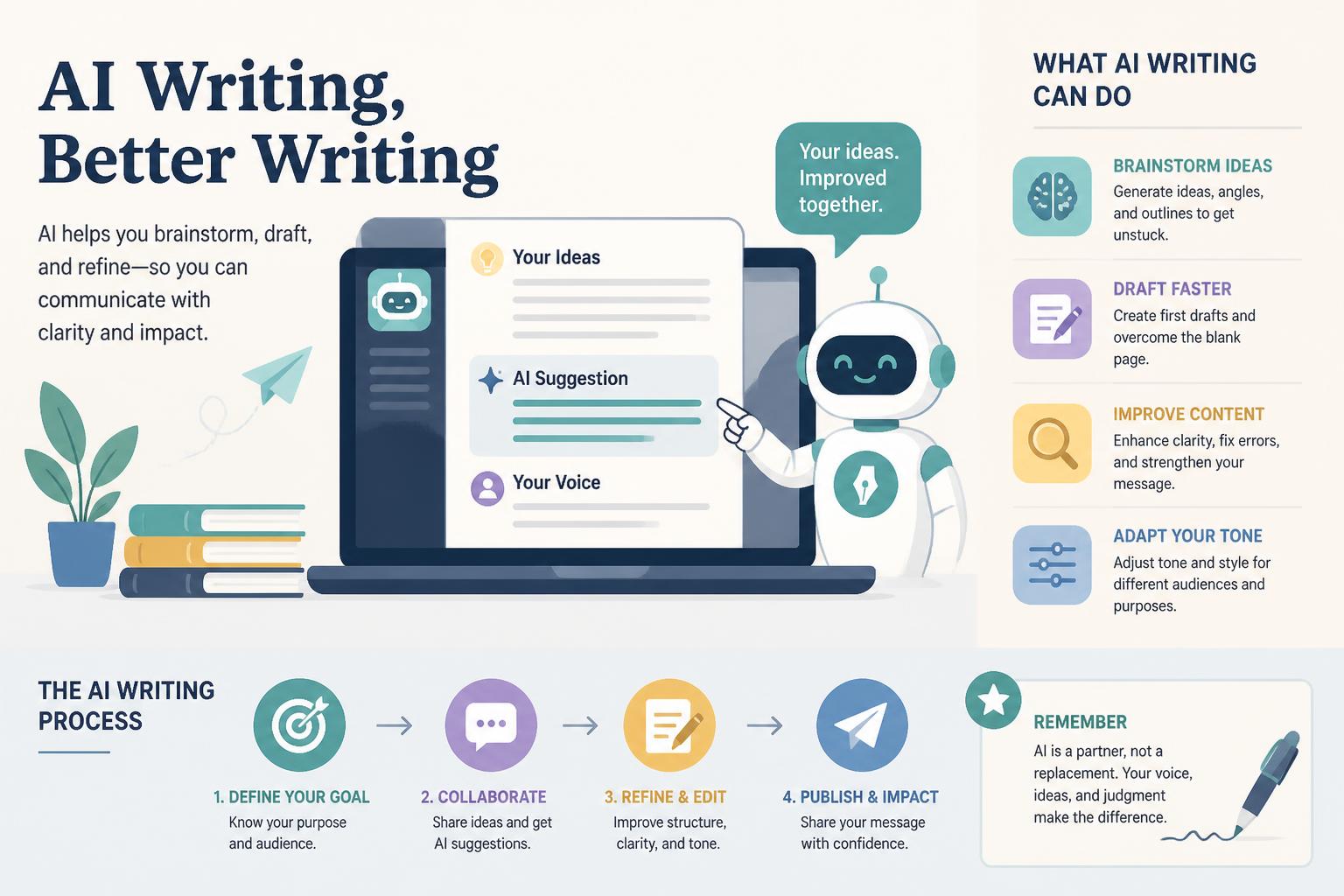
Treat AI as a Partner
Best results come from collaboration:
- Use AI for outlines and structure
- Let AI draft sections while you direct
- Use AI to beat writer’s block, then refine
- Have AI edit your drafts instead of generating everything
Refine Iteratively
Don’t accept first outputs:
- Ask for alternatives if the first misses
- Request specific adjustments instead of full rewrites
- Build on good outputs
- Save effective prompts for reuse
Combine Tools
No single free tool does everything. Combinations work:
- ChatGPT for initial drafts
- Hemingway for clarity
- Grammarly for grammar
- Notion for storage and organization
Stay Updated
AI capabilities improve constantly. Models upgrade, free tiers expand, features launch. Check quarterly to use the best available free options.
Making Your Decision
ChatGPT if: You need maximum versatility at zero cost and don’t mind occasional usage limits. Best all-around free option.
Claude if: You want quality for long-form content and thoughtful editing. Daily limits are manageable for most workflows.
Gemini if: You work in Google’s ecosystem and need research and current information.
Copilot if: Your work centers on Office apps and professional business writing.
Specialized tools if: You have specific needs like paraphrasing, readability, or grammar.
For most people, starting with ChatGPT or Claude while exploring specialized tools for specific tasks gives the best balance.
Conclusion
The best AI writing tool isn’t the most powerful—it’s the one that fits your workflow, saves time without frustration, and helps you produce better content.
Start with free options. Test with real projects. Notice which tools you naturally reach for when facing writer’s block or a deadline. That’s your answer.
Current free AI tools offer capabilities that seemed impossible a few years ago. You don’t need to overpay for features you won’t use or waste time testing dozens of options. Focus on 2-3 free tools matching your needs, master them through use, and upgrade only when you identify specific paid features that would generate measurable value.
For more detailed comparisons, check out https://moneysavingway.com/best-ai-writing/










