
How to Use AI Writing: A Step-by-Step Guide (2026)

AI writing has quietly moved from something experimental into a normal part of how people work and learn. It shows up in content creation, emails, study notes, and even simple brainstorming when you just need to get words moving.
The real difficulty isn’t whether these tools work. It’s knowing how to use them without ending up with something generic or half-baked, or spending too much time rewriting what you just generated.
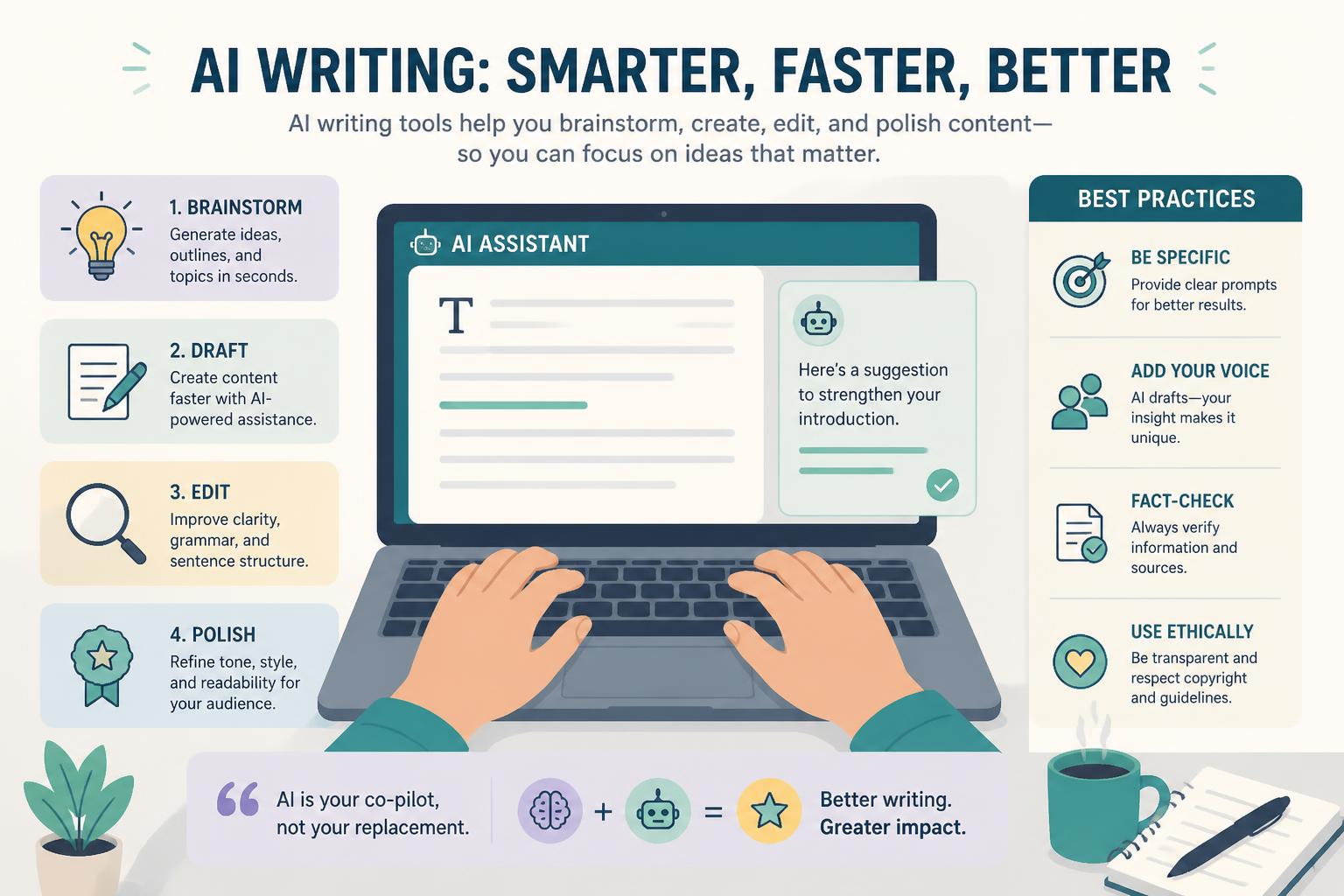
This guide walks through a simple workflow you can actually reuse: planning, generating, improving, and polishing content so it feels ready to publish. Along the way, you’ll also see where things usually go wrong.
One of the most common tools for this kind of work is ChatGPT. It takes rough ideas and turns them into structured drafts you can build on.
—
What You Need Before Starting
Before you jump in, it helps to have a few basics ready:
- A ChatGPT account
→ https://chat.openai.com
- A clear topic you actually want to write about (blog post, email, essay, script, anything works)
- A rough sense of who it’s for
- Around 20–40 minutes for your first full run-through
Nothing complicated here. The clarity matters more than the setup.
—
Step 1: Define Your Writing Goal Clearly
AI works best when you tell it exactly what you want. If the prompt is vague, the output will be too.
Start by answering a few simple questions:
- What are you writing?
- Who is it for?
- What should it achieve?
For example:
- Weak: “Write about productivity”
- Better: “Write a beginner-friendly blog post about productivity for remote workers”
The second version immediately gives direction. It sets expectations without needing extra back and forth.
If your idea still feels broad, break it into smaller pieces before moving on.
—
Step 2: Use AI to Create a Rough Outline
At this stage, don’t aim for a finished article. You’re just building structure.
Try prompts like:
- “Create an outline for this topic”
- “Break this into 5–10 sections”
A useful outline usually includes:
- A short introduction
- A few main sections
- Practical points or steps
- A closing section
Think of it as a skeleton. You’ll add everything else later.
—
Step 3: Expand Each Section Gradually
Instead of asking for the whole article at once, go piece by piece.
For example:
- “Expand section 1”
- “Turn this heading into a full explanation”
- “Add examples here”
This approach tends to produce more focused and usable writing. When everything is generated in one shot, the content often feels repetitive or surface-level.
Working section by section keeps things under control and easier to edit later.
—
Step 4: Adjust Tone and Style
Most AI output starts out neutral. It’s your job to shape how it sounds.
You might want it to be:
- More casual or more formal
- Simpler or more technical
- More persuasive or more explanatory
Some useful adjustments:
- “Make this more conversational”
- “Simplify for beginners”
- “Sound more confident and direct”
This is usually where the content starts to feel like something you’d actually publish.
—
Step 5: Add Examples and Context
Writing gets much stronger when it connects to real situations.
You can ask for:
- Simple examples
- Analogies
- Real-world scenarios
- Practical use cases
For example:
- “Give a real-life example for this idea”
- “Explain this with a simple analogy”
Even small additions like this make the content easier to follow and more believable.
—
Step 6: Review and Clean Up
AI drafts are rarely perfect on the first pass. This is the point where you slow down and check things properly.
Look for:
- Repeated ideas
- Awkward transitions
- Unclear explanations
- Any factual issues
You can also refine with prompts like:
- “Improve flow between these paragraphs”
- “Remove repetition and tighten the writing”
The goal here is simple: make it read smoothly from start to finish.
—
Step 7: Final Polish and Formatting
Before publishing, take care of the presentation.
- Use clear headings
- Break up long paragraphs
- Add bullet points where they help readability
- Keep tone consistent
If you’re writing for a blog or SEO, this is also the moment to refine:
- Titles
- Meta descriptions
- Section summaries
Small formatting changes often make a bigger difference than expected.
—
Common Mistakes When Using AI Writing
A lot of people run into the same issues:
- Prompts that are too broad
- Publishing the first draft without editing
- Trying to generate everything in one go
- Skipping review and fact-checking
Fixing just these habits usually improves results more than any “advanced prompting technique.”
—
What You Can Create with AI Writing
Once the workflow becomes familiar, you can use it for almost anything:
- Blog posts
- Emails
- Video scripts
- Study notes
- Product descriptions
- Business documents
The process stays mostly the same. Only the input changes.
—
Next Steps
From here, the real improvement comes from repetition.
You can:
- Build your own prompt templates
- Reuse structures for similar content
- Combine AI drafts with your own editing style
The tool becomes more useful the more consistent your workflow is.
—
FAQ
Do I need advanced skills to use AI writing?
No. Clear instructions are usually enough to get started.
Can AI replace human writing?
Not really. It helps with drafting, but judgment and editing still matter.
How long does it take?
A draft is quick, but polishing usually takes 20–60 minutes depending on complexity.
Is it good for SEO content?
Yes, as long as you structure and refine it properly.
What’s the biggest mistake beginners make?
Trying to get a perfect result from a single prompt.
—
Final Thoughts
AI writing isn’t about replacing how you think. It’s more like having a fast drafting partner that helps you get words on the page.
The real value comes from how you guide it, edit it, and shape it into something that actually fits your intent.
Once that clicks, the workflow becomes less about “prompting correctly” and more about just writing better, faster.










